

Redactly: Redact PDF
Redactly: Redact PDF is made and published by Jhomar Maravillas. AppBrain is an independent app data site and isn't affiliated with Jhomar Maravillas. The app name, icon, screenshots and description belong to Jhomar Maravillas and are shown as published on the App Store.
AppBrain's verdict
- Last updated
- October 17, 2026
- Size
- 741.0 KB
User feedback
Ratings and reviews on the App StoreComments on Redactly: Redact PDF for iOS
We don't have enough comments to show example comments. Please check back later.
Store listing
By Jhomar Maravillas, from the App Store
Description by Jhomar Maravillas Written by the developer, not by AppBrain. Click to read.
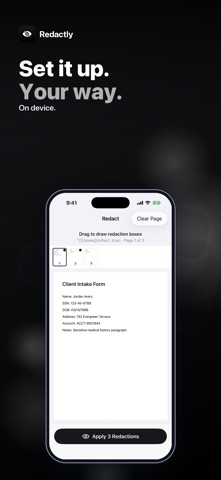
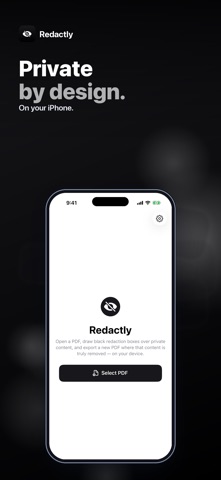
Open a PDF, drag to draw black boxes over anything private, page by page, and tap Apply Redaction. Then share the redacted copy or save it to Files.
• TRUE REMOVAL — every page with a redaction box is flattened into an image with solid black over your boxes, so the hidden text can't be selected, copied, searched or uncovered by deleting a shape.
• DRAW WITH A FINGER — drag to draw a box over text, numbers, photos or signatures; touch and hold a box to remove it, or clear a whole page and start again.
• ALL YOUR PAGES — move between pages with the page strip and redact as many pages as you need, up to 300 pages per PDF.
• OTHER PAGES STAY SHARP — pages without boxes are copied as they are, so their text stays crisp and selectable, and their links and bookmarks are kept.
• NO HIDDEN LEFTOVERS — comments and form annotations are not copied back onto redacted pages — a redacted page carries only what you see on it.
• SHARE OR SAVE — send the redacted PDF by Mail or Messages, or save it to Files. Your original file isn't changed.
Honest scope: you choose what to redact — Redactly doesn't search for or detect sensitive text automatically, so check every page. Redacted pages become images, so their remaining text is no longer selectable. Password-protected PDFs need to be unlocked first.
Everything happens on your iPhone. Your documents are not uploaded and no account is needed.
Redacting and previewing are free: check every redacted page before you pay. A one-time $4.99 purchase unlocks saving and sharing the redacted PDF. No subscription, no ads.
Questions: overlapmarr@gmail.com
Safety and technology
Found in the app by AppBrain- Price
- Free
- App size
- 741.0 KB
- Content rating
- Everyone
Technologies used by Redactly: Redact PDF
Releases
Updates seen on the App Store- Version
- 1.0.9
- Launched
- July 2026
No changelog data
Alternatives
Similar apps and more from Jhomar MaravillasAlternatives to Redactly: Redact PDF




More from Jhomar Maravillas


Rankings
App Store top chartsApp Store Rankings for Redactly: Redact PDF
About the app and developer
About Redactly: Redact PDF
Redactly: Redact PDF is a productivity app developed by Jhomar Maravillas.
User Ratings
The app has no ratings yet.
App Information
Redactly: Redact PDF is freely available from the App Store. The app size is 741.00 kB. The latest version available is 1.0.9. The last update was on October 17, 2026.
Technical Requirements
The app has a content rating of Everyone. The app has been available on the App Store since July 2026.
Developer information for Jhomar Maravillas
Address:
Frequently asked questions about Redactly: Redact PDF
Is Redactly: Redact PDF free?
Yes. Redactly: Redact PDF is free on the App Store.
Is Redactly: Redact PDF still available?
Yes. Redactly: Redact PDF is on the App Store, and the last update we saw was on October 17, 2026.
How large is Redactly: Redact PDF?
Redactly: Redact PDF is 741.00 kB.
Is Redactly: Redact PDF suitable for children?
App Store rates the content of Redactly: Redact PDF as suitable for everyone.
Who made Redactly: Redact PDF?
Redactly: Redact PDF was developed by Jhomar Maravillas. It is listed in the productivity category on the App Store.
What are the best alternatives to Redactly: Redact PDF?
People looking at Redactly: Redact PDF also look at these productivity apps: PrivyMask: Redact PDF & Photo, Documents & Scanner - DocDuck, Cloakit: PDF Redact & Blur, Redacted: Blur PDF & Photo, Redactify - Black Out PDF.