

RedirectWeb Pro
RedirectWeb Pro is made and published by Manabu Nakazawa. AppBrain is an independent app data site and isn't affiliated with Manabu Nakazawa. The app name, icon, screenshots and description belong to Manabu Nakazawa and are shown as published on the App Store.
AppBrain's verdict
- Rating on App Store
- 5.00
- 2 ratings
- Last updated
- October 21, 2026
It doesn't have enough ratings yet to judge what users think.
Rankings
App Store top chartsApp Store Rankings for RedirectWeb Pro
Competitors
Similar apps and more from Manabu NakazawaMore from Manabu Nakazawa

Releases
Updates seen on the App Store- Version
- 10.4.1
- Launched
- April 2026
No changelog data
User feedback
Ratings and reviews on the App StoreComments on RedirectWeb Pro for iOS
We don't have enough comments to show example comments. Please check back later.
Technology
Found in the app by AppBrain- Price
- $3.99
- App size
- 40.1 MB
- Content rating
- Everyone
Technologies used by RedirectWeb Pro
About the app and developer
About RedirectWeb Pro
RedirectWeb Pro is an utilities app developed by Manabu Nakazawa.
User Ratings
RedirectWeb Pro is rated 5.00 out of 5 stars. The rating is based on 2 ratings.
App Information
RedirectWeb Pro costs $3.99. The app size is 40.10 MB. The latest version available is 10.4.1. The last update was on October 21, 2026.
Technical Requirements
The app has a content rating of Everyone. The app has been available on the App Store since April 2026.
Developer information for Manabu Nakazawa
Address:
Store listing
By Manabu Nakazawa, from the App Store


Description by Manabu Nakazawa Written by the developer, not by AppBrain. Click to read.
========
Tired of manually fixing URLs? RedirectWeb is a Safari extension that automatically redirects URLs based on your custom rules. Save time, protect your privacy, and browse the web your way.
— TOP FEATURES & USE CASES —
• Smart Maps Redirection: Automatically open Google Maps links in Apple Maps.
• Search Your Way: Force Safari to use Kagi, Startpage, Brave Search, or any privacy-focused engine as your default.
• Better Social Media: Redirect Twitter/X to Nitter, Reddit to Old Reddit, or YouTube to Invidious for a cleaner, ad-free experience.
• Global Compatibility: Works seamlessly on iPhone, iPad, Mac, and Apple Vision Pro. Also compatible with Chrome and Firefox on Mac.
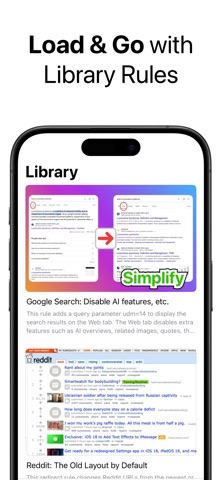
• Extensive Library: Don't know where to start? Browse our built-in library of popular, pre-made rules.
— PRIVACY FIRST —
• Zero Tracking: We do not collect any personal data. Your browsing habits stay on your device.
• No Ads: Enjoy a distraction-free utility.
— FOR POWER USERS —
• Multiple Rule Formats: Support for Wildcards and full Regular Expressions (Regex).
• Advanced Logic: Use exclusion patterns to prevent loops and capture groups ($1, $2) for complex URL rewriting.
• Ultra-Fast DNR Rules: Leverage the modern Declarative Net Request API for lightning-fast, zero-latency redirections before network requests even start. Gain granular control by filtering resource types and HTTP methods.
• Sync & Backup: iCloud Sync keeps your rules updated across all your devices. Export/Import JSON for easy backup.
— UNLOCKED FEATURES —
• Unlimited Rules: Create, manage, and run as many active redirection rules as you need without any restrictions.
• iCloud Sync: Keep your rule library seamlessly updated and securely backed up across all your devices.
• Universal Purchase: Enjoy the fully unlocked experience on your Mac, iPhone, iPad, and Apple Vision Pro. Buy once, use on all devices.
(The same features you can unlock in the standard RedirectWeb app.)
— FOR ENTERPRISES & IT ADMINS —
• MDM Support: Centrally deploy and manage redirection rules across your organization's devices using Apple's Managed App Configuration (Jamf, Intune, Kandji, etc.).
• Enforced Routing & Control: Seamlessly redirect employees during internal system migrations, set up intranet access, and lock down in-app settings to prevent user tampering.
— HOW IT WORKS —
1. Install RedirectWeb Pro and enable the extension in Safari.
2. Add a rule from the Library or create your own "From → To" flow.
3. Browse as usual. RedirectWeb Pro handles the rest in the background!
— SUPPORT —
Questions or feedback? Go to Settings → "Send Feedback" within the app. We listen to our users!
Take control of your web links today. Download RedirectWeb Pro and skip the detours.