

Remote control for FireApp
Remote control for FireApp is made and published by Pin Creation Technology Co., Ltd. AppBrain is an independent app data site and isn't affiliated with Pin Creation Technology Co., Ltd. The app name, icon, screenshots and description belong to Pin Creation Technology Co., Ltd. and are shown as published on the App Store.
AppBrain's verdict
- Rating on App Store
- 5.00
- 9 ratings
- Last updated
- August 13, 2026
- Size
- 66.0 MB
It doesn't have enough ratings yet to judge what users think.
User feedback
Ratings and reviews on the App StoreComments on Remote control for FireApp for iOS
We don't have enough comments to show example comments. Please check back later.
Store listing
By Pin Creation Technology Co., Ltd., from the App Store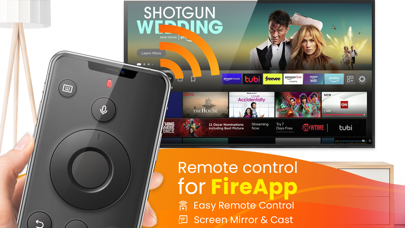


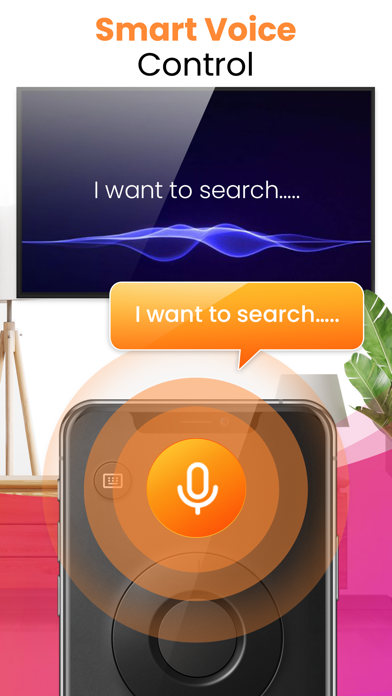

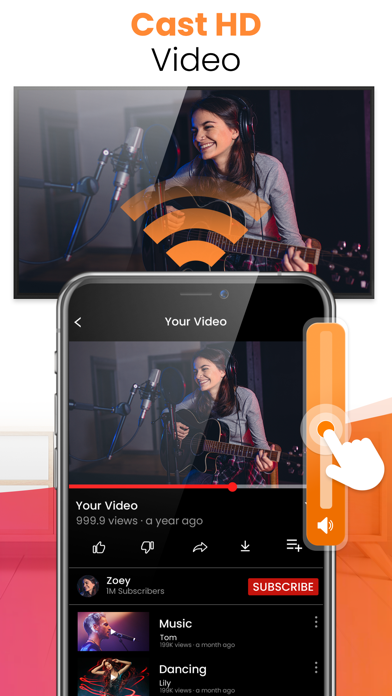
Description by Pin Creation Technology Co., Ltd. Written by the developer, not by AppBrain. Click to read.
Key Features:
- No infrared equipment required, just Wi-Fi connection
- Ultrafast & No Delay connection speed
- Channels & Volume switching
- Voice Control for alexa remote
- Cast local photos and videos
- Screen mirroring in low latency
- Free Handy Touchpad
- Built-in keyboard for simple text entry
- User-friendly UI interface and clear instructions
- Simple operation as a physical remote control
- Automatic connection to a device
Disclaimer:
This Remote control for FireApp is not an official Fire TV remote application, a toshiba Fire TV remote or endorsed by Amazon remote. If you have any advice or suggestion about our fire app, feel free and let us know :)
Subscription Instructions:
1、Subscription period: monthly membership, annual membership, lifetime membership.
2、Subscription price: Subject to in-app package price.
3、Payment: iTunes account will be recorded after confirming the purchase payment.
4、The iTunes account will be charged 24 hours before the expiration date, and the subscription cycle will be postponed to the next subscription cycle after successful charging.
5、If you need to cancel the continuous subscription, please close the continuous subscription at least 24 hours before the subscription cycle.
6、Open your Apple phone [Settings] -> Click [iTunes Store and App Store] -> Click [Apple ID] -> [View Apple ID] -> [Subscription], and choose to cancel the subscription. If you close your subscription at least 24 hours before the end of the subscription period, the subscription will be automatically renewed.
Privacy Policy: https://sites.google.com/view/soulapps-privacy-policy/home
Safety and technology
Found in the app by AppBrain- Price
- Free
- App size
- 66.0 MB
- Content rating
- Everyone
Technologies used by Remote control for FireApp
Releases
Updates seen on the App Store- Version
- 2.2.1
- Launched
- July 2023
No changelog data
Alternatives
Similar apps and more from Pin Creation Technology Co., Ltd.Alternatives to Remote control for FireApp




More from Pin Creation Technology Co., Ltd.


Rankings
App Store top chartsApp Store Rankings for Remote control for FireApp
About the app and developer
About Remote control for FireApp
Remote control for FireApp is an utilities app developed by Pin Creation Technology Co., Ltd.
User Ratings
Remote control for FireApp is rated 5.00 out of 5 stars. The rating is based on 9 ratings.
App Information
Remote control for FireApp is freely available from the App Store. The app size is 66.04 MB. The latest version available is 2.2.1. The last update was on August 13, 2026.
Technical Requirements
The app has a content rating of Everyone. The app has been available on the App Store since July 2023.
Developer information for Pin Creation Technology Co., Ltd.
Pin Creation Technology Co., Ltd.
Address: