Remotify Pro TV Remote Control is made and published by
saqib ashraf.
AppBrain is an independent app data site and isn't affiliated with saqib ashraf.
The app name, icon, screenshots and description belong to saqib ashraf and are shown as
published on the App Store.
About Remotify Pro TV Remote Control
Remotify Pro TV Remote Control is an utilities app developed by saqib ashraf.
User Ratings
The app has no ratings yet.
App Information
Remotify Pro TV Remote Control is freely available from the App Store. The app size is 30.00 MB. The latest version available is 1.0. The last update was on September 14, 2026.
Technical Requirements
The app has a content rating of Everyone. The app has been available on the App Store since September 2026.
Description by saqib ashraf(from the App Store)
Lost the remote? Your iPhone is one — and it does things the plastic one never could.
TV Remote controls your television over your own Wi-Fi. Pair once with the six-character code on the screen, and every press lands instantly.
One payment. No ads. No subscription. No in-app purchases. No account.
— TRY IT WITHOUT A TELEVISION —
Demo Mode is on the first screen. A full working remote, no pairing and no TV required, so you can feel how it responds before you set anything up.
— THE REMOTE —
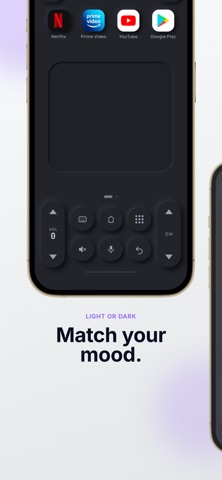
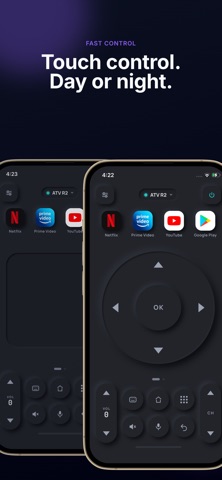
• D-pad with a real click and hold-to-repeat, plus OK, Back and Home • Touchpad page — swipe to move, tap to select, for menus that scroll forever • Number keypad for live TV channels • Volume rocker printed with the television's actual volume number, live from the set • Power, mute, channel up and down, and playback transport controls • Pick which page the app opens on
— THINGS A PLASTIC REMOTE CANNOT DO —
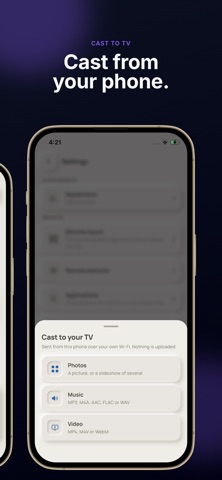
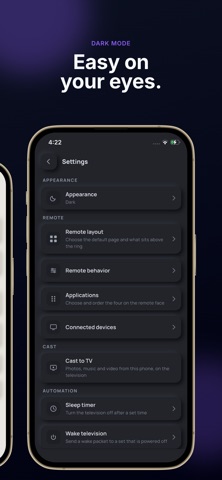
• TYPE WITH YOUR OWN KEYBOARD. Search boxes, Wi-Fi passwords, logins — typed on the iPhone and sent straight into the field on screen. Paste works, so your password manager does too. • SEARCH BY VOICE. Hold the mic and speak. The iPhone turns it into text with Apple's Speech framework and types it into the television. • APP SHORTCUTS. Four apps on the remote face, chosen and reordered by you. One tap instead of hunting through the launcher. • CAST YOUR OWN MEDIA. Photos, music and video from your library play on the television, served by the iPhone over your Wi-Fi. Nothing is uploaded anywhere. • SLEEP TIMER and automations, included. • DARK, LIGHT AND SYSTEM THEMES, with haptics through the Taptic Engine.
— PAIRS IN ABOUT A MINUTE —
1. Open the app and tap Allow when iOS asks for Local Network access 2. Put the iPhone and the television on the same Wi-Fi network 3. Tap your television in the list, or tap Enter IP address and type it in 4. Type the six-character code shown on the television 5. Press a key. The pairing is saved to the iOS Keychain and reused automatically.
Discovery runs through Apple's own Bonjour service. Adding a television by IP address is always available too, so a fussy router or a declined permission never leaves you stuck.
— MORE THAN ONE TELEVISION —
Save as many televisions as you own — the living room, the bedroom, the box in the office. Each keeps its own pairing, and switching between them takes one tap. There is no limit and no upgrade prompt.
— YOUR PRIVACY IS NOT THE PRODUCT —
No account. No sign-in. No server. No analytics. No advertising SDK, and the App Tracking Transparency prompt never appears, because there is nothing here to track you for. Your televisions, your pairings and every key you press stay on the iPhone.
Each subscription will automatically renew 3 days before the expiration date for
the same time period. Subscriptions can be cancelled at any time before the renewal.