

Remotly – Remote Desktop
Remotly – Remote Desktop is made and published by Mirillis. AppBrain is an independent app data site and isn't affiliated with Mirillis. The app name, icon, screenshots and description belong to Mirillis and are shown as published on the App Store.
AppBrain's verdict
- Last updated
- September 28, 2026
Rankings
App Store top chartsApp Store Rankings for Remotly – Remote Desktop
Competitors
Similar apps and more from MirillisAlternatives to Remotly – Remote Desktop


Also available on Google Play

Releases
Updates seen on the App Store- Version
- 1.0.1
- Launched
- September 2026
No changelog data
User feedback
Ratings and reviews on the App StoreComments on Remotly – Remote Desktop for iOS
We don't have enough comments to show example comments. Please check back later.
Technology
Found in the app by AppBrain- Price
- Free
- App size
- 7.12 MB
- Content rating
- Everyone
Technologies used by Remotly – Remote Desktop
About the app and developer
About Remotly – Remote Desktop
Remotly – Remote Desktop is an utilities app developed by Mirillis.
User Ratings
The app has no ratings yet.
App Information
Remotly – Remote Desktop is freely available from the App Store. The app size is 7.12 MB. The latest version available is 1.0.1. The last update was on September 28, 2026.
Technical Requirements
The app has a content rating of Everyone. The app has been available on the App Store since September 2026.
Developer information for Mirillis
Address:
Store listing
By Mirillis, from the App Store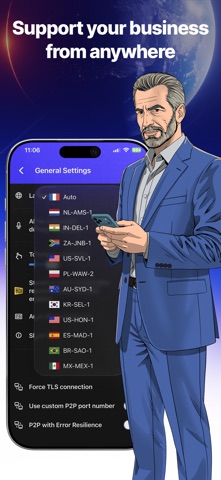


Description by Mirillis Written by the developer, not by AppBrain. Click to read.
FOR WORK AND STUDY
• Connect to any of your Windows PCs in a few taps — stable connection, ultra-low latency, and crisp image quality.
• Full keyboard, mouse, trackpad, and Apple Pencil support.
• Switch between the remote PC's monitors, or change its resolution to fit your screen.
• Voice chat during a session — work with colleagues or help family in real time.
• Picture in Picture: keep an eye on the remote screen while using other apps.
FOR GAMING
• Play your PC games on iPhone or iPad in stunning quality — up to 4K at up to 120 fps, with ultra-low latency and low battery usage.
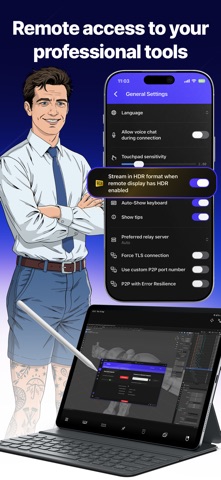
• True HDR streaming with 10-bit color — a rarity among remote access apps.
• Use any Bluetooth game controller (Xbox, PlayStation, Nintendo Joy-Con, and more) or play with on-screen controls.
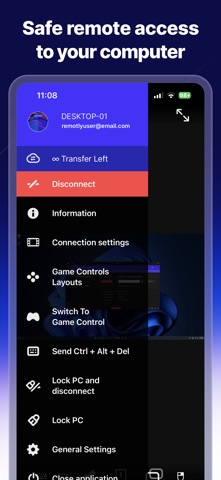
• Fully customizable control layouts: build your own touch layouts with joysticks, buttons, and touchpads in the built-in editor.
CONNECT FROM ANYWHERE
• Direct P2P connections with bitrate up to 100 Mbps, plus the Connect Anywhere cloud when a direct link isn't possible — double NAT and firewalls are not a problem.
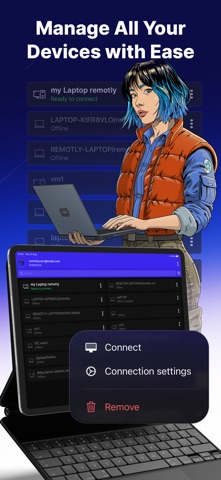
• Connect via your device list, a one-time connection code, or an invitation with controlled, time-limited access.
• Choose your preferred relay server, or run your own private relay for full data ownership.
• Wake-on-LAN: wake your PC remotely and get to work.
SECURITY FIRST
• End-to-end encryption of the entire transmission: AES-256 for data streams, TLS 1.2/1.3, RSA-4096 key exchange.
• Two-step device authorization for new devices connecting to your PC.
• Sign in with your Microsoft or Google account; enterprise integration with Microsoft Entra ID (Active Directory).
REQUIREMENTS
Remotly requires the free Remotly host application installed on your Windows PC (Windows 7, 8.1, 10, or 11). Download it at remotly.com.
The interface is available in English, Polish, Spanish, French, Turkish, Portuguese (Brazil), and Simplified Chinese.