



AppBrain's verdict
- Last updated
- June 25, 2024
- Size
- 56.4 MB
User feedback
Ratings and reviews on the App StoreComments on Resize Shot & Post White Frame for iOS
We don't have enough comments to show example comments. Please check back later.
Store listing
By Alina Bohuslavska, from the App StoreDescription by Alina Bohuslavska Written by the developer, not by AppBrain. Click to read.
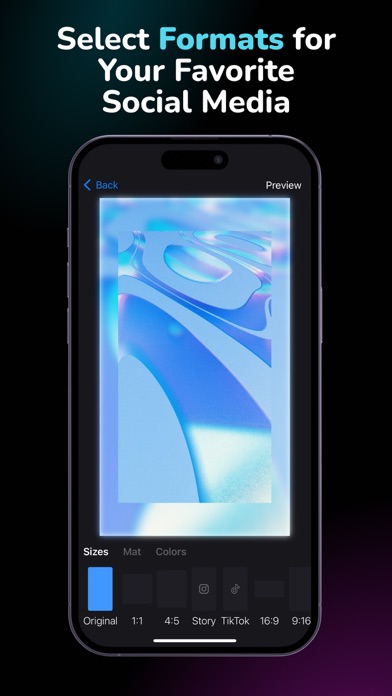
With our intuitive interface, you can easily select and apply borders to your videos, ensuring they fit perfectly on social media platforms without losing any part of your original footage. The app also allows you to create squared videos seamlessly, maintaining the full content of your video while optimizing it for platforms like Instagram.
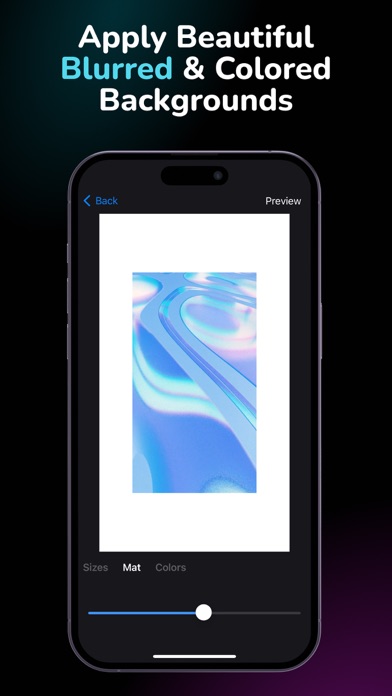
But that’s not all – our app also offers the added benefit of creating blurred backgrounds, giving your videos a cinematic look. You can adjust the blur intensity to match your aesthetic, ensuring your videos always stand out. This feature is perfect for portrait videos or any content where you want to keep the focus on the subject while adding an artistic touch to the background.
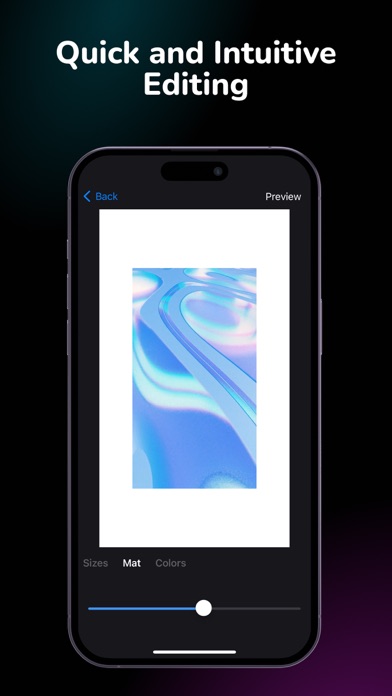
Our app is not just about adding borders and blurs; it’s also about providing a user-friendly editing experience. With easy-to-use controls and a variety of customization options, you can achieve the exact look you want without any hassle.
With our app, you can create stunning videos with professional borders, perfect squares, and beautiful blurred backgrounds. Download it today and take your video editing to the next level. Experience the ease of use and the powerful features that make your videos truly shine.
••• KEY FEATURES •••
Add stylish borders to videos
Create squared videos without cropping
Apply beautifully blurred backgrounds
Adjust blur intensity for the perfect look
User-friendly interface
High-quality video output
Currently available for iPhone & iPad
YOU MATTER TO US!
••• Unlock Premium Features •••
With a Lifetime In-App Purchase or Annual Subscription, you can:
- Add frames seamlessly
- Export videos without any limits
- Enjoy no watermark on your videos
- Experience an ad-free interface
We want to make your video editing experience even better! Please give us your honest feedback to help us fix bugs and improve the app. We will update the app regularly based on your feedback. Thank you!
Terms of Use: https://www.apple.com/legal/internet-services/itunes/dev/stdeula/
Safety and technology
Found in the app by AppBrain- Price
- Free
- App size
- 56.4 MB
- Content rating
- Everyone
Technologies used by Resize Shot & Post White Frame
Releases
Updates seen on the App Store- Version
- 1.0.1
- Launched
- June 2024
No changelog data
Alternatives
Similar apps and more from Alina BohuslavskaAlternatives to Resize Shot & Post White Frame


More from Alina Bohuslavska


Rankings
App Store top chartsApp Store Rankings for Resize Shot & Post White Frame
About the app and developer
About Resize Shot & Post White Frame
Resize Shot & Post White Frame is a photo & video app developed by Alina Bohuslavska.
What is the rating of Resize Shot & Post White Frame?
Resize Shot & Post White Frame has no ratings yet.
Is Resize Shot & Post White Frame free?
Resize Shot & Post White Frame is free. The app size is 56.44 MB. The latest version available is 1.0.1. The last update was on June 25, 2024.
What are the requirements for Resize Shot & Post White Frame?
The app has a content rating of Everyone. The app has been available on the App Store since June 2024.
Resize Shot & Post White Frame is made and published by Alina Bohuslavska. AppBrain is an independent app data site and isn't affiliated with Alina Bohuslavska. The app name, icon, screenshots and description belong to Alina Bohuslavska and are shown as published on the App Store.
Developer information for Alina Bohuslavska
Address:
Frequently asked questions about Resize Shot & Post White Frame
Is Resize Shot & Post White Frame free?
Yes. Resize Shot & Post White Frame is free on the App Store.
Is Resize Shot & Post White Frame still available?
Yes. Resize Shot & Post White Frame is on the App Store, and the last update we saw was on June 25, 2024.
How large is Resize Shot & Post White Frame?
Resize Shot & Post White Frame is 56.44 MB.
Is Resize Shot & Post White Frame suitable for children?
App Store rates the content of Resize Shot & Post White Frame as suitable for everyone.
Who made Resize Shot & Post White Frame?
Resize Shot & Post White Frame was developed by Alina Bohuslavska. It is listed in the photo & video category on the App Store.
What are the best alternatives to Resize Shot & Post White Frame?
People looking at Resize Shot & Post White Frame also look at these photo & video apps: White Border: CanvasFit, F8 Frame: Photo Borders, Adkins Media, FRME: Story & Carousel Maker, Post Borders - No Crop.