

Signature Maker: eSign Creator
Signature Maker: eSign Creator is made and published by Alina Bohuslavska. AppBrain is an independent app data site and isn't affiliated with Alina Bohuslavska. The app name, icon, screenshots and description belong to Alina Bohuslavska and are shown as published on the App Store.
AppBrain's verdict
- Last updated
- October 23, 2026
Rankings
App Store top chartsApp Store Rankings for Signature Maker: eSign Creator
Competitors
Similar apps and more from Alina BohuslavskaAlternatives to Signature Maker: eSign Creator


More from Alina Bohuslavska



Releases
Updates seen on the App Store- Version
- 2.3
- Launched
- August 2025
No changelog data
User feedback
Ratings and reviews on the App StoreComments on Signature Maker: eSign Creator for iOS
We don't have enough comments to show example comments. Please check back later.
Technology
Found in the app by AppBrain- Price
- Free
- App size
- 28.1 MB
- Content rating
- Everyone
Technologies used by Signature Maker: eSign Creator
About the app and developer
About Signature Maker: eSign Creator
Signature Maker: eSign Creator is an utilities app developed by Alina Bohuslavska.
User Ratings
The app has no ratings yet.
App Information
Signature Maker: eSign Creator is freely available from the App Store. The app size is 28.10 MB. The latest version available is 2.3. The last update was on October 23, 2026.
Technical Requirements
The app has a content rating of Everyone. The app has been available on the App Store since August 2025.
Developer information for Alina Bohuslavska
Address:
Frequently asked questions about Signature Maker: eSign Creator
Is Signature Maker: eSign Creator free?
Yes. Signature Maker: eSign Creator is free on the App Store.
Is Signature Maker: eSign Creator still available?
Yes. Signature Maker: eSign Creator is on the App Store, and the last update we saw was on October 23, 2026.
How large is Signature Maker: eSign Creator?
Signature Maker: eSign Creator is 28.10 MB.
Is Signature Maker: eSign Creator suitable for children?
App Store rates the content of Signature Maker: eSign Creator as suitable for everyone.
Who made Signature Maker: eSign Creator?
Signature Maker: eSign Creator was developed by Alina Bohuslavska. It is listed in the utilities category on the App Store.
What are the best alternatives to Signature Maker: eSign Creator?
People looking at Signature Maker: eSign Creator also look at these utilities apps: PDF resume builde,PDF Template, Sign PDF Documents - SignX, GPS Locator Map Family Tracker, Speaker & Port Cleaner, Traleado.
Store listing
By Alina Bohuslavska, from the App Store




Description by Alina Bohuslavska Written by the developer, not by AppBrain. Click to read.
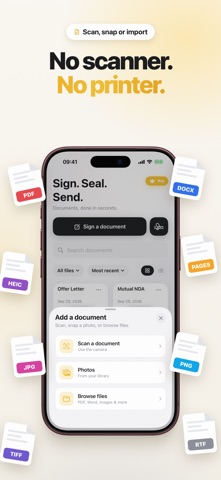
Whether it's a contract, a lease, a school form, or a work agreement, Signature Maker gives you a fast, secure, and completely paperless way to get documents signed and sent from anywhere.
‣ Signature Maker & Creator - Draw your signature with your finger, type your name and turn it into a realistic handwritten style, or scan an existing signature with your camera. Save unlimited signatures and initials and reuse them on any document, anytime.
‣ Sign PDF Documents - Drop your signature onto any PDF, contract, agreement, or form. Move it, resize it, and place it exactly where it belongs, then flatten and export a finished, professional signed file.
‣ Fill & Sign Forms - Add typed text, dates, checkmarks, and initials to complete a document, not just sign it. Fill out applications, tax forms, leases, and contracts field by field without ever printing a page.
‣ Import from Anywhere - Open PDFs straight from Mail, Files, iCloud, or the share sheet in any app. Everything you need to sign is one tap away.
‣ Scan Paper Documents - Point your camera at a paper page and Signature Maker turns it into a clean, cropped PDF, ready to sign and send. A built-in scanner for the times you still get paper.
‣ Multiple Signatures & Initials - Keep separate signatures for work and personal use, plus matching initials for pages that need them. Ideal for anyone who signs on behalf of a business.
‣ Private & Offline - Your documents are signed right on your device and are never uploaded to a server. No account is required to start signing.
‣ Export & Share - Save your signed document as a PDF and share it by email, message, AirDrop, or to any cloud storage app. Secure, private, and processed on your device.
‣ Date Stamp & Quick Fill - Add today's date with a single tap and let saved details fill repeat fields for you, so the next document is even faster to complete.
‣ Reorder & Manage Documents - Keep every signed file together in one place. Rename, revisit, and re-share your documents anytime, and pick up right where you left off.
HOW IT WORKS
1. Import or scan the document you need to sign.
2. Create your signature - draw, type, or scan it once.
3. Place your signature, fill any fields, and export your finished PDF.
That's it. Most documents are signed and sent in under a minute.
WHO USES SIGNATURE MAKER?
Freelancers & Small Business - Sign contracts, invoices, proposals, and agreements on the go, without a scanner or a printer.
Renters & Homeowners - Fill and sign leases, rental applications, and housing forms in minutes from your phone.
Remote & Hybrid Workers - eSign offer letters, NDAs, and HR paperwork from home or on the road.
Real Estate & Sales - Get disclosures, agreements, and contracts signed and returned the same day.
Students & Parents - Quickly sign permission slips, enrollment forms, and school documents anywhere.
Legal & Admin Teams - Prepare, initial, and sign paperwork, add stamps, and send it on for review, all from one app.
Everyone Else - Any time a document says "sign here," Signature Maker has you covered.
SIGNATURE MAKER PREMIUM
Upgrade to Premium for unlimited signatures and documents, watermark-free exports, advanced fill-and-sign tools, and built-in document scanning. Sign as many PDFs as you need, whenever you need, with no limits and no clutter.
Signature Maker is the fastest way to create a signature and sign any PDF from your iPhone - the only document signing app you'll need.
Terms of Use: https://www.apple.com/legal/internet-services/itunes/dev/stdeula/