

Resize Video Compressor App
Resize Video Compressor App is made and published by Codepaint Inc. AppBrain is an independent app data site and isn't affiliated with Codepaint Inc. The app name, icon, screenshots and description belong to Codepaint Inc. and are shown as published on the App Store.
AppBrain's verdict
EstablishedLoved by users- Rating on App Store
- 4.77
- 148 ratings
- Last updated
- September 29, 2026
Users love it: 4.8 stars from 148 ratings.
Rankings
App Store top chartsApp Store Rankings for Resize Video Compressor App
Competitors
Similar apps and more from Codepaint Inc.Alternatives to Resize Video Compressor App




 Compressor: Photos & Pictures

 MP4 Maker - Convert to MP4

More from Codepaint Inc.


Releases
Updates seen on the App Store- Version
- 2.1.11
- Launched
- August 2020
No changelog data
User feedback
Ratings and reviews on the App StoreComments on Resize Video Compressor App for iOS
We don't have enough comments to show example comments. Please check back later.
Technology
Found in the app by AppBrain- Price
- Free
- App size
- 63.8 MB
- Content rating
- Everyone
Technologies used by Resize Video Compressor App
About the app and developer
About Resize Video Compressor App
Resize Video Compressor App is a productivity app developed by Codepaint Inc.
User Ratings
Resize Video Compressor App is rated 4.77 out of 5 stars. The rating is based on 150 ratings.
App Information
Resize Video Compressor App is freely available from the App Store. The app size is 63.84 MB. The latest version available is 2.1.11. The last update was on September 29, 2026.
Technical Requirements
The app has a content rating of Everyone. The app has been available on the App Store since August 2020.
Developer information for Codepaint Inc.
Address:
Store listing
By Codepaint Inc., from the App Store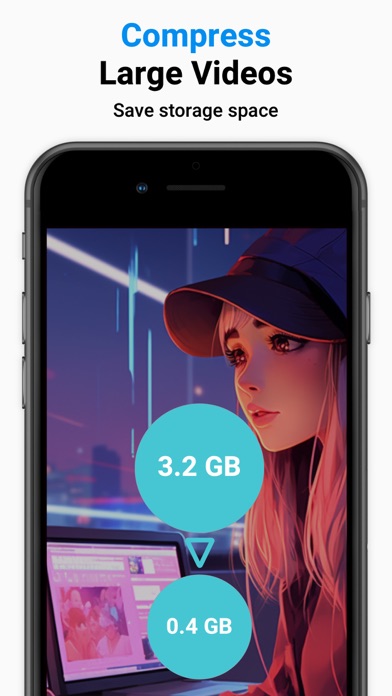


Description by Codepaint Inc. Written by the developer, not by AppBrain. Click to read.
Use it when your iPhone storage is getting full, when a video is too large to send, or when you want a lighter file for social media, messaging apps, or everyday sharing.
Find large videos more easily and compress them to free up storage.
** Who Is This App For? **
- You want to free up iPhone storage by reducing large videos.
- You need to make videos easier to send in messaging apps or on social media.
- You want to prepare videos for social media before posting.
- You record in high quality but do not need every video to stay full size.
- You have many screen recordings and want to keep the content while reducing file size.
- You received a large video and want to make it easier to share.
** Features & How to Use **
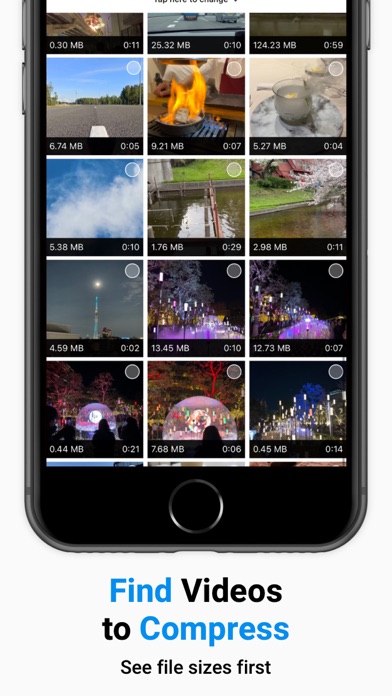
■Find Large Videos
Find videos that take up more storage in your Photo Library.
Check size, duration, and resolution, then choose the videos you want to compress.
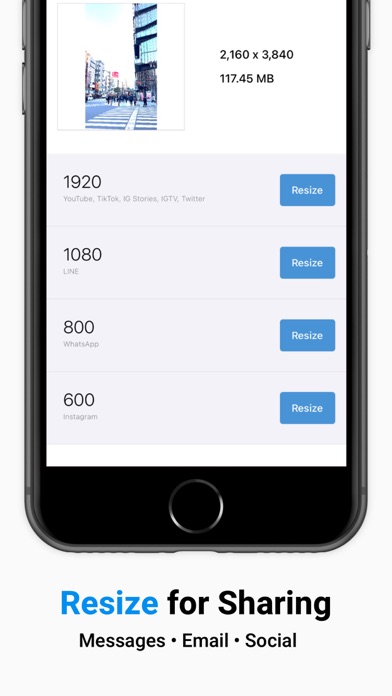
■ Select a Size
Choose a preset resolution based on common social media and messaging needs.
- 1920: YouTube, TikTok, Instagram Stories, IGTV, Snapchat, X (Twitter), Discord
- 1080: LINE
- 800: WhatsApp
- 600: Instagram
■ Compress
Tap "Resize" to create a smaller version of your original video and save it to your Photo Library.
■ Share & Delete
- Share compressed videos directly to social media or messaging apps.
- Share a result card that summarizes how much storage you saved.
- Optionally delete the original video after saving the compressed version. Deleted videos move to "Recently Deleted" in your Photo Library.
** Paid Version **
We offer a subscription-based or one-time purchase option for the paid version.
Paid version features:
- Batch Compression: Select multiple videos and compress them in one batch.
- Fine-Tune Output: Set size, FPS, bitrate, and codec to control quality and compatibility.
- Quick Previews: Export a short preview to test settings before full compression.
- Preserve Metadata: Keep creation date and location when possible, so videos stay organized.
- Work Without Ads: Compress, resize, and review results without ad interruptions.
Paid plans:
- Subscription: $0.99/month
- One-Time Purchase: $9.99
Note: Prices may vary by region and time.
** Terms and Conditions for Subscriptions **
- Auto-renewal occurs 24 hours before the end of each billing cycle unless canceled.
- You will be charged through your Apple ID account.
- The current billing period cannot be canceled.
■ How to Manage Your Subscription
Navigate to Settings.app -> Apple ID -> Subscriptions -> Resize Video Compressor to manage your subscription.
Note: If no active subscription is registered, the "Subscription" option may not appear.
** Terms for One-Time Purchases **
- You will be charged through your Apple ID account.
- Cancellations are not permitted.
** Terms of Use **
Read full terms here: https://www.codepaint.app/terms/resize-video-compressor