

Rosetta: AI Notes, Links, Todo
Rosetta: AI Notes, Links, Todo is made and published by Gabriel Langon Maomy. AppBrain is an independent app data site and isn't affiliated with Gabriel Langon Maomy. The app name, icon, screenshots and description belong to Gabriel Langon Maomy and are shown as published on the App Store.
AppBrain's verdict
- Rating on App Store
- 4.89
- 9 ratings
- Last updated
- October 7, 2026
It doesn't have enough ratings yet to judge what users think.
Rankings
App Store top chartsApp Store Rankings for Rosetta: AI Notes, Links, Todo
Competitors
Similar apps and more from Gabriel Langon MaomyAlternatives to Rosetta: AI Notes, Links, Todo


More from Gabriel Langon Maomy


Releases
Updates seen on the App Store- Version
- 1.6.0
- Launched
- May 2026
No changelog data
User feedback
Ratings and reviews on the App StoreComments on Rosetta: AI Notes, Links, Todo for iOS
We don't have enough comments to show example comments. Please check back later.
Technology
Found in the app by AppBrain- Price
- Free
- App size
- 77.1 MB
- Content rating
- Everyone
Technologies used by Rosetta: AI Notes, Links, Todo
About the app and developer
About Rosetta: AI Notes, Links, Todo
Rosetta: AI Notes, Links, Todo is a productivity app developed by Gabriel Langon Maomy.
What is the rating of Rosetta: AI Notes, Links, Todo?
Rosetta: AI Notes, Links, Todo is rated 4.89 out of 5 stars, based on 9 ratings.
Is Rosetta: AI Notes, Links, Todo free?
Rosetta: AI Notes, Links, Todo is free. The app size is 77.08 MB. The latest version available is 1.6.0. The last update was on October 7, 2026.
What are the requirements for Rosetta: AI Notes, Links, Todo?
The app has a content rating of Everyone. The app has been available on the App Store since May 2026.
Developer information for Gabriel Langon Maomy
Address:
Frequently asked questions about Rosetta: AI Notes, Links, Todo
Is Rosetta: AI Notes, Links, Todo free?
Yes. Rosetta: AI Notes, Links, Todo is free on the App Store.
Is Rosetta: AI Notes, Links, Todo still available?
Yes. Rosetta: AI Notes, Links, Todo is on the App Store, and the last update we saw was on October 7, 2026.
How large is Rosetta: AI Notes, Links, Todo?
Rosetta: AI Notes, Links, Todo is 77.08 MB.
Is Rosetta: AI Notes, Links, Todo suitable for children?
App Store rates the content of Rosetta: AI Notes, Links, Todo as suitable for everyone.
How do people rate Rosetta: AI Notes, Links, Todo?
Rosetta: AI Notes, Links, Todo scores 4.89 out of 5 stars, from 9 ratings on the App Store.
Who made Rosetta: AI Notes, Links, Todo?
Rosetta: AI Notes, Links, Todo was developed by Gabriel Langon Maomy. It is listed in the productivity category on the App Store.
What are the best alternatives to Rosetta: AI Notes, Links, Todo?
People looking at Rosetta: AI Notes, Links, Todo also look at these productivity apps: YouNotes: Good Notes & Notepad, Idea Tiles: Connect Thoughts, WallNote App, Caliu - Markdown Notes, PrivyFeed: News Butler.
Store listing
By Gabriel Langon Maomy, from the App Store





Description by Gabriel Langon Maomy Written by the developer, not by AppBrain. Click to read.
CAPTURE IDEAS BY VOICE
Dictate a thought on your iPhone or Apple Watch, or import audio, and turn it into a structured note or reminder. Keep recording while you use another app, so an idea does not have to wait.
WRITE AND CONNECT MARKDOWN NOTES
Write and edit Markdown with headings, images and your choice of editor font. Link directly to a note section, connect notes to reminders and saved links, and explore related notes in a visual graph. Reuse note templates with date and time variables. Export notes as Markdown or PDF.
SAVE BOOKMARKS AND WEB PAGES
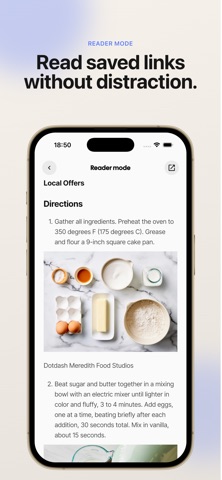
Share a link from your browser to Rosetta to keep it with your notes. Read saved links without distractions, or choose “Import page as a note” to turn a page's main text and images into an editable note. Organize your reading in a list or gallery.
TURN PLANS INTO TO-DO LISTS
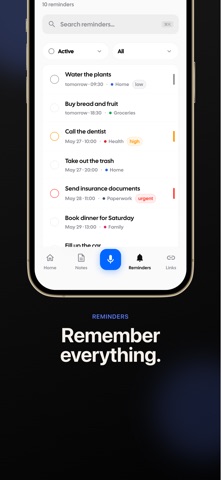
Create reminders, break them into subtasks and set recurring routines. Import Apple Reminders and connect Google Calendar or Apple Calendar to keep events alongside your notes.
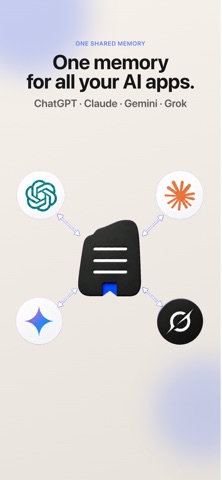
GIVE YOUR AI ASSISTANTS CONTEXT
Ask Rosetta, the built-in AI assistant, questions about your notes. Connect compatible AI assistants through MCP (Model Context Protocol) so they can use the personal knowledge you choose to make available. Keep your context together instead of rebuilding it in each conversation.
FIND WHAT YOU SAVED
Organize notes, reminders and bookmarks with categories and tags. Search across your memory, choose list or gallery views for notes and links, and use Home Screen widgets for quick access.
From a spoken idea to a saved article or your next task, Rosetta keeps the things you want to remember connected.