

RST 599TK is made and published by koji kamogawa. AppBrain is an independent app data site and isn't affiliated with koji kamogawa. The app name, icon, screenshots and description belong to koji kamogawa and are shown as published on the App Store.
AppBrain's verdict
Established- Rating on App Store
- 4.11
- 9 ratings
- Last updated
- August 13, 2026
It doesn't have enough ratings yet to judge what users think.
Rankings
App Store top chartsApp Store Rankings for RST 599TK
Competitors
Similar apps and more from koji kamogawaAlternatives to RST 599TK







More from koji kamogawa




Releases
Updates seen on the App Store- Version
- 2.8.0
- Launched
- May 2020
No changelog data
User feedback
Ratings and reviews on the App StoreComments on RST 599TK for iOS
We don't have enough comments to show example comments. Please check back later.
Technology
Found in the app by AppBrain- Price
- Free
- App size
- 35.8 MB
- Content rating
- Everyone
Technologies used by RST 599TK
About the app and developer
About RST 599TK
RST 599TK is an education app developed by koji kamogawa.
What is the rating of RST 599TK?
RST 599TK is rated 4.11 out of 5 stars, based on 9 ratings.
Is RST 599TK free?
RST 599TK is free. The app size is 35.81 MB. The latest version available is 2.8.0. The last update was on August 13, 2026.
What are the requirements for RST 599TK?
The app has a content rating of Everyone. The app has been available on the App Store since May 2020.
Developer information for koji kamogawa
Address:
Frequently asked questions about RST 599TK
Is RST 599TK free?
Yes. RST 599TK is free on the App Store.
Is RST 599TK still available?
Yes. RST 599TK is on the App Store, and the last update we saw was on August 13, 2026.
How large is RST 599TK?
RST 599TK is 35.81 MB.
Is RST 599TK suitable for children?
App Store rates the content of RST 599TK as suitable for everyone.
How do people rate RST 599TK?
RST 599TK scores 4.11 out of 5 stars, from 9 ratings on the App Store.
Who made RST 599TK?
RST 599TK was developed by koji kamogawa. It is listed in the education category on the App Store.
What are the best alternatives to RST 599TK?
People looking at RST 599TK also look at these education apps: Morse Words, QRQ CW, Learn Morse Code - CW Trainer, Ham Morse, MorseKey.
Store listing
By koji kamogawa, from the App Store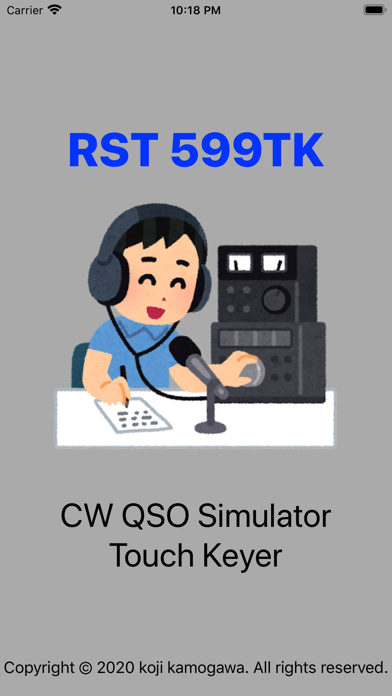


Description by koji kamogawa Written by the developer, not by AppBrain. Click to read.
"599BK & AADX Contest type QSO" is supported.
Input of Morse Codes are by using Electric Touch Keyer.
Changing of TX/RX is by SEND button.
Supported Min-in CW Decoder too.
【Characteristic】
1. "599BK" and "Contest" style support.
2.Support the CW Speed Control, Reverse of Dot/Dash pad.
3.Status display showing TX / RX operation.
4.Support the space insertion operation both automatic and manual.
5.Support the Min-in CW Decoder function.
6.Support the shortcut-key of CQ and TU.
CQ Button function can be set by setting menu.
7.Support the repeat-call function.
It works only when the TU button is pressed at the end of the QSO.
8.Support input function by key button
【How to use】
1.The case of CQ Calling
Press SEND button
Input "CQ CQ DX DE (YOUR CALLSIGN) PSE K" by Touch Keyer.
Press SEND button again
2.The case of CQ Answering
Press SEND button
Input "QRZ DX" by Touch Keyer or Straight Key.
Press SEND button again
--- Examples of QSO ---
[CQ Calling]
"CQ CQ DX DE xxnxx xxnxx PSE K"
>>> xxnxx DE **n** K
"**n** DE xxnxx UR RST 559 BK"
>>> R MY RPT 559 UR RST 599 BK
"QSL TU"
>>> R 73 TU
"E E"
>>> E E
[CQ Ansewing]
"QRZ DX"
>>> "CQ CQ DE **n** **n** PSE K"
"**n** DE xxnxx K"
>>> "xxnxx DE **n** UR RST 579 BK"
"R **n** DE xxnxx UR RST 599 TU"
>>> "R TU"
"E E"
>>> E E
--- DETEC WORDS ---
[CQ Calling]
CQ
CQ DX
CQ NA
CQ JA
[CQ Ansewing]
QRZ
QRZ DX
QRZ NA
QRZ JA
[BOTH]
DE
K
BK
UR RST
73
TU
E E
etc...
【Example usage video】
- Touch Keyer -
https://www.youtube.com/watch?v=CuSEaJtD3KQ
- Microphone IN Mode -
https://www.youtube.com/watch?v=goN9hVDEGnM