

Ruyi Camera is made and published by 泽海 黄. AppBrain is an independent app data site and isn't affiliated with 泽海 黄. The app name, icon, screenshots and description belong to 泽海 黄 and are shown as published on the App Store.
AppBrain's verdict
- Last updated
- September 30, 2026
Rankings
App Store top chartsApp Store Rankings for Ruyi Camera
Competitors
Similar apps and more from 泽海 黄Alternatives to Ruyi Camera





More from 泽海 黄

Releases
Updates seen on the App Store- Version
- 1.5.0
- Launched
- December 2024
No changelog data
User feedback
Ratings and reviews on the App StoreComments on Ruyi Camera for iOS
We don't have enough comments to show example comments. Please check back later.
Technology
Found in the app by AppBrain- Price
- Free
- App size
- 7.17 MB
- Content rating
- Everyone
Technologies used by Ruyi Camera
About the app and developer
About Ruyi Camera
Ruyi Camera is a photo & video app developed by 泽海 黄.
User Ratings
The app has no ratings yet.
App Information
Ruyi Camera is freely available from the App Store. The app size is 7.17 MB. The latest version available is 1.5.0. The last update was on September 30, 2026.
Technical Requirements
The app has a content rating of Everyone. The app has been available on the App Store since December 2024.
Developer information for 泽海 黄
Address:
Frequently asked questions about Ruyi Camera
Is Ruyi Camera free?
Yes. Ruyi Camera is free on the App Store.
Is Ruyi Camera still available?
Yes. Ruyi Camera is on the App Store, and the last update we saw was on September 30, 2026.
How large is Ruyi Camera?
Ruyi Camera is 7.17 MB.
Is Ruyi Camera suitable for children?
App Store rates the content of Ruyi Camera as suitable for everyone.
Who made Ruyi Camera?
Ruyi Camera was developed by 泽海 黄. It is listed in the photo & video category on the App Store.
What are the best alternatives to Ruyi Camera?
People looking at Ruyi Camera also look at these photo & video apps: MarkCamera: Time Location, WhimsyCam, ReporterCam, Timestamp Camera & Date, SwitchTake.
Store listing
By 泽海 黄, from the App Store





Description by 泽海 黄 Written by the developer, not by AppBrain. Click to read.
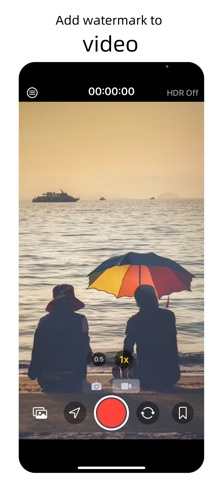
Add watermarks directly while capturing photos or recording videos.
The watermark comes with real time and location to prevent tampering!
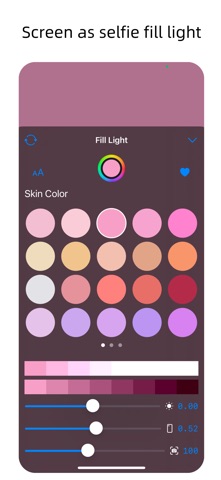
The screen can be used as a selfie fill light or an independent fill light.
A super easy-to-use watermark photo app, with real-time updated watermark preview, and you can customize the content, position, color, and size of the watermark. At work, it is a common choice for workers from all walks of life; in life, you can also record every bit of life anytime and anywhere.
[Applicable scenarios]
Work quality records, attendance punching, property work records, construction project management, field photography, brand promotion, on-site evidence collection, meeting records, duty patrols, travel punching, marketing, sports records, game scoring, tea brewing temperature, scenic spot ratings, etc.
[Rich watermark types]
Time, location, weather, altitude, latitude and longitude, countdown, lunar calendar, solar terms, scores, itinerary, etc.
[Professional watermark templates]
- Attendance punching: real time and location cannot be tampered with.
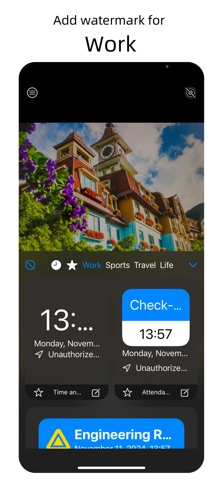
- Work record photography: Exclusive templates for work records such as work clocking in, property management, construction project management, duty records, brand promotion, meeting records, marketing, etc.
- Real-time update: The watermark can be automatically updated to real-time date, location, weather and other information, and the latitude, longitude, altitude, and speed can also be recorded. The watermark preview is also updated in real time.
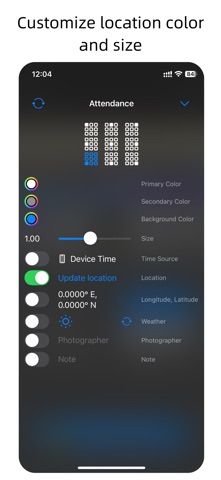
- Custom watermark content: You can freely switch and edit the watermark content options, and adjust the watermark position, color, size, etc.
[Subscription]
Subscribe to have unlimited access to VIP member exclusive watermarks as well.
• Subscription length: monthly, half-yearly, yearly
• Your payment will be charged to your iTunes Account as soon as you confirm your purchase.
• You can manage your subscriptions and turn off auto-renewal from your Account Settings after the purchase.
• Your subscription will renew automatically, unless you turn off auto-renew at least 24 hours before the end of the current period.
• The cost of renewal will be charged to your account in the 24 hours prior to the end of the current period.
• When canceling a subscription, your subscription will stay active until the end of the period. Auto-renewal will be disabled, but the current subscription will not be refunded.
• Any unused portion of a free trial period, if offered, will be forfeited when purchasing a subscription.
[Terms of Use]
Terms of Use: https://www.apple.com/legal/internet-services/itunes/dev/stdeula/
Privacy Policy: https://www.freeprivacypolicy.com/live/fcbd2098-c677-48e0-956f-07937f2e982f