

SafeFM-Private File Manager
SafeFM-Private File Manager is made and published by 刘生 林. AppBrain is an independent app data site and isn't affiliated with 刘生 林. The app name, icon, screenshots and description belong to 刘生 林 and are shown as published on the App Store.
AppBrain's verdict
Established- Rating on App Store
- 4.17
- 42 ratings
- Last updated
- February 18, 2026
It doesn't have enough ratings yet to judge what users think.
Rankings
App Store top chartsApp Store Rankings for SafeFM-Private File Manager
Competitors
Similar apps and more from 刘生 林Alternatives to SafeFM-Private File Manager







More from 刘生 林


Releases
Updates seen on the App Store- Version
- 2.6.3
- Launched
- May 2015
No changelog data
User feedback
Ratings and reviews on the App StoreComments on SafeFM-Private File Manager for iOS
We don't have enough comments to show example comments. Please check back later.
Technology
Found in the app by AppBrain- Price
- Free
- App size
- 27.1 MB
- Content rating
- High
Technologies used by SafeFM-Private File Manager
About the app and developer
About SafeFM-Private File Manager
SafeFM-Private File Manager is an utilities app developed by 刘生 林.
User Ratings
SafeFM-Private File Manager is rated 4.17 out of 5 stars. The rating is based on 42 ratings.
App Information
SafeFM-Private File Manager is freely available from the App Store. The app size is 27.09 MB. The latest version available is 2.6.3. The last update was on February 18, 2026.
Technical Requirements
The app has a content rating of High Maturity. The app has been available on the App Store since May 2015.
Developer information for 刘生 林
Address:
Frequently asked questions about SafeFM-Private File Manager
Is SafeFM-Private File Manager free?
Yes. SafeFM-Private File Manager is free on the App Store.
Is SafeFM-Private File Manager still available?
Yes. SafeFM-Private File Manager is on the App Store, and the last update we saw was on February 18, 2026.
How large is SafeFM-Private File Manager?
SafeFM-Private File Manager is 27.09 MB.
Is SafeFM-Private File Manager suitable for children?
App Store gives SafeFM-Private File Manager a high maturity rating. It is meant for adults.
How do people rate SafeFM-Private File Manager?
SafeFM-Private File Manager scores 4.17 out of 5 stars, from 42 ratings on the App Store.
Who made SafeFM-Private File Manager?
SafeFM-Private File Manager was developed by 刘生 林. It is listed in the utilities category on the App Store.
What are the best alternatives to SafeFM-Private File Manager?
People looking at SafeFM-Private File Manager also look at these utilities apps: Secure Storage for Photos, My Photo Safe, Secure Calculator Vault, Professional Camera Software, Photo Vault: Secret Lock.
Store listing
By 刘生 林, from the App Store


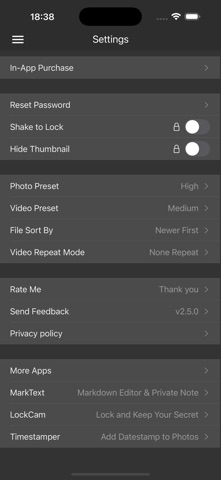
Description by 刘生 林 Written by the developer, not by AppBrain. Click to read.
SafeFM has a built-in photo viewer, video player and web browser. It is easy to import, preview, delete, rename, export files.
File Manager:
- Safely import your private images, videos, audio, docs to this app.
- You can export photo and video to Photos or Files anytime.
- Easy to transfer files via WiFi.
- Easy to share to the third party App such as Mail, WeChat, Evernote, Dropbox.
- Supported image formats: jpg, png, gif, bmp, webp, etc.
- Supported video formats: mov, m4v, mp4, mpv, 3gp.
- Supported text formats: txt, text, md, markdown, markd, markdn, mdown, mkd, mkdn.
- Supported document formats: doc, ppt, xls, docx, pptx, xlsx, key, numbers, pages, pdf, rtf.
- Support video compress, save phone storage space.
Private Browser:
- Full-featured、InPrivate browser.
- No visit history.
- Easy to add, manage bookmarks.
- Easy to download all the images on the page.
- Easy to download web videos, download M3U8/HLS and save to MP4.
- Save webpage contents into PDF.
Private Contact:
- Unlimited add contacts.
- Add a note to a contact.
- Speed dial, send SMS, send e-mail.
Private notes:
- Markdown syntax highlighting.
- Unlimited add notes.
IMPORTANT:
Your privacy is important to us.
- SafeFM app does not copy or store your Photos, Videos, Contacts, Notes, Docs, etc.
- Do not uninstall SafeFM app, clear app data or delete files. Otherwise, all your files will be lost forever.
- Please regularly backup data to your computer or mobile hard drive.
Support:
Please contact xappbox+safecalc@gmail.com if you need any help.