AppBrain
AppBrain
  • Apps
  • Apps being viewed right now Trending apps today Most popular apps All-time most installed apps Top rated apps iPhone and iPad apps
  • Intelligence ▾
    Intelligence overview → Track any Android app or your whole market
    Track & analyze
    Keyword Tracker & OptimizerTrack & improve Play rankings App Performance ReportOne-off PDF for any app StatisticsFree Android & Play market stats
    Promote your app
    Featured Apps App Links
  • Intelligence
  • Pricing
  • Dashboard
  • Sign up
  • Log in
App Store Apps > Productivity > Safeinest: Parental Control
Safeinest: Parental Control icon

Safeinest: Parental Control

1.13.0
JETMEAWAY LTD
0.00
0 reviews
Free

Safeinest: Parental Control Screenshot 1 of 10
Safeinest: Parental Control Screenshot 2 of 10
Safeinest: Parental Control Screenshot 3 of 10
Safeinest: Parental Control Screenshot 4 of 10
Safeinest: Parental Control Screenshot 5 of 10
Safeinest: Parental Control Screenshot 6 of 10
Safeinest: Parental Control Screenshot 7 of 10
Safeinest: Parental Control Screenshot 8 of 10
Safeinest: Parental Control Screenshot 9 of 10
Safeinest: Parental Control Screenshot 10 of 10
Screenshots by JETMEAWAY LTD, from the the App Store listing
View on the App Store

About Safeinest: Parental Control

Safeinest: Parental Control is a productivity app developed by JETMEAWAY LTD.

What is the rating of Safeinest: Parental Control?

Safeinest: Parental Control has no ratings yet.

Is Safeinest: Parental Control free?

Safeinest: Parental Control is free. The app size is 50.26 MB. The latest version available is 1.13.0. The last update was on November 12, 2026.

What are the requirements for Safeinest: Parental Control?

The app has a content rating of Everyone. The app has been available on the App Store since September 2026.

Safeinest: Parental Control is made and published by JETMEAWAY LTD. AppBrain is an independent app data site and isn't affiliated with JETMEAWAY LTD. The app name, icon, screenshots and description belong to JETMEAWAY LTD and are shown as published on the App Store.

Description by JETMEAWAY LTD (from the App Store)
Keep your kids safe, focused, and balanced without spying on them. Safeinest gives you calm, reliable parental controls managed from your own phone: screen time limits, instant app blocking, safe zones, family calls, and an SOS button. And it tells you plainly what an iPhone allows.

INSTANT CONTROL AND FOCUS
• Block now: pause your child's apps in one tap, and unblock just as fast.
• One-tap focus modes for Homework, Dinner, or Sleep.
• Timed blocks: pause apps for 30 minutes, 1 hour, 2 hours, or 5 hours. They come back on their own.
• Always-allowed apps like Phone and Maps keep working through every block.

SMART LIMITS AND ROUTINES
• Bedtime lock: apps rest overnight, on the child's own clock, even with no internet.
• School hours: distracting apps pause during lessons, on the days you choose.
• Daily limits by kind of app ("Social media: 1 hour a day") or for one named app.
• Extra time on request: your child asks for more minutes and says why; one tap approves it.
• Earn-time tasks: turn chores and homework into rewards. A finished task earns bonus minutes, with your approval.

LOCATION AND SAFE BOUNDARIES
• Live location, off by default and switched on per child, with a 24-hour trail on real streets.
• Safe zones: an alert when they arrive at school or leave home.
• No-go areas: an alert the moment they enter a place you marked.
• "Tell me if they don't arrive": an alert when a trip takes too long.

FAMILY CALLS AND SOS
• Voice calls inside Safeinest, no phone number needed, that ring through on a locked phone.
• Family chat that keeps working when everything else is paused, so your child can always reach you.
• Family SOS: one button on your child's phone alerts every parent phone with their live location.

HONEST ABOUT MESSAGES
• Apple lets no app read a child's messages on an iPhone, so Safeinest raises no message alerts there, and we say so rather than pretend. Every feature, and what works on which phone, is listed at safeinest.com.

EASY TO MANAGE, HONEST BY DESIGN
• Setup health: see at a glance that permissions, notifications, and Screen Time are on and working.
• Tamper alerts: you are told if Screen Time is switched off, if a phone is disconnected, or if it goes quiet.
• No removal lock on an iPhone today; if the app is deleted, you are told the phone has gone quiet.
• One parent app for every child in the family.
• Apple Watch: block, unblock, and check on your child from your wrist.

PRIVATE BY DESIGN
• On an iPhone, limits run through Apple's own Screen Time (Family Controls) framework. Your child's app choices stay private on their device.
• Safeinest never reads your child's messages on an iPhone, never tracks browsing, and never collects photos.
• No ads, no tracking pixels, no selling of family data. Messages and location are encrypted; calls are end-to-end encrypted and never recorded.
• Delete your account, and everything in it, from inside the app.
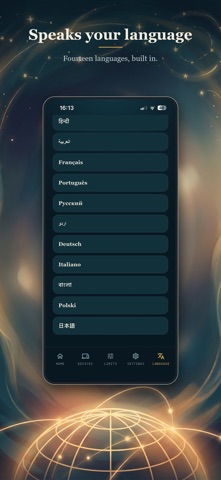
• Speaks 14 languages, with a light and a dark look.

GET STARTED IN 3 STEPS
1. Download Safeinest and create your parent account.
2. Install the free Safeinest Connect app on your child's phone and scan the pairing code.
3. Set your family rules.

Safeinest needs Screen Time (Family Controls) permission on a child's iPhone to apply limits. Plans are monthly, priced in your own currency, with a free trial.

Questions? https://safeinest.com

Terms of Use (EULA): https://www.apple.com/legal/internet-services/itunes/dev/stdeula/
Privacy Policy: https://safeinest.com/privacy
Show more Show less

Alternatives to Safeinest: Parental Control

Toll — Focus & App Blocker icon Toll — Focus & App Blocker
Sun App Studio
0.0
Free
Silk: App Blocker, Screen Time icon Silk: App Blocker, Screen Time
Sanil Desai
0.0
Free
Descroll: Screen Time Control icon Descroll: Screen Time Control
Zaid Al-Taie
0.0
Free
LumenAI Agents icon LumenAI Agents
NICHOLAS ERWIN HEITKAMP
0.0
Free
AI Chat & Search - Findout icon AI Chat & Search - Findout
YUSUPOV YUNUSJON
0.0
Free
Earn Screen Time — Unlock icon Earn Screen Time — Unlock
Joaquin Balthasar De Weert
0.0
Free
lockwork: study screen time icon lockwork: study screen time
You Can Just Do Things Limited
0.0
Free
OneAnswerAI icon OneAnswerAI
VALENTINO PAULON
0.0
Free

More from JETMEAWAY LTD

JetMeAway: Flight, Hotel, Car icon JetMeAway: Flight, Hotel, Car
JETMEAWAY LTD
0.0
Free
Safeinest Connect icon Safeinest Connect
JETMEAWAY LTD
0.0
Free

Changelog of Safeinest: Parental Control

No changelog data

Developer information for JETMEAWAY LTD

JETMEAWAY LTD

Address:

Share Safeinest: Parental Control

Comments on Safeinest: Parental Control for iOS

We don't have enough comments to show example comments. Please check back later.

App Store Rankings for Safeinest: Parental Control

This app is not ranked

Technologies used by Safeinest: Parental Control

Frequently asked questions about Safeinest: Parental Control

Is Safeinest: Parental Control free?

Yes. Safeinest: Parental Control is free on the App Store.

Is Safeinest: Parental Control still available?

Yes. Safeinest: Parental Control is on the App Store, and the last update we saw was on November 12, 2026.

How large is Safeinest: Parental Control?

Safeinest: Parental Control is 50.26 MB.

Is Safeinest: Parental Control suitable for children?

App Store rates the content of Safeinest: Parental Control as suitable for everyone.

Who made Safeinest: Parental Control?

Safeinest: Parental Control was developed by JETMEAWAY LTD. It is listed in the productivity category on the App Store.

What are the best alternatives to Safeinest: Parental Control?

People looking at Safeinest: Parental Control also look at these productivity apps: Toll — Focus & App Blocker, Silk: App Blocker, Screen Time, Descroll: Screen Time Control, LumenAI Agents, AI Chat & Search - Findout.

Top new apps Price drops on Google Play Popular Productivity Apps Today's trending apps Apps other people are watching
Toll — Focus & App Blocker icon Toll — Focus & App Blocker
Silk: App Blocker, Screen Time icon Silk: App Blocker, Screen Time
Descroll: Screen Time Control icon Descroll: Screen Time Control
LumenAI Agents icon LumenAI Agents
AI Chat & Search - Findout icon AI Chat & Search - Findout
Earn Screen Time — Unlock icon Earn Screen Time — Unlock
lockwork: study screen time icon lockwork: study screen time
OneAnswerAI icon OneAnswerAI
AppBrain Intelligence premium content

Subscribe now to get full and unlimited access to AppBrain Intelligence. You'll have access to:

  • App Intelligence dashboard (performance timeline, competitor comparison, country rankings, insight cards)
  • Detailed ranking data per app
  • Full timeline per developer
  • Device market shares data per country
  • Unlimited keyword tracking
1 Month

$75/mo
(billed every month)

SAVE 0%
Subscribe
3 Months

$65/mo
($195 billed every 3 months)

SAVE 13%
Subscribe
1 Year

$57.50/mo
($690 billed every year)

SAVE 23%
Subscribe
Each subscription will automatically renew 3 days before the expiration date for the same time period. Subscriptions can be cancelled at any time before the renewal.

AppBrain is an app data site, we track rankings, ratings, installs for all apps and games on Google Play and the App Store. AppBrain doesn't host app files or APKs, all install links go directly to the official store. All trademarks are owned by their respective owners.

More apps

  • Top Android apps being viewed
  • Back to the Bible Canada
  • View Chart Maker : Create Charts
  • View Os Launcher

App statistics

  • Android statistics
  • Google Play Developer stats
  • Trending Android Apps
  • Trending iOS apps
  • Top popular Apps
  • Buy the best Android phone
  • Buy & sell app businesses

About AppBrain

  • Contact
  • Privacy
  • Documentation
  • DMCA takedowns
  • Blog
  • Android app Install tracking and attribution options for the AppBrain ad network
© 2010-2026 - AppBrain