

ScanFlow PDF
ScanFlow PDF is made and published by Yu Shiung Jiang. AppBrain is an independent app data site and isn't affiliated with Yu Shiung Jiang. The app name, icon, screenshots and description belong to Yu Shiung Jiang and are shown as published on the App Store.
AppBrain's verdict
- Last updated
- July 22, 2026
Rankings
App Store top chartsApp Store Rankings for ScanFlow PDF
Competitors
Similar apps and more from Yu Shiung JiangAlternatives to ScanFlow PDF


More from Yu Shiung Jiang


Releases
Updates seen on the App Store- Version
- 1.1
- Launched
- June 2026
No changelog data
User feedback
Ratings and reviews on the App StoreComments on ScanFlow PDF for iOS
We don't have enough comments to show example comments. Please check back later.
Technology
Found in the app by AppBrain- Price
- Free
- App size
- 2.74 MB
- Content rating
- Everyone
Technologies used by ScanFlow PDF
About the app and developer
About ScanFlow PDF
ScanFlow PDF is a productivity app developed by Yu Shiung Jiang.
What is the rating of ScanFlow PDF?
ScanFlow PDF has no ratings yet.
Is ScanFlow PDF free?
ScanFlow PDF is free. The app size is 2.74 MB. The latest version available is 1.1. The last update was on July 22, 2026.
What are the requirements for ScanFlow PDF?
The app has a content rating of Everyone. The app has been available on the App Store since June 2026.
Developer information for Yu Shiung Jiang
Address:
Store listing
By Yu Shiung Jiang, from the App Store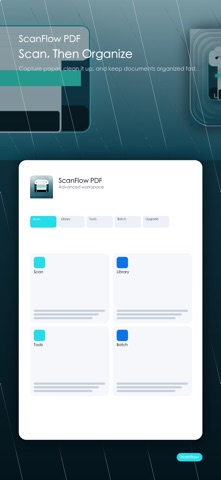


Description by Yu Shiung Jiang Written by the developer, not by AppBrain. Click to read.
Use Apple's native document scanner to capture multiple pages with automatic cropping and perspective correction, then store the PDF on your device. You can also import existing PDFs, preview, rename, delete, and share them.
Free tools:
- Multi-page document scanning and on-device PDF library
- Import, preview, rename, delete, and share
- Merge PDFs and split by page ranges
- Images to PDF and page rotation
One-time Pro tools:
- OCR text recognition
- PDF compression and page-to-image export
- Drag to reorder, delete, or reverse pages
- Text watermarking
- PDF password encryption and decryption
Home and toolbox shortcuts open the selected action directly, and the app reports success only after output is saved. Core scanning and processing happen on device. No account is required.