It doesn't have enough ratings yet to judge what users think.
Scanner App - Scanner Into PDF is made and published by
Real Vision Ltd.
AppBrain is an independent app data site and isn't affiliated with Real Vision Ltd.
The app name, icon, screenshots and description belong to Real Vision Ltd and are shown as
published on the App Store.
About Scanner App - Scanner Into PDF
Scanner App - Scanner Into PDF is an utilities app developed by Real Vision Ltd.
User Ratings
Scanner App - Scanner Into PDF is rated 4.67 out of 5 stars. The rating is based on 6 ratings.
App Information
Scanner App - Scanner Into PDF is freely available from the App Store. The app size is 5.10 MB. The latest version available is 1.1. The last update was on May 5, 2022.
Technical Requirements
The app has a content rating of Everyone. The app has been available on the App Store since May 2022.
Description by Real Vision Ltd(from the App Store)
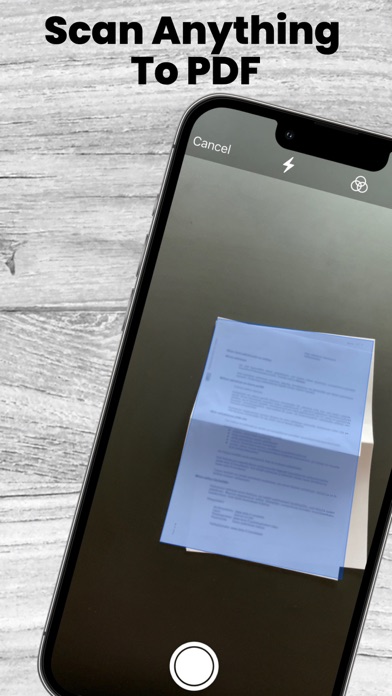
PDF Scanner App is a Fast Scanner. Turn your phone into a powerful scanner with the Mobile Scanner app. Scan anything including documents, paper notes, receipts, and books into clear & sharp PDFs and images. Convert images into text with OCR technology and export searchable PDF files. The document scan app is an original paper scanner to save descriptive data into a formal PDF file. Document scan: Scan to PDF, OCR text scanner is a scanner app that will turn your phone into a PDF scanner. Convert image to pdf, scan to pdf, PDF to text, photo to text in a simple tap.
No need for an expensive scanner or waiting in line to use it when you have a Cam scanner - PDF scanner directly on your phone. PDF-scanner & Document scanner can quickly scan text and image files. Scannable is very easy to use. With Doc scanner by phone camera, users can get digital copies of any type of document.
-Key features of the pdf scanner app
1. Automatic cropping and recognition function: Automatically recognizes and crops the borders of documents or book pages to be scanned. It's easy to use anytime, anywhere, and you get clean scan results from any angle.
2. Free Text recognition(OCR): Text recognition allows you to convert scanned images into text. You can easily copy the converted text and share it with friends.
3. Search: Enter keywords and quickly find relevant documents. The search function is available after completing OCR.
4. Export to PDF file: You can convert the scanned image to a PDF file. You can sort the page order, choose the PDF quality, and adjust the color.
5. Book scanning It automatically corrects the curved surface of the page and erases your finger. You can get the same scan results as taken with a professional book scanner. In the two-page shooting mode, you can shoot the left and right pages at once, and store them in a split.
Scanner Try this scanner now! The scanner can convert all kinds of documents to PDF format!
Each subscription will automatically renew 3 days before the expiration date for
the same time period. Subscriptions can be cancelled at any time before the renewal.