

Scanner - DOC / PDF Document
Scanner - DOC / PDF Document is made and published by Axeraan Technologies. AppBrain is an independent app data site and isn't affiliated with Axeraan Technologies. The app name, icon, screenshots and description belong to Axeraan Technologies and are shown as published on the App Store.
AppBrain's verdict
- Rating on App Store
- 5.00
- 3 ratings
- Last updated
- February 25, 2022
- Size
- 6.60 MB
It doesn't have enough ratings yet to judge what users think.
User feedback
Ratings and reviews on the App StoreComments on Scanner - DOC / PDF Document for iOS
We don't have enough comments to show example comments. Please check back later.
Store listing
By Axeraan Technologies, from the App Store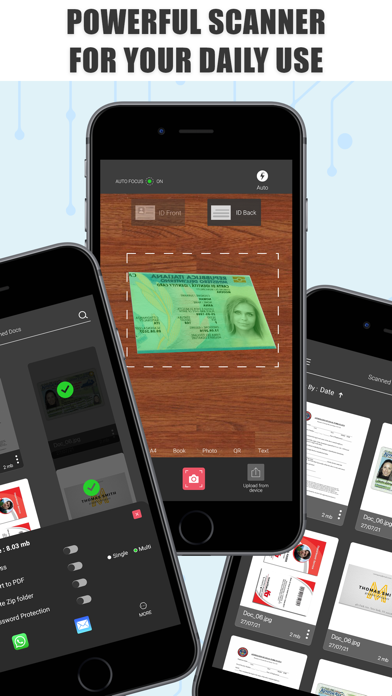
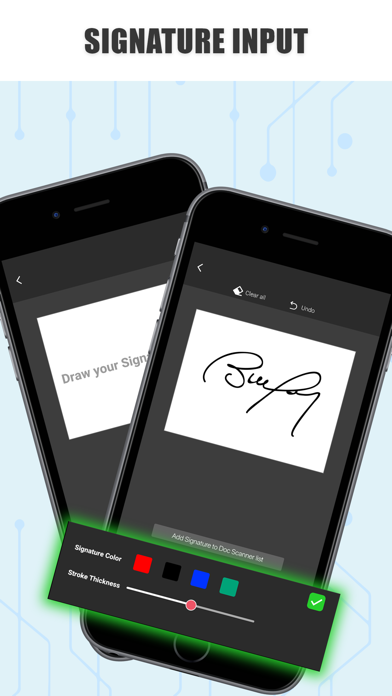
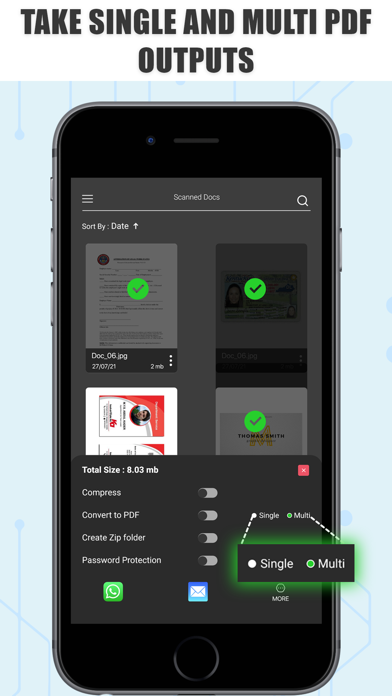
Description by Axeraan Technologies Written by the developer, not by AppBrain. Click to read.
Just in one tap scan the single or multiple documents using Scanner - PDF Document Scan in high-quality on your device.This App helps to scan documents, receipts, photos, reports, ID card or anything.
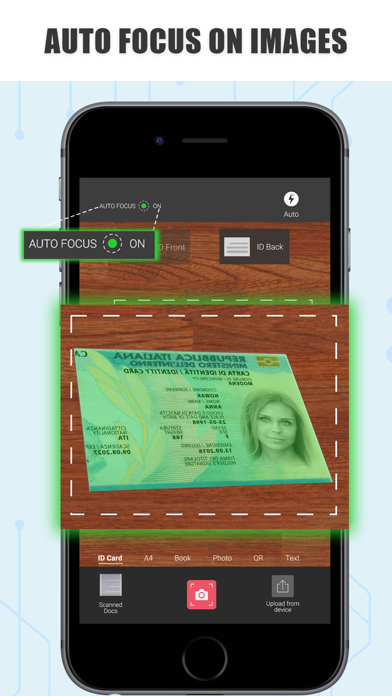
Scanner - PDF Document Scan provides best edge detection to set the frames of your documents easily.Doc Scanner app will help in mobile phone to scan the document and automatically removes the clutter background.
Scanner - PDF Document Scan has different filters like Scan Colour, Grayscale, or Black and White for scanned documents of photos.It can also export your scanned documents to PDF or JPEG files.
Main Features:
SCAN
*Scan any document or photos and convert into PDF files on your mobile phones.
*Scan any books with the two-page shooting mode from left and right pages at once, and store them in a split.
*ID card scanner manages all ID cards, passports, driver's licence, visas, work permits, and other identity documents in just seconds.
CROP & ADJUST
* Automatically documents will be cropped and sorted in the way you need them.
* Easy to use anytime, anywhere, and you get clean scan results from any angle.
E-SIGN
*Add initials, names, signing date, email address, and more to your scanned document.
*Draw the signature in the pad.
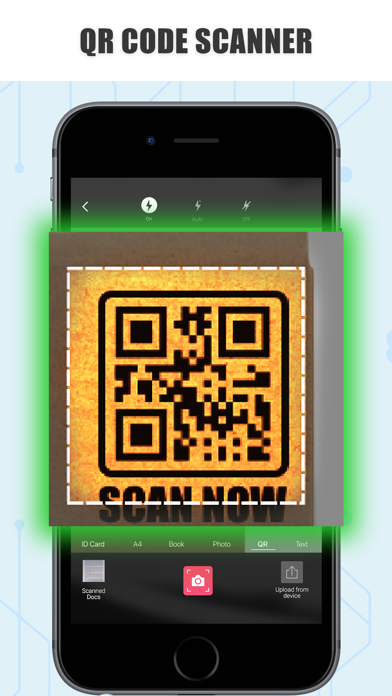
QR CREATOR & SCANNER
*Create a text, email id or link from qr code creator.
*Simply access the Qr code reader in the cam scanner.
SEARCH
*Enter keywords and quickly find relevant documents.
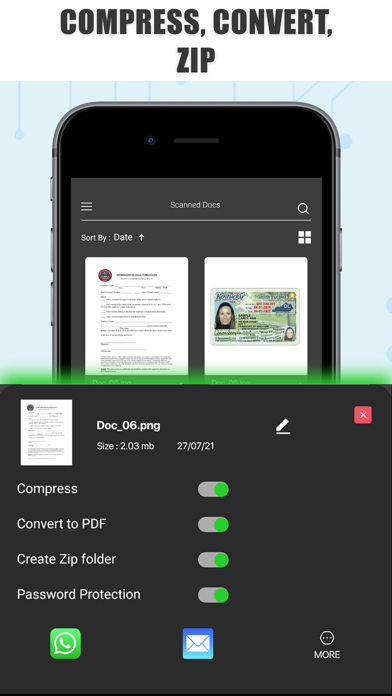
MANAGE & COMPRESS
*Merge Pdf files together to make editing easier.
*Making your PDF document smaller will help you save space.
SHARE & SEND
*Send the document quickly and easily.
*Share the important files via social media.
CamScanner - PDF Document Scan will have the documents in your scanned library easily by name, tag or folder.Important document can be bookmarked and it will be listed separately.This app has import of multiple images from the gallery and convert them into a single PDF file as a document.
Please visit https://newsmaddie.com/docscanner/privacy-policy.html for our Privacy Policy.
We value your feedback and welcome any comments you may have to help improve our services. Please write to us at axeraan@gmail.net and we'll be happy to hear from you.
Safety and technology
Found in the app by AppBrain- Price
- Free
- App size
- 6.60 MB
- Content rating
- Everyone
Technologies used by Scanner - DOC / PDF Document
Releases
Updates seen on the App Store- Version
- 1.0
- Launched
- February 2022
No changelog data
Alternatives
Similar apps and more from Axeraan TechnologiesAlternatives to Scanner - DOC / PDF Document






More from Axeraan Technologies








Rankings
App Store top chartsApp Store Rankings for Scanner - DOC / PDF Document
About the app and developer
About Scanner - DOC / PDF Document
Scanner - DOC / PDF Document is a productivity app developed by Axeraan Technologies.
User Ratings
Scanner - DOC / PDF Document is rated 5.00 out of 5 stars. The rating is based on 3 ratings.
App Information
Scanner - DOC / PDF Document is freely available from the App Store. The app size is 6.60 MB. The latest version available is 1.0. The last update was on February 25, 2022.
Technical Requirements
The app has a content rating of Everyone. The app has been available on the App Store since February 2022.
Developer information for Axeraan Technologies
Address:
Frequently asked questions about Scanner - DOC / PDF Document
Is Scanner - DOC / PDF Document free?
Yes. Scanner - DOC / PDF Document is free on the App Store.
Is Scanner - DOC / PDF Document still available?
Yes. Scanner - DOC / PDF Document is on the App Store, and the last update we saw was on February 25, 2022.
How large is Scanner - DOC / PDF Document?
Scanner - DOC / PDF Document is 6.60 MB.
Is Scanner - DOC / PDF Document suitable for children?
App Store rates the content of Scanner - DOC / PDF Document as suitable for everyone.
How do people rate Scanner - DOC / PDF Document?
Scanner - DOC / PDF Document scores 5.00 out of 5 stars, from 3 ratings on the App Store.
Who made Scanner - DOC / PDF Document?
Scanner - DOC / PDF Document was developed by Axeraan Technologies. It is listed in the productivity category on the App Store.
What are the best alternatives to Scanner - DOC / PDF Document?
People looking at Scanner - DOC / PDF Document also look at these productivity apps: Fastly Scanner, Barcode Professional, Perfect Film Maker Movi Editor, Super Document Scanner-HD Scan, CamScan: Translator & Scanner.