

Scanr Lens — Document Scanner
Scanr Lens — Document Scanner is made and published by Beskar Technologies LLP. AppBrain is an independent app data site and isn't affiliated with Beskar Technologies LLP. The app name, icon, screenshots and description belong to Beskar Technologies LLP and are shown as published on the App Store.
AppBrain's verdict
New- Rating on App Store
- 1.00
- 1 ratings
- Last updated
- August 28, 2026
Scanr Lens — Document Scanner came out 77 days ago. It doesn't have enough ratings yet to judge what users think.
Rankings
App Store top chartsApp Store Rankings for Scanr Lens — Document Scanner
Competitors
Similar apps and more from Beskar Technologies LLPAlternatives to Scanr Lens — Document Scanner


Releases
Updates seen on the App Store- Version
- 1.41
- Launched
- August 2026
No changelog data
User feedback
Ratings and reviews on the App StoreComments on Scanr Lens — Document Scanner for iOS
We don't have enough comments to show example comments. Please check back later.
Technology
Found in the app by AppBrain- Price
- Free
- App size
- 2.84 MB
- Content rating
- Everyone
Technologies used by Scanr Lens — Document Scanner
About the app and developer
About Scanr Lens — Document Scanner
Scanr Lens — Document Scanner is a productivity app developed by Beskar Technologies LLP.
User Ratings
Scanr Lens — Document Scanner is rated 1.00 out of 5 stars. The rating is based on one rating ratings.
App Information
Scanr Lens — Document Scanner is freely available from the App Store. The app size is 2.84 MB. The latest version available is 1.41. The last update was on August 28, 2026.
Technical Requirements
The app has a content rating of Everyone. The app has been available on the App Store since August 2026.
Developer information for Beskar Technologies LLP
Address:
Store listing
By Beskar Technologies LLP, from the App Store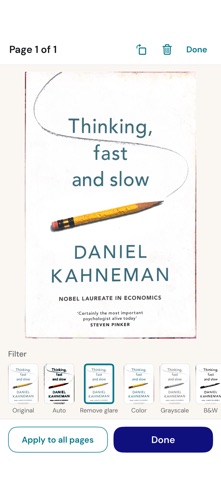




Description by Beskar Technologies LLP Written by the developer, not by AppBrain. Click to read.
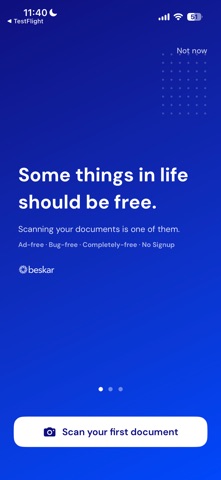
No account. No sign-up. No ads. No tracking.
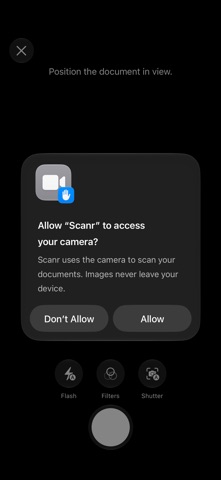
Point your camera at a document and Scanr captures it with automatic edge
detection and perspective correction, powered by Apple's on-device scanner. Scan
a single page or a whole stack, tidy it up, sign it, and export — all in a few
taps.
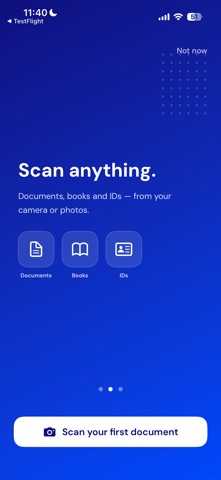
SCAN
• Automatic edge detection and perspective correction
• Multi-page scanning — build a document one page at a time
• Add more pages to an existing document any time
• Split ID mode: capture the front and back of an ID card onto one page
IMPORT
• Bring in photos and PDFs you already have
• Share images or PDFs into Scanr from any other app
• Imported pages get the same cropping and filters as a fresh scan
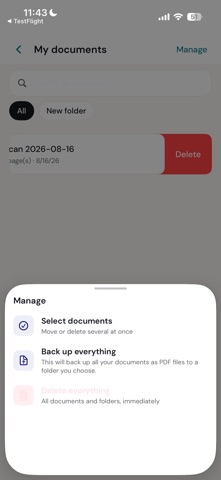
MY DOCUMENTS
• Every scan is saved from its first page — nothing to remember to keep
• Organize into folders, rename, and search your documents by name
• Back up everything as PDF files to a folder you choose
• Delete any document immediately — no hidden copies left behind
ORGANIZE
• Reorder, delete, split, and move pages between documents
• Combine pages into one
• Rotate pages
ENHANCE
• One-tap filters: Original, Auto, Color, Grayscale, Black & White,
High Contrast, and Soft
• Remove glare from photos of glossy or laminated pages
• Apply a filter to one page or to every page at once
SIGN
• Draw a signature, or scan one from paper
• Set its thickness and colour, then place and resize it on any page
• Save signatures to reuse later
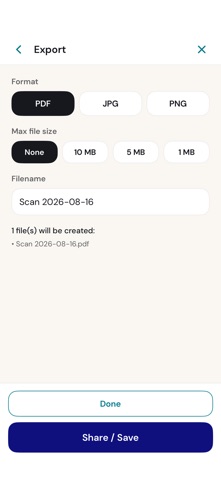
EXPORT & SHARE
• Export as PDF (one multi-page file), or as JPG / PNG (one image per page)
• Hold exports under a file-size limit when you need to email or upload them
• Share or save through the iOS share sheet
PRIVATE BY DESIGN
• Everything happens on your device — scanning, filtering, signing, export
• No accounts, no cloud, no analytics, no ads
• The app makes no network requests
• Documents live in the app's private storage
SMALL AND SIMPLE
• Point, scan, export, done
• Tiny install size
• Clean, uncluttered interface
• Available in 12 languages
• Universal — one app for iPhone and iPad
Made by Beskar — fast, private tools. https://beskar.tech