

PDF Scanner: Scan Docs - Lumi
PDF Scanner: Scan Docs - Lumi is made and published by TRY2 APPS. AppBrain is an independent app data site and isn't affiliated with TRY2 APPS. The app name, icon, screenshots and description belong to TRY2 APPS and are shown as published on the App Store.
AppBrain's verdict
- Last updated
- May 14, 2026
- Size
- 10.9 MB
User feedback
Ratings and reviews on the App StoreComments on PDF Scanner: Scan Docs - Lumi for iOS
We don't have enough comments to show example comments. Please check back later.
Store listing
By TRY2 APPS, from the App Store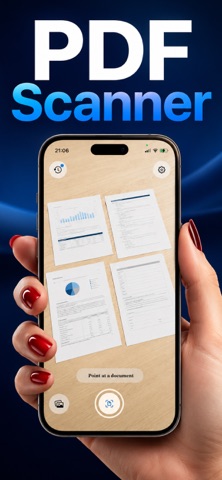

Description by TRY2 APPS Written by the developer, not by AppBrain. Click to read.
WHY PEOPLE CHOOSE LUMI PDF SCANNER
Truly on-device. Unlike every other PDF Scanner you've tried, Lumi has no server. Your scans never leave your iPhone — there's nothing to upload, no account to sign in to, nothing for us to see.
Auto-detect, instantly. Point your camera at a document and Lumi locks on. Hold steady for half a second and the scan happens — no shutter to press, no edges to drag.
Crystal-clear results. Built on Apple's Vision framework, every PDF Scanner result is perspective-corrected (dewarped), exposure-balanced, and sharpened to make text leap off the page.
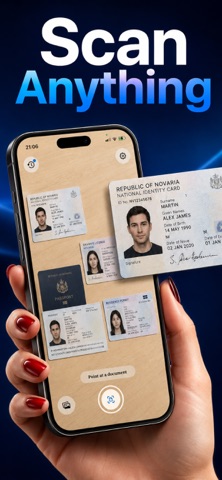
Smart manual controls. If auto-detect misses, tap the shutter button. Want to scan a screenshot or an old photo? The Photos picker imports any image and Lumi treats it like a fresh scan.
EVERYTHING A MODERN PDF SCANNER SHOULD DO
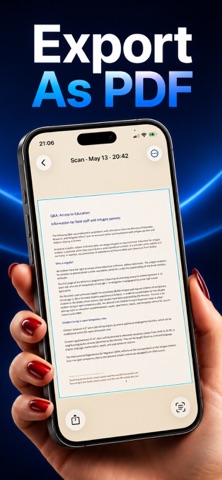
Multi-page documents — Capture page after page; Lumi groups them into one document and exports a single, sorted PDF. Tap Finish when you're done.
OCR text recognition — Pull selectable, searchable text out of any scan. Works on printed pages, handwriting, and stylized fonts. OCR runs locally with Apple's on-device intelligence — no server, no API calls, no content ever leaves the device.
Live Text everywhere — Open any scan in History. Pinch to zoom, select text directly on the image, copy it, look it up, or translate it. Just like iOS Notes, baked into every Lumi scan.
Merge to one PDF — Pick any number of scans from your History, tap Merge to PDF, and Lumi combines them into a single document, sorted by date, ready to share via the iOS share sheet.
Edit Text — Cover any printed text with a tap-and-drag rectangle and type a replacement. Perfect for fixing a typo, redacting a name, or correcting a misread scan.
Sharp filter for text-heavy pages — Brings the words forward without losing color, like a high-quality photocopy. B&W filter creates a clean monochrome look. Use whichever matches the document.
Crop, Rotate, Mirror — Drag corners to trim black edges. Rotate left, right, or mirror in one tap. Even fix a sideways A4 capture after the fact.
PRIVACY IS THE WHOLE POINT
Most PDF Scanner apps quietly upload your documents to "AI servers" or "cloud OCR services." Lumi doesn't. Camera frames are processed in-memory using Apple's Vision and Core Image. The final JPEG is stored only in Lumi's private sandbox on your iPhone. OCR runs on-device. PDF export happens on-device. The only network calls Lumi ever makes are to Apple's StoreKit, when you choose to subscribe.
FREE VS PREMIUM
Lumi is free to try with 3 lifetime scans — enough to see why it's the cleanest PDF Scanner on iPhone. Unlock Premium to remove the limit and enable:
Unlimited scans
OCR text recognition
PDF export (single and multi-page)
Multi-page document scanning
Merge multiple scans into one PDF
Sharp and B&W filters
Edit Text
Crop, Rotate, Mirror
SUBSCRIPTIONS
Weekly Premium — $9.99 per week, auto-renews
Yearly Premium — $39.99 per year with a 3-day free trial, auto-renews
Payment is charged to your Apple ID at confirmation of purchase. Subscriptions auto-renew unless cancelled at least 24 hours before the end of the current period. Manage or cancel in iOS Settings → your Apple ID → Subscriptions.
Terms of Use: https://try2.app/pdf-scanner-scan-docs-lumi-terms
Privacy Policy: https://try2.app/pdf-scanner-scan-docs-lumi-privacy
Safety and technology
Found in the app by AppBrain- Price
- Free
- App size
- 10.9 MB
- Content rating
- Everyone
Technologies used by PDF Scanner: Scan Docs - Lumi
Releases
Updates seen on the App Store- Version
- 1.0.4
- Launched
- May 2026
No changelog data
Alternatives
Similar apps and more from TRY2 APPSAlternatives to PDF Scanner: Scan Docs - Lumi


More from TRY2 APPS


Rankings
App Store top chartsApp Store Rankings for PDF Scanner: Scan Docs - Lumi
About the app and developer
About PDF Scanner: Scan Docs - Lumi
PDF Scanner: Scan Docs - Lumi is a productivity app developed by TRY2 APPS.
User Ratings
The app has no ratings yet.
App Information
PDF Scanner: Scan Docs - Lumi is freely available from the App Store. The app size is 10.93 MB. The latest version available is 1.0.4. The last update was on May 14, 2026.
Technical Requirements
The app has a content rating of Everyone. The app has been available on the App Store since May 2026.
Developer information for TRY2 APPS
Address: