

ScanToPC
ScanToPC is made and published by Flairmesh Technologies. AppBrain is an independent app data site and isn't affiliated with Flairmesh Technologies. The app name, icon, screenshots and description belong to Flairmesh Technologies and are shown as published on the App Store.
AppBrain's verdict
- Rating on App Store
- 5.00
- 1 ratings
- Last updated
- May 26, 2026
- Size
- 59.2 MB
It doesn't have enough ratings yet to judge what users think.
User feedback
Ratings and reviews on the App StoreComments on ScanToPC for iOS
We don't have enough comments to show example comments. Please check back later.
Store listing
By Flairmesh Technologies, from the App Store




Description by Flairmesh Technologies Written by the developer, not by AppBrain. Click to read.
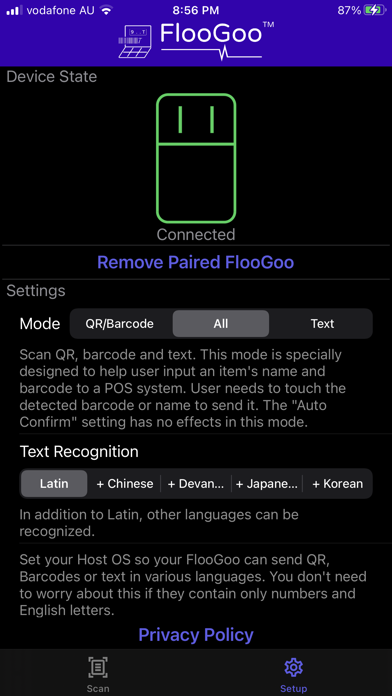
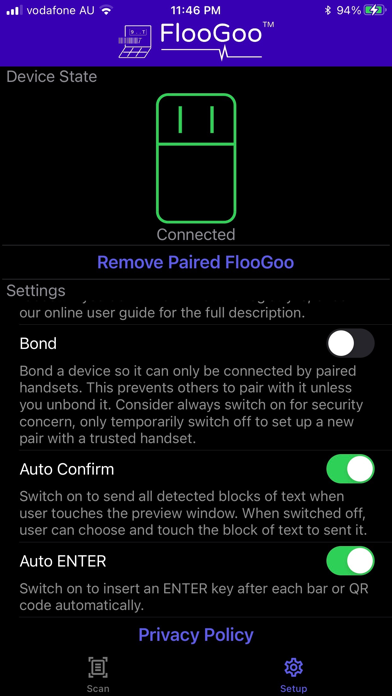
The app seamlessly scans text, QR codes, and barcodes, sending the data to host systems through our innovative FlooGoo FMA100 Bluetooth Dongle.
Obtain your FlooGoo FMA100 dongle at https://www.flairmesh.com/Dongle/FMA100.html.
The input to host systems is in standard USB keyboard format, ensuring compatibility with POS machines, library book management systems, and various text or spreadsheet applications on Windows, Mac, or Linux. No additional drivers are required.
Regardless of the host's operating system, if the scanned result contains only ASCII characters, no further configurations are necessary. For non-ASCII characters, refer to our user guide for proper input method configuration.
Say goodbye to wired or wireless QR and barcode scanners; our app can also perform OCR and instantly transmit the text to your host using the FMA100 dongle.
You can also use the app independently without the dongle for scanning text, QR codes, and barcodes. There are no ads in the app.
Supported QR and barcode formats include linear formats such as Codabar, Code 39, Code 93, Code 128, EAN-8, EAN-13, ITF, UPC-A, and UPC-E, as well as 2D formats like Aztec, Data Matrix, PDF417, and QR Code.
Text recognition supports Latin characters by default, with the option to select one additional language from Chinese, Devanagari, Japanese, or Korean.
Scan text, QR codes, and barcodes effortlessly with the app and transmit the data to your host using a FlooGoo Dongle.
Safety and technology
Found in the app by AppBrain- Price
- Free
- App size
- 59.2 MB
- Content rating
- Everyone
Technologies used by ScanToPC
Releases
Updates seen on the App Store- Version
- 1.1.9
- Launched
- January 2022
No changelog data
Alternatives
Similar apps and more from Flairmesh TechnologiesAlternatives to ScanToPC






Rankings
App Store top chartsApp Store Rankings for ScanToPC
About the app and developer
About ScanToPC
ScanToPC is an utilities app developed by Flairmesh Technologies.
What is the rating of ScanToPC?
ScanToPC is rated 5.00 out of 5 stars, based on one rating ratings.
Is ScanToPC free?
ScanToPC is free. The app size is 59.24 MB. The latest version available is 1.1.9. The last update was on May 26, 2026.
What are the requirements for ScanToPC?
The app has a content rating of Everyone. The app has been available on the App Store since January 2022.
Developer information for Flairmesh Technologies
Address: