

Barcode to PC: Wi-Fi scanner
Barcode to PC: Wi-Fi scanner is made and published by Filippo Tortomasi. AppBrain is an independent app data site and isn't affiliated with Filippo Tortomasi. The app name, icon, screenshots and description belong to Filippo Tortomasi and are shown as published on the App Store.
AppBrain's verdict
EstablishedLoved by users- Rating on App Store
- 4.66
- 392 ratings
- Last updated
- September 25, 2026
Users love it: 4.7 stars from 392 ratings.
Rankings
App Store top chartsApp Store Rankings for Barcode to PC: Wi-Fi scanner
Competitors
Similar apps and more from Filippo TortomasiAlternatives to Barcode to PC: Wi-Fi scanner





More from Filippo Tortomasi

Also available on Google Play

Releases
Updates seen on the App Store- Version
- 5.0.6
- Launched
- December 2016
No changelog data
User feedback
Ratings and reviews on the App StoreComments on Barcode to PC: Wi-Fi scanner for iOS
We don't have enough comments to show example comments. Please check back later.
Technology
Found in the app by AppBrain- Price
- Free
- App size
- 47.4 MB
- Content rating
- Everyone
Technologies used by Barcode to PC: Wi-Fi scanner
About the app and developer
About Barcode to PC: Wi-Fi scanner
Barcode to PC: Wi-Fi scanner is an utilities app developed by Filippo Tortomasi.
What is the rating of Barcode to PC: Wi-Fi scanner?
Barcode to PC: Wi-Fi scanner is rated 4.66 out of 5 stars, based on 390 ratings.
Is Barcode to PC: Wi-Fi scanner free?
Barcode to PC: Wi-Fi scanner is free. The app size is 47.44 MB. The latest version available is 5.0.6. The last update was on September 25, 2026.
What are the requirements for Barcode to PC: Wi-Fi scanner?
The app has a content rating of Everyone. The app has been available on the App Store since December 2016.
Developer information for Filippo Tortomasi
Address:
Store listing
By Filippo Tortomasi, from the App Store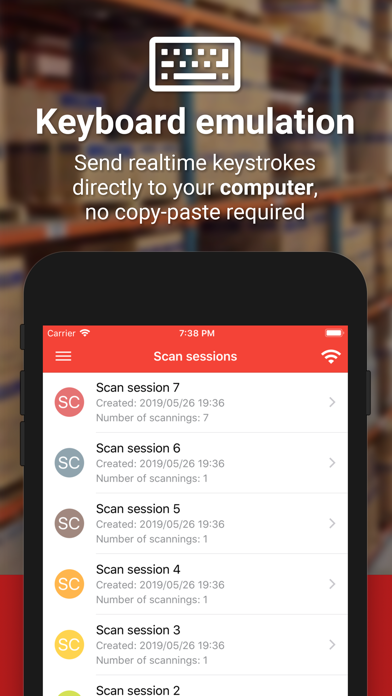
Description by Filippo Tortomasi Written by the developer, not by AppBrain. Click to read.
Barcode to PC turns your smartphone into a real barcode scanner
• Supported platforms: Windows, macOS, Linux
• Keyboard emulation
Your smartphone sends real-time keystrokes directly to your computer, no copy-paste required!
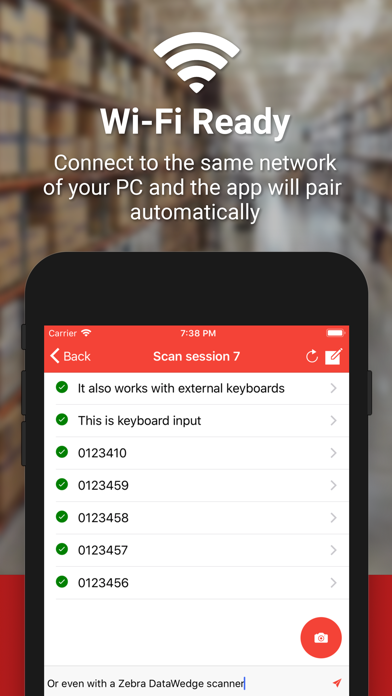
• Wi-Fi ready
Connect to the same network of your PC and the app will pair automatically
• CSV support
You can append your scannings to a file in real-time. You can also export the scans all at once in a CSV file
• QR Codes
Barcode to PC works also with QR codes and many other barcode formats
FAQ: https://barcodetopc.com/faq.html