

ScanWave Pro is made and published by Bhupesh Gurung. AppBrain is an independent app data site and isn't affiliated with Bhupesh Gurung. The app name, icon, screenshots and description belong to Bhupesh Gurung and are shown as published on the App Store.
AppBrain's verdict
- Last updated
- August 27, 2026
Rankings
App Store top chartsApp Store Rankings for ScanWave Pro
Competitors
Similar apps and more from Bhupesh GurungAlternatives to ScanWave Pro


More from Bhupesh Gurung


Releases
Updates seen on the App Store- Version
- 1.1.2
- Launched
- May 2026
No changelog data
User feedback
Ratings and reviews on the App StoreComments on ScanWave Pro for iOS
We don't have enough comments to show example comments. Please check back later.
Technology
Found in the app by AppBrain- Price
- Free
- App size
- 41.4 MB
- Content rating
- Everyone
Technologies used by ScanWave Pro
About the app and developer
About ScanWave Pro
ScanWave Pro is a productivity app developed by Bhupesh Gurung.
User Ratings
The app has no ratings yet.
App Information
ScanWave Pro is freely available from the App Store. The app size is 41.42 MB. The latest version available is 1.1.2. The last update was on August 27, 2026.
Technical Requirements
The app has a content rating of Everyone. The app has been available on the App Store since May 2026.
Developer information for Bhupesh Gurung
Address:
Store listing
By Bhupesh Gurung, from the App Store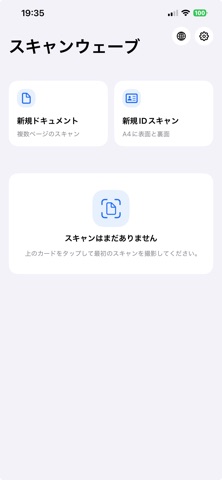


Description by Bhupesh Gurung Written by the developer, not by AppBrain. Click to read.
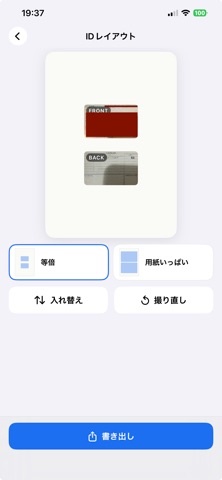
Built for the Japanese practice of copying ID cards onto A4 paper. Capture an ID and lay it onto a page in Actual Size or Fill Page layout — the standard formats for Residence Card, Driver's License, and Health Insurance Card copies that landlords, banks, and city halls ask for every day.
ONE-TIME PAYMENT
• Pay once, use forever
• No subscription, no in-app purchases
• All updates included for life
• No "free trial that auto-renews" tricks
DOCUMENT MODE
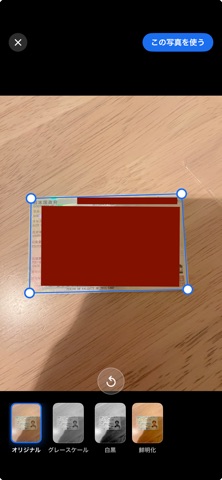
• Multi-page capture with automatic edge detection
• Manual corner adjustment with magnifier loupe
• Filters: Original, Grayscale, Black & White, Enhance
• Drag-to-reorder pages, retake, swipe-to-delete
• Multi-page PDF export with 1-up, 2-up, or 4-up layouts
ID MODE
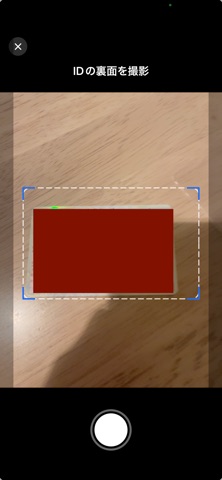
• Front-only or front + back capture
• Composed onto A4 in actual size or fill-page layout
EXPORT
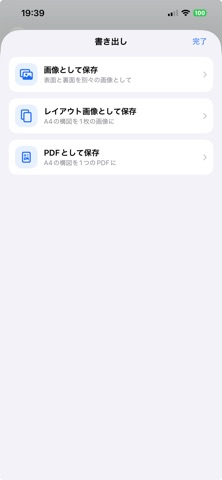
• Save as JPEG or PNG to Photos
• Save as PDF to Files (visible under On My iPhone → ScanWave)
• Share to AirDrop, Mail, Messages, or any installed app
• Multi-select on the Home screen for bulk share or delete
PRIVACY
• All processing on device
• No cloud, no account, no analytics, no tracking
• No third-party SDKs
• Photos and documents stay on your iPhone or iPad
LANGUAGES
English, 日本語, नेपाली. Switch any time from the globe button on the Home screen.