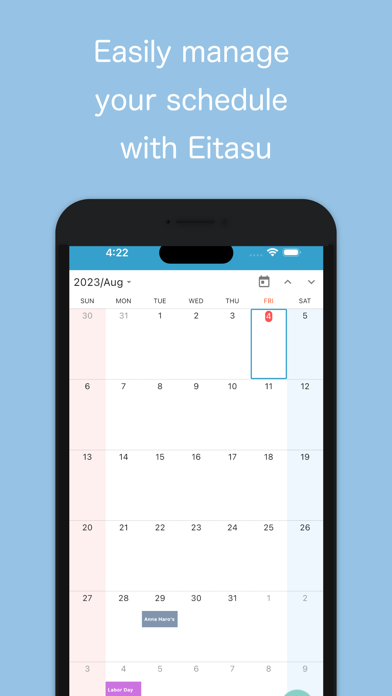
Schedule & Task Management is a productivity app developed by Tryxia.
User Ratings
The app has no ratings yet.
App Information
Schedule & Task Management is freely available from the App Store. The app size is 62.25 MB. The latest version available is 1.3. The last update was on August 9, 2023.
Technical Requirements
The app has a content rating of High Maturity. The app has been available on the App Store since May 2022.
Description by Tryxia(from the App Store)
"Simple schedule management with "Eitasu". Easily manage your customers, tasks, and history.
【Overview】 ◇Simple to use scheduling app "Eitasu" ・Prevent missing appointments with easy task registration and reminders ・Check your upcoming schedule on the home screen ・Easily review previous actions before visits or meetings ・Tag and list by project, status
◇Recommended for those who ・Want to systematize schedule management simply ・Struggle with managing customer information with a notebook ・Have been frustrated by not being able to fully utilize feature-rich customer management systems ・Want to get a feel for another customer management system before introducing it
◇You can do things like ・Register tasks to manage your schedule ・Complete tasks and strike them off when you're done ・Easily link tasks with customers, leaving a history of actions. ・Search by customer or tag.
◇Premium Plan 【Duration of Premium Plan】 The registration period for the premium plan is automatically renewed every month or year from the start date.
【How to check membership status and cancel Premium Plan】 You can stop automatic renewal more than 24 hours before the end of the registration period. The premium plan renewal procedure is carried out between 24 hours before the end of the registration period and the end of the period.
To check membership status and cancel, go to the following page:
AppStore app⇨Today tab screen right top user icon⇨Subscription You can check and set automatic renewal and renewal date.
【Billing Method】 You will be billed through your iTunes account. The premium plan begins when the purchase through your iTunes account is confirmed.
◇Note Before using, be sure to check the "Terms of Use" and "Privacy Policy". Terms of Use: https://eitasu.tryxia.jp/team.html Privacy Policy: https://eitasu.tryxia.jp/privacy.html"
Each subscription will automatically renew 3 days before the expiration date for
the same time period. Subscriptions can be cancelled at any time before the renewal.