

Sci-Fi Themes
Sci-Fi Themes is made and published by NSTE, LLC. AppBrain is an independent app data site and isn't affiliated with NSTE, LLC. The app name, icon, screenshots and description belong to NSTE, LLC and are shown as published on the App Store.
AppBrain's verdict
- Rating on App Store
- 3.25
- 55 ratings
- Last updated
- April 25, 2026
It doesn't have enough ratings yet to judge what users think.
Rankings
App Store top chartsApp Store Rankings for Sci-Fi Themes
Competitors
Similar apps and more from NSTE, LLCAlternatives to Sci-Fi Themes






More from NSTE, LLC
Releases
Updates seen on the App Store- Version
- 6.0
- Launched
- May 2023
No changelog data
User feedback
Ratings and reviews on the App StoreComments on Sci-Fi Themes for iOS
We don't have enough comments to show example comments. Please check back later.
Technology
Found in the app by AppBrain- Price
- $3.99
- App size
- 44.0 MB
- Content rating
- Everyone
Technologies used by Sci-Fi Themes
About the app and developer
About Sci-Fi Themes
Sci-Fi Themes is a graphics & design app developed by NSTE, LLC.
What is the rating of Sci-Fi Themes?
Sci-Fi Themes is rated 3.25 out of 5 stars, based on 55 ratings.
Is Sci-Fi Themes free?
Sci-Fi Themes costs $3.99. The app size is 43.95 MB. The latest version available is 6.0. The last update was on April 25, 2026.
What are the requirements for Sci-Fi Themes?
The app has a content rating of Everyone. The app has been available on the App Store since May 2023.
Developer information for NSTE, LLC
Address:
Store listing
By NSTE, LLC, from the App Store





Description by NSTE, LLC Written by the developer, not by AppBrain. Click to read.
INCLUDES:
- 260+ square and rectangle Image Widget Backgrounds in many styles (or add your own images)
- 130+ backgrounds or use a color gradient for the Clock/Date Widget
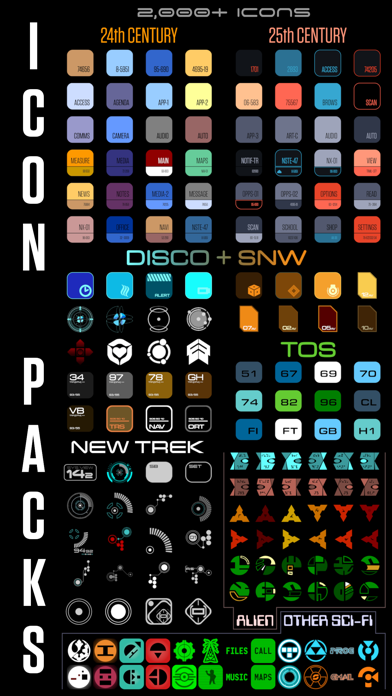
- Icon packs in 13 styles with 2,000+ icons to set with the Shortcuts app
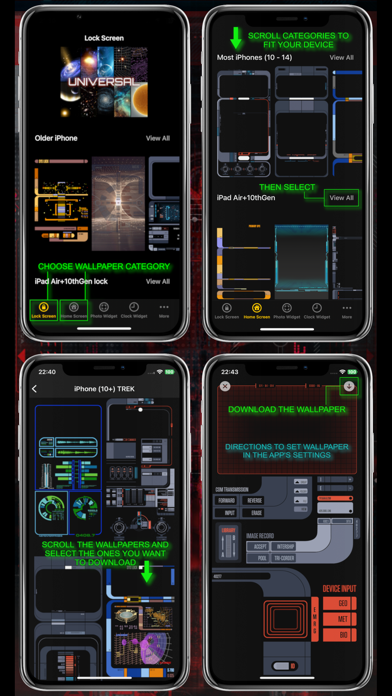
- A large variety of wallpaper for Home / Lock screens to perfectly fit every size iPhone / iPad
(Always adding more wallpaper, so check periodically)
WIDGET DIRECTIONS
Add a widget to your home screen in the usual way (long press the home screen and when in jiggly mode press the '+' on top. Scroll down to Sci-Fi Themes and select the size you want [do this for each size you want]). Long press the widget to change the theme from the images you set in the app.
Some of the Sci-Fi styles are modeled after popular sci-fi shows and movies. The look like they should work, even with indecipherable meaning or function. And just like the props, iOS gives them the same functionality - NONE. It's parody how the sci-fi designers thought future displays would look while being impossible to use.
*These are generic images. Please do not ask me in reviews or by mail to include any trademarked names, logos, images or other properties. I respect copyrights and will not include them.
If used in tandem with my calculator widget, icon maker, widget maker, keyboard, and ringtones apps, you can really create a fuller theme.