

Screen Mirroring - 1001 TVs
Screen Mirroring - 1001 TVs is made and published by Nero AG. AppBrain is an independent app data site and isn't affiliated with Nero AG. The app name, icon, screenshots and description belong to Nero AG and are shown as published on the App Store.
AppBrain's verdict
EstablishedWell rated- Best rank
- #73
- Top Grossing, Russia
- Rating on App Store
- 4.35
- 1,010 ratings
- Last updated
- September 5, 2026
Users rate it well: 4.4 stars from 1,010 ratings. Its best ranking is #73 in Top Grossing, Utilities in Russia.
Rankings
App Store top charts- Highest rank
- #73
- Chart
- Top Grossing
- Utilities
- Country
- Russia
Competitors
Similar apps and more from Nero AGAlternatives to Screen Mirroring - 1001 TVs


More from Nero AG


Releases
Updates seen on the App Store- Version
- 3.0.32
- Launched
- May 2019
No changelog data
User feedback
Ratings and reviews on the App StoreComments on Screen Mirroring - 1001 TVs for iOS
We don't have enough comments to show example comments. Please check back later.
Technology
Found in the app by AppBrain- Price
- Free
- App size
- 107.0 MB
- Content rating
- Everyone
Technologies used by Screen Mirroring - 1001 TVs
About the app and developer
About Screen Mirroring - 1001 TVs
Screen Mirroring - 1001 TVs is an utilities app developed by Nero AG.
User Ratings
Screen Mirroring - 1001 TVs is rated 4.35 out of 5 stars. The rating is based on 1 thousand ratings.
App Information
Screen Mirroring - 1001 TVs is freely available from the App Store. The app size is 106.99 MB. The latest version available is 3.0.32. The last update was on September 5, 2026.
Technical Requirements
The app has a content rating of Everyone. The app has been available on the App Store since May 2019.
Developer information for Nero AG
Address:
Frequently asked questions about Screen Mirroring - 1001 TVs
Is Screen Mirroring - 1001 TVs free?
Yes. Screen Mirroring - 1001 TVs is free on the App Store.
Is Screen Mirroring - 1001 TVs still available?
Yes. Screen Mirroring - 1001 TVs is on the App Store, and the last update we saw was on September 5, 2026.
How large is Screen Mirroring - 1001 TVs?
Screen Mirroring - 1001 TVs is 106.99 MB.
Is Screen Mirroring - 1001 TVs suitable for children?
App Store rates the content of Screen Mirroring - 1001 TVs as suitable for everyone.
How do people rate Screen Mirroring - 1001 TVs?
Screen Mirroring - 1001 TVs scores 4.35 out of 5 stars, from 1,010 ratings on the App Store.
Who made Screen Mirroring - 1001 TVs?
Screen Mirroring - 1001 TVs was developed by Nero AG. It is listed in the utilities category on the App Store.
What are the best alternatives to Screen Mirroring - 1001 TVs?
People looking at Screen Mirroring - 1001 TVs also look at these utilities apps: Fast Cast - Screen Mirror, FastCast., Screen Mirroring ⋆ Miracast TV, Screen Mirroring – Chromecast, ApowerMirror- Screen Mirroring.
Store listing
By Nero AG, from the App Store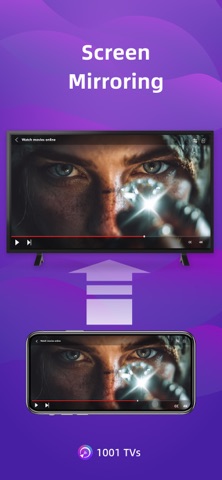


Description by Nero AG Written by the developer, not by AppBrain. Click to read.
We are a professional team on screen mirroring, always focus on the core features:
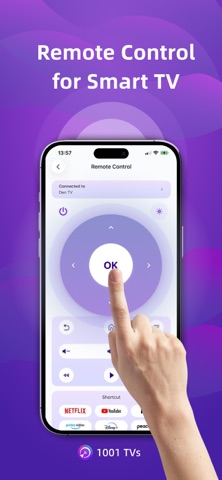
[New Feature] TV Remote Control — Auto-detect Smart TVs on the same Wi-Fi and control Power / Volume / Home / Channels / Direction pad (Up/Down/Left/Right) + Select/Confirm.
- Support landscape mode and portrait mode that keep same ratio with phone's screen
- Real-Time screen mirroring, keep best balance with low Latency and good quality
- Audio and video stay perfectly in sync
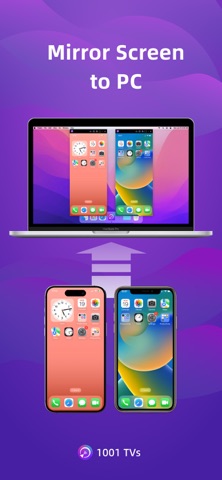
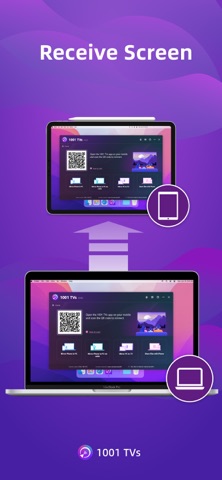
- Mirror multiple phones to one PC at the same time
- Automatically rotates screen to match your phone’s orientation
- Fit, Fill, or Zoom mode to remove black borders
- Support screen mirroring to older devices that don't support AirPlay or Miracast
- Mirror to any browser (like Chrome) — no app needed on the receiver side
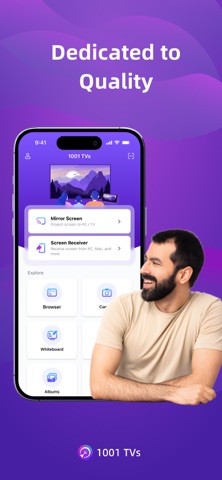
- Live Camera Mirroring — mirror what your camera sees to a big screen in real time. Great for selfies, support mirror flip
- Whiteboard — draw or write and share in real time on TV or PC
Also provide additional features:
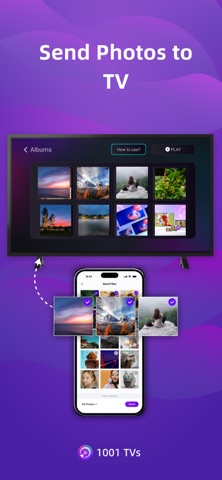
* Photo Albums — Upload and display photos on your TV
* Web Streaming — Stream videos, music, and images to Smart TVs
* Fast File Transfer — Quickly send files between devices without cables
How to Get Started?
# Install 1001 TVs on your phone and the device you want to cast to (PC, TV or tablet)
# Connect both devices to the same Wi-Fi network
# Open the app, select a device, and start mirroring
No cables, no complicated setup — just tap and go.
[Feedback]
Reach out to us at 1001tvs@nero.com or visit our website: www.1001tvs.com
[Subscription Plan]
-Service Title: Auto-renew Weekly, Auto-renew Monthly, Auto-renew Yearly and Lifetime;
-Your payment will be charged to your store account once you confirm the purchase;
-Your subscription will automatically renew unless canceled at least 24 hours before the end of the current period;
-You can always cancel the subscription through your store account;
[Terms of Use]
http://1001tvs.com/license/en/terms.html
[Privacy Policy]
http://1001tvs.com/license/en/privacy.html
For privacy, screen casting data remains within your local network and will never be uploaded.