It doesn't have enough ratings yet to judge what users think.
Screen Mirroring to iPhone is made and published by
Dmitriy Kharutskiy.
AppBrain is an independent app data site and isn't affiliated with Dmitriy Kharutskiy.
The app name, icon, screenshots and description belong to Dmitriy Kharutskiy and are shown as
published on the App Store.
About Screen Mirroring to iPhone
Screen Mirroring to iPhone is an utilities app developed by Dmitriy Kharutskiy.
User Ratings
Screen Mirroring to iPhone is rated 3.00 out of 5 stars. The rating is based on 2 ratings.
App Information
Screen Mirroring to iPhone is freely available from the App Store. The app size is 2.23 MB. The latest version available is 1.1.6. The last update was on September 3, 2026.
Technical Requirements
The app has a content rating of Everyone. The app has been available on the App Store since October 2024.
Description by Dmitriy Kharutskiy(from the App Store)
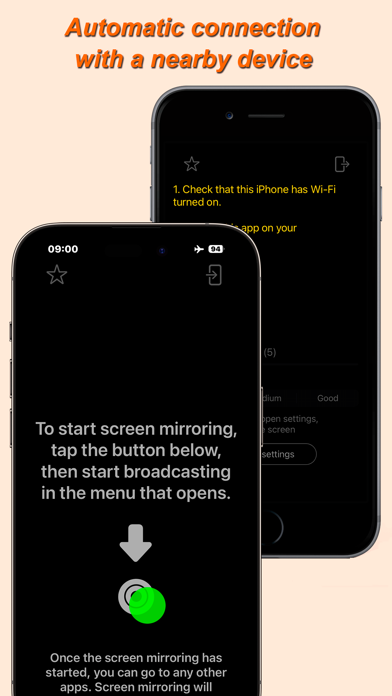
The app transmits the screen image from iPhone/iPad to another iPhone/iPad. In other words, it is a screen mirror for two iPhone (it is possible to broadcast the screen image simultaneously to several iPhones/iPads). The two devices use peer-to-peer Wi-Fi, which allows the devices to communicate directly, even if they are not on the same Wi-Fi infrastructure network. This technology is used by AirPlay®, AirDrop®, etc. In other words, Internet access or a Wi-Fi router is NOT needed. The maximum distance at which a connection can be maintained between two devices is about 20 foot.
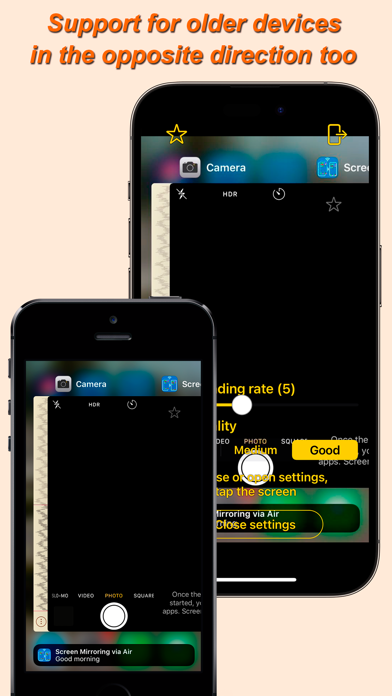
The app can work on iOS 12 and newer. This makes it possible to use older iPhone starting with the iPhone 5S and later.
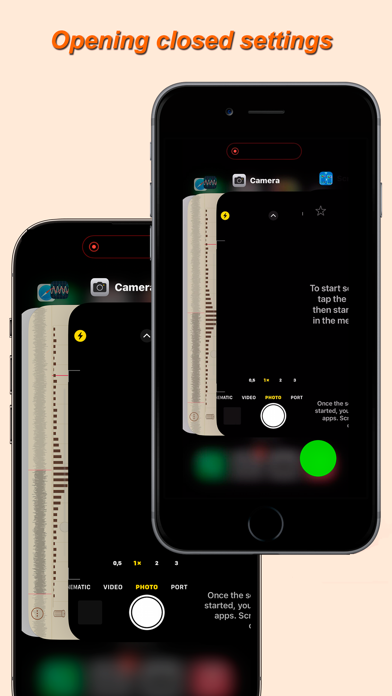
Two adjacent iPhones/iPads are connected automatically. To do this: • Launch this app on both devices. • Select a role for each device (sending a screen image or receiving a screen image). • Turn on Wi-Fi on both devices. • Start screen broadcast on the device that should share the screen image.
Screen image sharing can be done to several devices (up to 5). In order to be able to connect several devices receiving the screen image ("mirrors") to one "screen", you need to select the required number of "mirrors" in the application settings on the device that shares the screen image. However, you cannot select a larger number of "mirrors" than you will use. If you connect several "mirrors", but one of the devices acting as a "mirror" cannot connect or does not receive the screen image, then in the "screen" settings you need to reduce the number of "mirrors" to the number of "mirrors" that receive the screen image. This prevents the connection of foreign devices that are nearby. In case of using several "mirrors" for several users, in the "screen" settings there is an option to lock changing the frame rate and image quality through the "mirror" settings. Please note that when connecting multiple "mirrors", the settings for transmitting the screen image change to the settings set on the "mirror" that was connected last.
When the aspect ratio of the display of the "screen" and "mirror" is different, black margins are obtained. This is especially noticeable when broadcasting the screen image from an iPhone to an iPad. In this case, to enlarge the screen image to a size where there are no black margins, just quickly double-tap the "mirror" display (in the area where there are no settings elements and buttons). The enlarged image can be moved to the sides. If you double-tap the display again, the image will return to its original state. It is also possible to make an arbitrary increase in the image with two fingers, as when viewing a photo. For use when using the app to take photos or videos of yourself, the image can be mirror flipped.
In the full version of the app, the frame rate and image quality are adjustable. With "Medium" image quality (the difference with the original is barely noticeable), the maximum frame rate (20* FPS) allows you to watch video transmitted from iPhone to another iPhone/iPad without jerking or delays (both devices must not be old). At "Good" image quality or when transferring an image with "Medium" quality from an iPad, only a low frame rate is available.
* - iOS may not transfer screen frames to the app often enough, for example when scrolling. In this case, the frame rate will be lower. But when watching a video, the frequency of sending frames to the app is quite high. If one of the devices is old, then the frame transmission rate may not be sufficient, regardless of whether the device is receiving or sending frames.
Each subscription will automatically renew 3 days before the expiration date for
the same time period. Subscriptions can be cancelled at any time before the renewal.