It doesn't have enough ratings yet to judge what users think.
Offline Photo Storage is made and published by
Dmitriy Kharutskiy.
AppBrain is an independent app data site and isn't affiliated with Dmitriy Kharutskiy.
The app name, icon, screenshots and description belong to Dmitriy Kharutskiy and are shown as
published on the App Store.
About Offline Photo Storage
Offline Photo Storage is a photo & video app developed by Dmitriy Kharutskiy.
User Ratings
Offline Photo Storage is rated 4.46 out of 5 stars. The rating is based on 13 ratings.
App Information
Offline Photo Storage is freely available from the App Store. The app size is 12.64 MB. The latest version available is 1.9.2. The last update was on August 22, 2026.
Technical Requirements
The app has a content rating of Everyone. The app has been available on the App Store since December 2021.
Description by Dmitriy Kharutskiy(from the App Store)
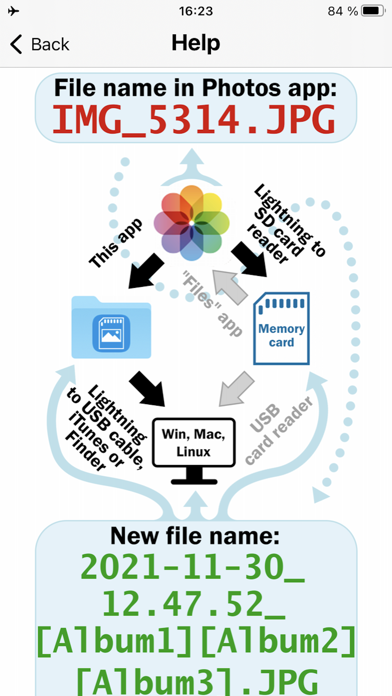
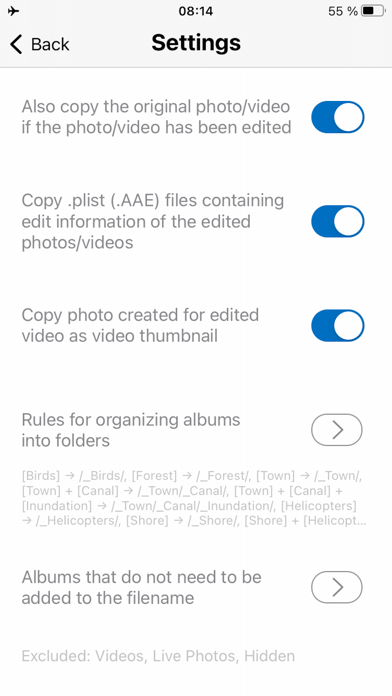
Copy your photos and videos from the iOS "Photos" app to an ORDINARY memory card (or an ORDINARY USB flash drive). From memory cards, photos can be copied to a desktop PC/laptop, or you can use your memory card for storing your photos and videos. All files are copied. For Live Photo, a photo file and a video file are copied. For edited photos and videos, the edited file and the original file are copied (can be turned off). For Burst photos, all photos from the Burst photos are copied.
This is the best way to backup all your photos and videos from iPhone, without iCloud, without iTunes, without desktop/laptop. If you have access to a Mac, using the "Disk Utility" app, you can make a memory card or flash drive for an encrypted backup of photos and videos. In addition, it is a good way to transfer all your photos and videos from iPhone to PC (Windows, Linux or Mac), as all files can be transferred (including the original files of edited photos and videos) and the following data will be saved: information about organizing photos and videos into albums, the date of creation of photos and videos (even if the photo or video was edited or stored in iCloud), file metadata, comments (captions) made in the "Photos" app. If you only need to transfer photos and videos from iPhone to PC (Windows or Mac), while saving this data, then this can be done without an adapter, without a memory card or flash drive.
IMPORTANT! Check the copied files ONLY after reconnecting the memory card, or better check the copied files from a desktop PC/laptop.
IMPORTANT! Be sure to check ALL copied files. At least make sure that large thumbnails can be created for all files in the file manager of the operating system (for iOS, this is the built-in "Files" app).
IMPORTANT! The app does not delete photos and videos that have not been copied (by default). Therefore, in order to avoid accidentally deleting photos or videos that have not been copied, delete photos and videos using this app.
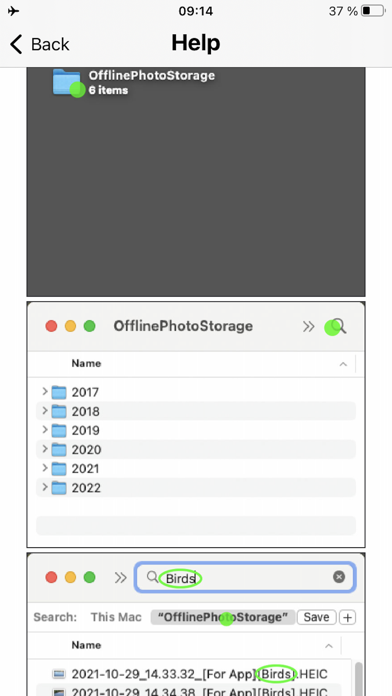
When copying, all file metadata (date created, location, etc.) is preserved. Even the way your photos are organized into albums is preserved. At the same time, you can select and view photos from a specific album in any operating system WITHOUT INSTALLING additional apps or software. It is possible by adding the album names to the file names. This way, photo and video files from a specific album are easily searchable in the OS's built-in file manager. The file name also contains the date when that photo or video was created. This insures that the file's creation date won't be overwritten and guarantees that photo and video files can always be sorted by the date they were created. When a photo is edited in the iOS "Photos" app, the original is not changed, but backup files are created instead. After copying, these backup files have the same name as the original, which ensures that all files related to the same photo or video are located next to each other in the folder when you sort your files by name.
You can select albums that do not need to be added to the file name. For example, you can exclude adding [Videos], [Live Photos], [Bursts] and others albums to the file name.
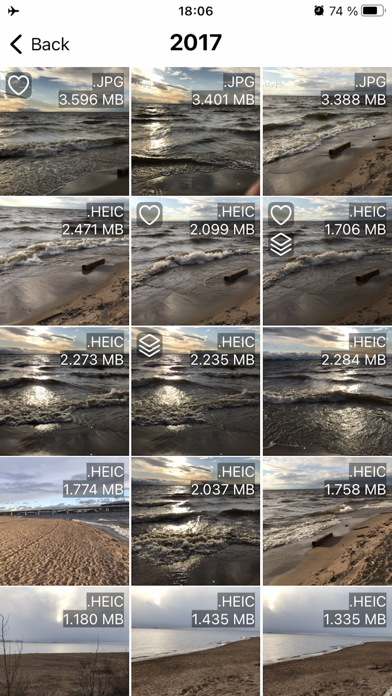
You can customize the rules for automatically organizing photo and video albums into folders. Album folders are created inside year folders. This allows photos and videos to be organized into folders by year and by album at the same time.
IMPORTANT! The app has a function to search for photos and videos that have already been copied to the SD card. After you selected photos and videos as well as the location for copying, the app checks the copy destination (a folder named OfflinePhotoStorage) for files that match the files selected for copying. If it finds identical files, the files that already exist in the destination folder are not copied. For this function to work, it is important that you do not change the location of the copied files, their names and extensions.
Each subscription will automatically renew 3 days before the expiration date for
the same time period. Subscriptions can be cancelled at any time before the renewal.