Screen Shot App: ScreenCraft is an overall app developed by Szymon Tadrzak.
User Ratings
Screen Shot App: ScreenCraft is rated 5.00 out of 5 stars. The rating is based on one rating ratings.
App Information
Screen Shot App: ScreenCraft is freely available from the App Store. The app size is 52.29 MB. The latest version available is 3.0.1. The last update was on June 13, 2026.
Technical Requirements
The app has a content rating of Everyone. The app has been available on the App Store since August 2025.
Screen Shot App: ScreenCraft is made and published by
Szymon Tadrzak.
AppBrain is an independent app data site and isn't affiliated with Szymon Tadrzak.
The app name, icon, screenshots and description belong to Szymon Tadrzak and are shown as published on the App Store.
Description by Szymon Tadrzak(from the App Store)
ScreenCraft is a powerful visual editor for creating polished screenshots, social posts, launch graphics, promos and app visuals directly on your iPhone.
Start with the right canvas for your project, then customize it with device frames, text, overlays, backgrounds and precise export sizes. Whether you are preparing App Store screenshots, designing a social media post, building a launch graphic, or creating a clean visual for a deck or website, ScreenCraft gives you a focused editor without the complexity of a full design suite.
What you can create:
• App Store screenshots for iPhone • Social media posts, stories, reels and launch updates • Product mockups and promotional graphics • Website, portfolio and presentation visuals • High-resolution square and portrait exports
Key features:
• App Store screenshot templates Choose a ready-made-screen layout, replace the placeholders, edit the titles and customize each preview.
• Flexible canvas sizes Pick from App Store, social media and general high-resolution canvas presets. You can also adjust the canvas size later in the editor.
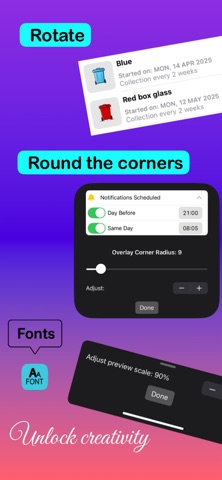
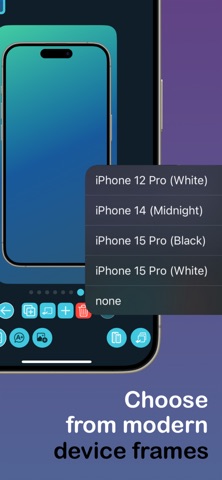
• Device frames and image editing Add iPhone bezels, position screenshots, adjust scale and rotation, or create clean visuals without a frame.
• Text, overlays and backgrounds Add bold titles, extra images, overlays, gradients and custom colors. Arrange layers, duplicate elements and fine-tune the layout.
• Multi-preview projects Create sets of visuals in one project, duplicate previews, move between them quickly and export one image or the full set.
• High-resolution export Export polished PNG or JPEG images ready for App Store Connect, social platforms, websites, decks and launch materials.
• AI image overlays on supported devices Create AI-generated images with Apple Image Playground on compatible devices, then add them to your screenshots, posts and promo graphics.
ScreenCraft is built for indie developers, founders, creators, marketers and anyone who needs clean visuals without opening a complicated design tool.
Terms of Use: https://www.apple.com/legal/internet-services/itunes/dev/stdeula/
Each subscription will automatically renew 3 days before the expiration date for
the same time period. Subscriptions can be cancelled at any time before the renewal.