AppBrain
AppBrain
  • Apps
  • Apps being viewed right now Trending apps today Most popular apps All-time most installed apps Top rated apps iPhone and iPad apps
  • Intelligence ▾
    Intelligence overview → Track any Android app or your whole market
    Track & analyze
    Keyword Tracker & OptimizerTrack & improve Play rankings App Performance ReportOne-off PDF for any app StatisticsFree Android & Play market stats
    Promote your app
    Featured Apps App Links
  • Intelligence
  • Pricing
  • Dashboard
  • Sign up
  • Log in
App Store Apps > Productivity > ScreenOCR - Easy Text Scanner
ScreenOCR - Easy Text Scanner icon

ScreenOCR - Easy Text Scanner

2.2.1
通 张
4.56
9 reviews
Free

ScreenOCR - Easy Text Scanner Screenshot 1 of 5
ScreenOCR - Easy Text Scanner Screenshot 2 of 5
ScreenOCR - Easy Text Scanner Screenshot 3 of 5
ScreenOCR - Easy Text Scanner Screenshot 4 of 5
ScreenOCR - Easy Text Scanner Screenshot 5 of 5
Screenshots by 通 张, from the the App Store listing
View on the App Store Also on Google Play

AppBrain's verdict

Established
Rating on App Store
4.56
9 ratings
Last updated
December 17, 2020
Size
35.8 MB

It doesn't have enough ratings yet to judge what users think.

Official page on the App Store

User feedback

Ratings and reviews on the App Store

Comments on ScreenOCR - Easy Text Scanner for iOS

We don't have enough comments to show example comments. Please check back later.

Store listing

By 通 张, from the App Store
Description by 通 张 Written by the developer, not by AppBrain. Click to read.
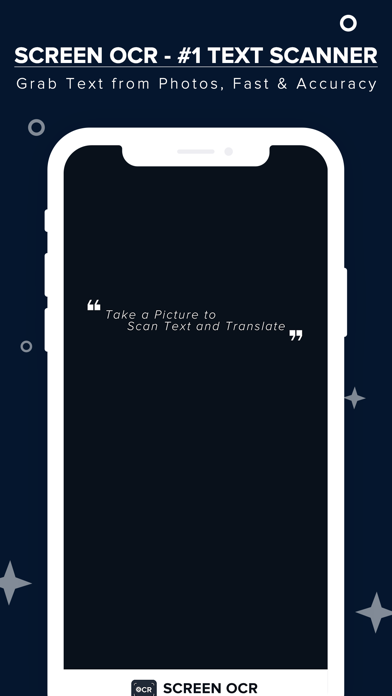
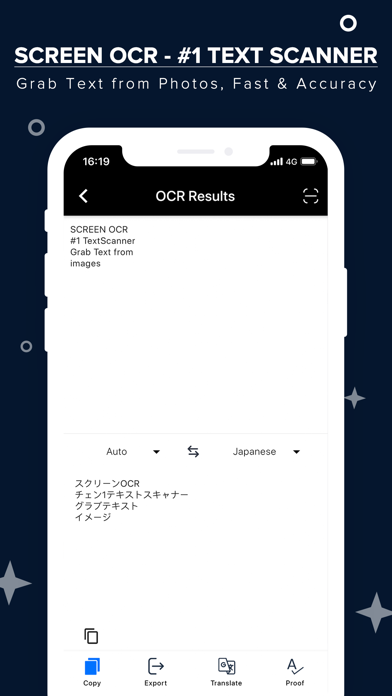
ScreenOCR - born for scanning your documents and extract text from images and photos with your iOS devices. Highest Speed & Highest Quality! Support translation.

#1 Product of the Week
https://www.producthunt.com/posts/screenocr

Best OCR software by MakeUseOf
https://www.makeuseof.com/tag/top-5-free-ocr-software-tools-to-convert-your-images-into-text-nb/

Best OCR app by CHIP
https://www.chip.de/downloads/Easy-Screen-OCR_134967874.html

*** Turn your mobile phone into a text scanner and translator. Take a photo to start the OCR/Translation process.***

*** More than 98% accuracy as powered by Google advanced engine. ***

*** Privacy Protected. No documents and results will be stored on our server. ***

KEY FEATURES
-------------------------
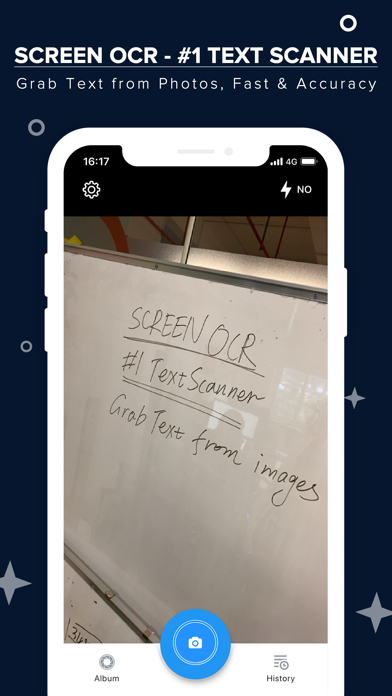
** Use your iPhone or iPad to start scanning instantly and extract text/words/handwritings on images.
** Pick image/photo up from the album for OCR and translation.
** Support recognizing 50+ languages from images.
** Support translating 20+ languages.
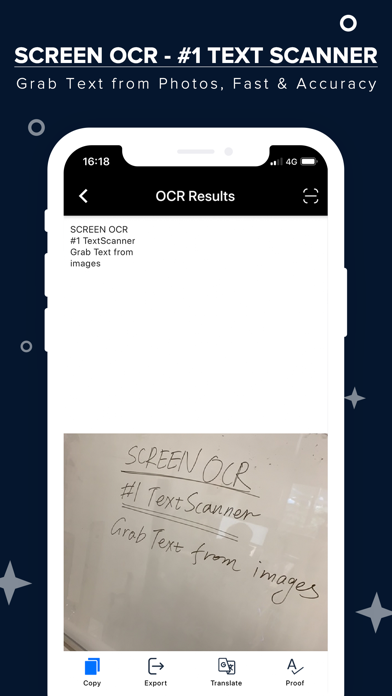
** Support scanning handwriting to text.
** Support scanning whiteboard or blackboard to text.
** Support Auto-Detection.
** Support cropping image before OCR.
** Support exporting the results as .txt/.pdf files.
** Support editing and sharing the OCR/Translation results.
** Support checking the results with the original images/photos.
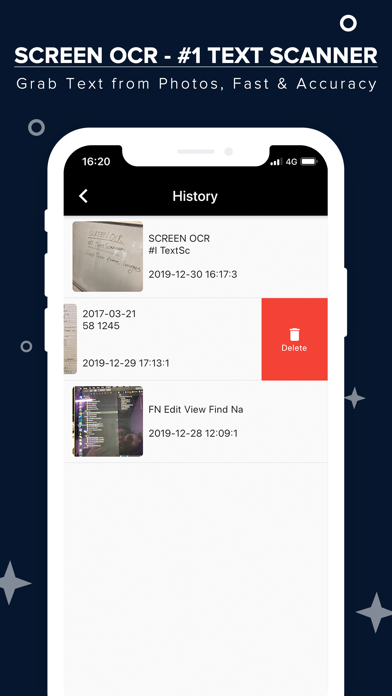
** Support storing your recent scan history locally.
** Support unlimited access by upgrading to the Pro member.
** Support restoring your purchase information.
** Support batch process

FREE VERSION
-------------------------
The free version is ad-supported and you can get 6 free credits every day. Watch ads to get extra 4 credits.
Credits could not be accumulated and will be reset every day.

PRO VERSION
-------------------------
No account required anymore.
You can upgrade to Pro and get unlimited access by subscribing to our monthly plan, yearly plan or lifetime plan.
Monthly Plan - $9.9 - Unlimited Access
Yearly Plan - $39.9 - Unlimited Acces - Save 66%
Lifetime Plan - $49.9 - Best Choice!

PROBLEMS OR QUESTIONS
-------------------------
Contact Us: support@easyscreenocr.com
HomePage: https://easyscreenocr.com
For Mobile: https://easyscreenocr.com/for-mobile
For Mac: https://apps.apple.com/us/app/easy-screen-ocr/id1359663922?mt=12
Privacy Policy: https://easyscreenocr.com/privacy-policy/
Terms of Service: https://easyscreenocr.com/terms-of-service/

CHANGELOG
--------------------------
version 2.2.0
**Now you can select and remove the picture in the batch process
**Other bug fix and performance improvement

version 2.1.0
** UI/UX Improvement
** Bug Fixed
** Change the in-app purchase
** No need to log in your account
** Restore your in-app purchase

version 2.0.0
**Support batch process
. Now you can take multiple photos and OCR them at one time.
**Performance improvement.
**Bug Fixed

Safety and technology

Found in the app by AppBrain
Price
Free
App size
35.8 MB
Content rating
Everyone

Technologies used by ScreenOCR - Easy Text Scanner

Releases

Updates seen on the App Store
Version
2.2.1
Launched
January 2020

No changelog data

Alternatives

Similar apps and more from 通 张

Alternatives to ScreenOCR - Easy Text Scanner

SmartScan AI icon SmartScan AI
Naveen Vijay
4.4
Free
94 ratings
Text Scanner & Image to Text icon Text Scanner & Image to Text
Boldizsar Tompe
4.6
Free
264 ratings
Text Scan OCR - Image to Text icon Text Scan OCR - Image to Text
安平 李
3.4
Free
9 ratings
Text Scanner OCR App: OCR Scan icon Text Scanner OCR App: OCR Scan
Asad Ahsan
4.4
Free
117 ratings
My Text Scanner : OCR Lens icon My Text Scanner : OCR Lens
netroz
3.2
Free
18 ratings
PDF Scan -  MAX Scanner icon PDF Scan - MAX Scanner
Govarthani Rajesh
4.5
Free
44 ratings
Handwriting to Text PenToPrint icon Handwriting to Text PenToPrint
Serendi LTD
4.4
Free
4.1K ratings
Document Scanner & Translate icon Document Scanner & Translate
Sergiy Kurash
4.3
Free
20 ratings

More from 通 张

AI Enlarger: Image Upscaler icon AI Enlarger: Image Upscaler
通 张
4.6
Free
1.4K ratings
Colorize: Restore Old Photos icon Colorize: Restore Old Photos
通 张
4.6
Free
995 ratings
PhotoAI - AI Photo Enhancer icon PhotoAI - AI Photo Enhancer
通 张
4.4
Free
358 ratings
Cartoonizer: Photo to Cartoon icon Cartoonizer: Photo to Cartoon
通 张
4.4
Free
240 ratings
Object Remover: Photo Eraser icon Object Remover: Photo Eraser
通 张
4.3
Free
62 ratings
Upscal - Enhance Video & Image icon Upscal - Enhance Video & Image
通 张
4.3
Free
47 ratings
Flip Clock: Calm Desk Timer icon Flip Clock: Calm Desk Timer
通 张
5.0
Free
28 ratings
Avatarly - AI Profile Maker icon Avatarly - AI Profile Maker
通 张
3.4
Free
9 ratings

Also available on Google Play

ScreenOCR - #1 Text Scanner icon ScreenOCR - #1 Text Scanner
Vertexshare Software Ltd
4.5
Free
100,000+

Rankings

App Store top charts

App Store Rankings for ScreenOCR - Easy Text Scanner

This app is not ranked

About the app and developer

About ScreenOCR - Easy Text Scanner

ScreenOCR - Easy Text Scanner is a productivity app developed by 通 张.

User Ratings

ScreenOCR - Easy Text Scanner is rated 4.56 out of 5 stars. The rating is based on 9 ratings.

App Information

ScreenOCR - Easy Text Scanner is freely available from the App Store. The app size is 35.84 MB. The latest version available is 2.2.1. The last update was on December 17, 2020.

Technical Requirements

The app has a content rating of Everyone. The app has been available on the App Store since January 2020.

ScreenOCR - Easy Text Scanner is made and published by 通 张. AppBrain is an independent app data site and isn't affiliated with 通 张. The app name, icon, screenshots and description belong to 通 张 and are shown as published on the App Store.

Developer information for 通 张

通 张

Address:

Share ScreenOCR - Easy Text Scanner

Top new apps Price drops on Google Play Popular Productivity Apps Apps other people are watching Today's trending apps
SmartScan AI icon SmartScan AI
Text Scanner & Image to Text icon Text Scanner & Image to Text
Text Scan OCR - Image to Text icon Text Scan OCR - Image to Text
Text Scanner OCR App: OCR Scan icon Text Scanner OCR App: OCR Scan
My Text Scanner : OCR Lens icon My Text Scanner : OCR Lens
PDF Scan -  MAX Scanner icon PDF Scan - MAX Scanner
Handwriting to Text PenToPrint icon Handwriting to Text PenToPrint
Document Scanner & Translate icon Document Scanner & Translate
Overview Alternatives Reviews Rankings Technology
AppBrain Intelligence premium content

Subscribe now to get full and unlimited access to AppBrain Intelligence. You'll have access to:

  • App Intelligence dashboard (performance timeline, competitor comparison, country rankings, insight cards)
  • Detailed ranking data per app
  • Full timeline per developer
  • Device market shares data per country
  • Unlimited keyword tracking
  • AI assistant access via MCP (Claude, Cursor or any MCP client)
1 Month

$75/mo
(billed every month)

SAVE 0%
Subscribe
3 Months

$65/mo
($195 billed every 3 months)

SAVE 13%
Subscribe
1 Year

$57.50/mo
($690 billed every year)

SAVE 23%
Subscribe
Each subscription will automatically renew 3 days before the expiration date for the same time period. Subscriptions can be cancelled at any time before the renewal.

AppBrain is an app data site, we track rankings, ratings, installs for all apps and games on Google Play and the App Store. AppBrain doesn't host app files or APKs, all install links go directly to the official store. All trademarks are owned by their respective owners.

More apps

  • Top Android apps being viewed
  • Unlimited AI
  • The Choicer Voicer
  • 3D Soccer

App statistics

  • Android statistics
  • Google Play Developer stats
  • Trending Android Apps
  • Trending iOS apps
  • Top popular Apps
  • Buy the best Android phone
  • Buy & sell app businesses

About AppBrain

  • Contact
  • Privacy
  • Documentation
  • DMCA takedowns
  • Blog
  • Android Interstitial Ads: Best practices to optimize your app's earnings
© 2010-2026 - AppBrain