

Document Scanner & Translate
Document Scanner & Translate is made and published by Sergiy Kurash. AppBrain is an independent app data site and isn't affiliated with Sergiy Kurash. The app name, icon, screenshots and description belong to Sergiy Kurash and are shown as published on the App Store.
AppBrain's verdict
Established- Rating on App Store
- 4.35
- 20 ratings
- Last updated
- October 12, 2026
It doesn't have enough ratings yet to judge what users think.
Rankings
App Store top chartsApp Store Rankings for Document Scanner & Translate
Competitors
Similar apps and more from Sergiy KurashAlternatives to Document Scanner & Translate


 Text Capture: Image to Text

More from Sergiy Kurash








Releases
Updates seen on the App Store- Version
- 9.2.5
- Launched
- July 2018
No changelog data
User feedback
Ratings and reviews on the App StoreComments on Document Scanner & Translate for iOS
We don't have enough comments to show example comments. Please check back later.
Technology
Found in the app by AppBrain- Price
- Free
- App size
- 50.9 MB
- Content rating
- Everyone
Technologies used by Document Scanner & Translate
About the app and developer
About Document Scanner & Translate
Document Scanner & Translate is a productivity app developed by Sergiy Kurash.
User Ratings
Document Scanner & Translate is rated 4.35 out of 5 stars. The rating is based on 20 ratings.
App Information
Document Scanner & Translate is freely available from the App Store. The app size is 50.91 MB. The latest version available is 9.2.5. The last update was on October 12, 2026.
Technical Requirements
The app has a content rating of Everyone. The app has been available on the App Store since July 2018.
Developer information for Sergiy Kurash
Address:
Store listing
By Sergiy Kurash, from the App Store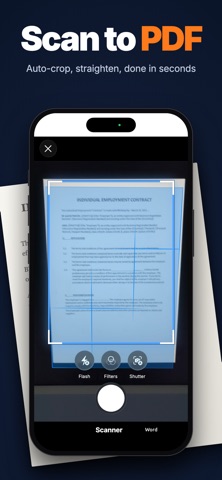



Description by Sergiy Kurash Written by the developer, not by AppBrain. Click to read.
WHAT YOU CAN DO
Scan Point the camera at a page — edges are detected, the page is straightened and enhanced automatically. Scan up to 50 pages in one go, or import photos from your gallery. Keep everything in folders and find any scan by the text inside it — scanning, folders and search are free with no limits.
Convert Save as PDF, or turn scans into editable Word, Excel, PowerPoint, RTF or TXT. Tables come out as real spreadsheet tables, not pictures.
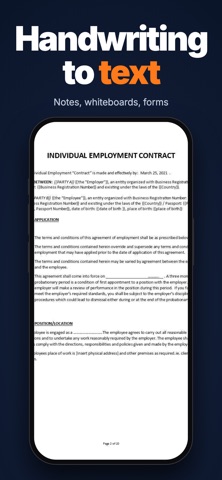
Extract text OCR for printed text in 120+ languages and handwriting in 10+.
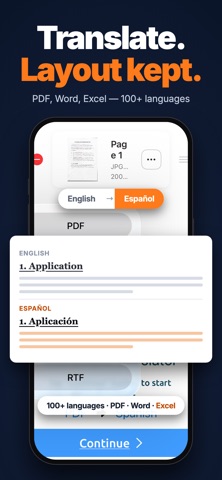
Translate Translate a full PDF, Word or Excel file and get the same file back in another language — formatting, tables and columns stay where they were.
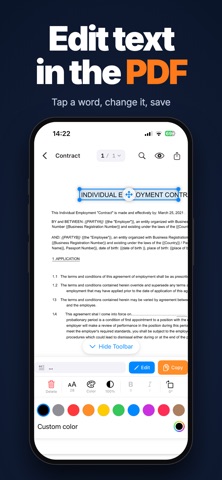
Edit PDFs Tap any word in a PDF and change it. Add text, move it, resize it — no conversion needed.
Ask Ask questions about a document and get answers, summaries and key points.
Listen Turn any document into audio and play it with the screen locked.
Archive & share Create ZIP archives, extract ZIP and RAR, reduce file size before sharing, export to Files, iCloud Drive, Dropbox, Google Drive or any app.
PRIVACY
Your scans are stored on your device. Cloud processing is used only for OCR, translation, AI answers and audio — files are processed and not retained. No account required.
SUBSCRIPTION
Scanning, folders, search and ZIP are free with no limits. Pro unlocks saving as PDF, conversion to Word, Excel and text, OCR, translation, PDF editing, AI answers, audio and RAR extraction.
Pro is available as a weekly, monthly or annual auto-renewable subscription. The annual plan includes a 7-day free trial.
Payment is charged to your Apple Account at confirmation of purchase, or at the end of the free trial.
The subscription renews automatically unless cancelled at least 24 hours before the end of the current period. Your account is charged for renewal within 24 hours before the period ends.
Manage or cancel any time in Settings → Apple Account → Subscriptions.
Privacy Policy: https://www.documentscanner.org/privacy-policy.html Terms of Use: https://www.documentscanner.org/terms.html