

Screenshot Organizer AI
Screenshot Organizer AI is made and published by Pooja Gabani. AppBrain is an independent app data site and isn't affiliated with Pooja Gabani. The app name, icon, screenshots and description belong to Pooja Gabani and are shown as published on the App Store.
AppBrain's verdict
- Last updated
- September 4, 2026
- Size
- 3.13 MB
User feedback
Ratings and reviews on the App StoreComments on Screenshot Organizer AI for iOS
We don't have enough comments to show example comments. Please check back later.
Store listing
By Pooja Gabani, from the App Store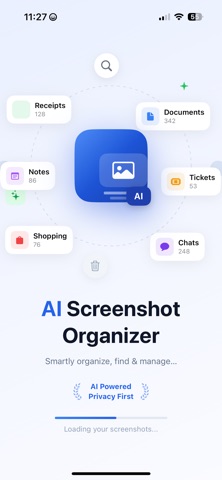
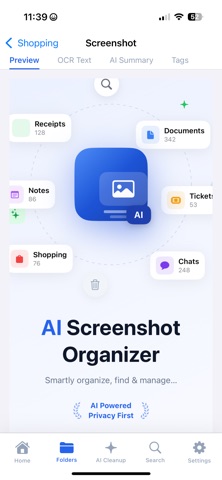


Description by Pooja Gabani Written by the developer, not by AppBrain. Click to read.
you need, instantly.
SMART SEARCH WITH OCR
Search any screenshot by the text inside it. Phone numbers, receipts, OTP codes, invoices, addresses — just type a word and find it in seconds. No more scrolling through hundreds of screenshots.
16 AI-POWERED CATEGORIES
Every screenshot is automatically sorted into smart folders:
• Receipts & Invoices
• Documents & Notes
• Shopping & Wishlists
• Chat & Messages
• OTP & Verification Codes
• Bills & Utilities
• Travel & Boarding Passes
• QR Codes
• Social Media
• Banking & Finance
• Food & Delivery Orders
• Navigation & Maps
• Gaming Screenshots
• Health & Medical Reports
• Memes & Funny Images
All categorization happens automatically on your device — no internet required.
AI CLEANUP — FREE STORAGE FAST
AI Screenshot Organizer scans your library and identifies:
• Duplicate screenshots — find and delete exact copies
• Similar images — keep the best, remove the rest
• Blurry images — detect and clean unclear screenshots
• Large files — find screenshots over 5 MB eating your storage
See your potential storage savings before you delete anything.
TAGS & FAVORITES
Add custom tags to any screenshot for quick retrieval later. Star your most important screenshots and access them instantly from the Favorites section.
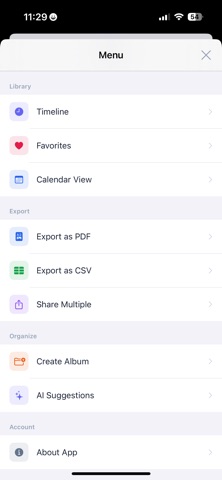
EXPORT & SHARE
• Export screenshots as a PDF report
• Export metadata as CSV (category, date, text, tags)
• Share multiple screenshots at once
• Create custom albums in your Photos library
PRIVATE & SECURE
Your screenshots never leave your device. All AI, OCR, and categorization runs entirely on-device using Apple's Vision framework — nothing is uploaded to any server.
Lock the app with Face ID or Touch ID. Set an auto-lock timer: Immediately, After 1 minute, After 5 minutes, or After 1 hour.
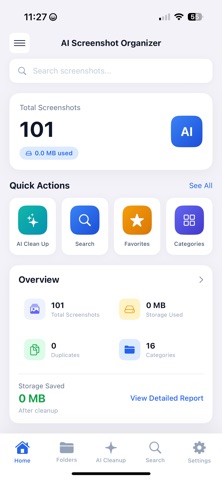
OVERVIEW & INSIGHTS
Your home dashboard shows total screenshot count, storage used, duplicates found, and how much space you can free with one cleanup.
FULL FEATURE LIST
• AI auto-categorization with OCR text recognition
• Full-text search inside every screenshot
• Duplicate and similar image detection
• Blurry image detection
• Large file finder (over 5 MB)
• 16 smart category folders
• Favorites and custom tags
• PDF and CSV export
• Face ID / Touch ID app lock with timer
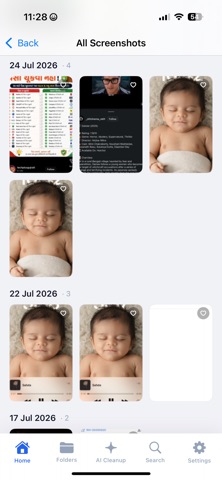
• Timeline and calendar view
• Create albums directly in Photos
• QR code and barcode detection
• 100% on-device, privacy-first
• No account, no subscription, no cloud
Whether you save receipts, OTPs, work documents, shopping screenshots, banking statements, travel tickets, or funny memes — AI Screenshot Organizer has a folder ready and waiting.
Download free and finally take control of your screenshot library.
Safety and technology
Found in the app by AppBrain- Price
- Free
- App size
- 3.13 MB
- Content rating
- Everyone
Technologies used by Screenshot Organizer AI
Releases
Updates seen on the App Store- Version
- 1.0
- Launched
- September 2026
No changelog data
Alternatives
Similar apps and more from Pooja GabaniAlternatives to Screenshot Organizer AI


More from Pooja Gabani


Rankings
App Store top chartsApp Store Rankings for Screenshot Organizer AI
About the app and developer
About Screenshot Organizer AI
Screenshot Organizer AI is a photo & video app developed by Pooja Gabani.
User Ratings
The app has no ratings yet.
App Information
Screenshot Organizer AI is freely available from the App Store. The app size is 3.13 MB. The latest version available is 1.0. The last update was on September 4, 2026.
Technical Requirements
The app has a content rating of Everyone. The app has been available on the App Store since September 2026.
Developer information for Pooja Gabani
Address: