

ScreenTimer Use App with Timer
ScreenTimer Use App with Timer is made and published by BRIJIT SHEELIA. AppBrain is an independent app data site and isn't affiliated with BRIJIT SHEELIA. The app name, icon, screenshots and description belong to BRIJIT SHEELIA and are shown as published on the App Store.
AppBrain's verdict
- Rating on App Store
- 4.50
- 2 ratings
- Last updated
- May 15, 2026
It doesn't have enough ratings yet to judge what users think.
Rankings
App Store top chartsApp Store Rankings for ScreenTimer Use App with Timer
Competitors
Similar apps and more from BRIJIT SHEELIAAlternatives to ScreenTimer Use App with Timer


More from BRIJIT SHEELIA



Releases
Updates seen on the App Store- Version
- 26.5
- Launched
- September 2025
No changelog data
User feedback
Ratings and reviews on the App StoreComments on ScreenTimer Use App with Timer for iOS
We don't have enough comments to show example comments. Please check back later.
Technology
Found in the app by AppBrain- Price
- Free
- App size
- 106.7 MB
- Content rating
- Everyone
Technologies used by ScreenTimer Use App with Timer
About the app and developer
About ScreenTimer Use App with Timer
ScreenTimer Use App with Timer is a productivity app developed by BRIJIT SHEELIA.
What is the rating of ScreenTimer Use App with Timer?
ScreenTimer Use App with Timer is rated 4.50 out of 5 stars, based on 2 ratings.
Is ScreenTimer Use App with Timer free?
ScreenTimer Use App with Timer is free. The app size is 106.74 MB. The latest version available is 26.5. The last update was on May 15, 2026.
What are the requirements for ScreenTimer Use App with Timer?
The app has a content rating of Everyone. The app has been available on the App Store since September 2025.
Developer information for BRIJIT SHEELIA
Address:
Store listing
By BRIJIT SHEELIA, from the App Store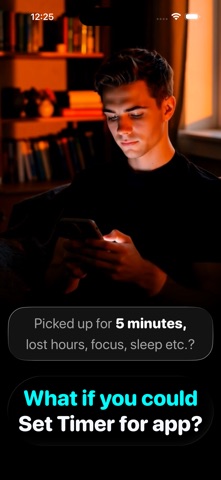

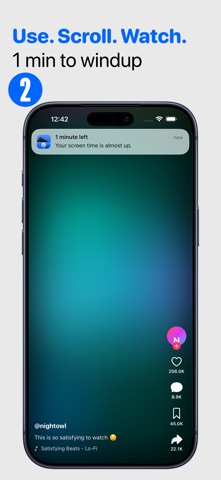
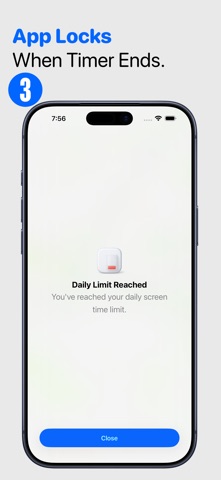
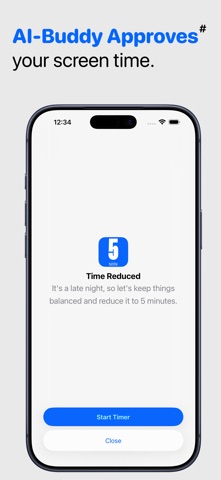




Description by BRIJIT SHEELIA Written by the developer, not by AppBrain. Click to read.
A kitchen timer prevents overcooking your food.
ScreenTimer prevents overusing your apps.
ScreenTimer helps you stay in control of your screen time and stick to your intentions.
Why ScreenTimer?
- Unlike other screen time apps, ScreenTimer lets you set a time limit right before you use any app—no complicated setup, shortcuts, or automations.
- You don’t even need to switch back to the main app—set the timer directly while using the app you want to control.
Key Features
- Daily Screen Time Budget – Define your overall daily allowance and stay balanced.
- App Usage Timer – Set a limit before opening any app.
- Stay on Track – Manage both per-app time limits and your daily screen time budget.
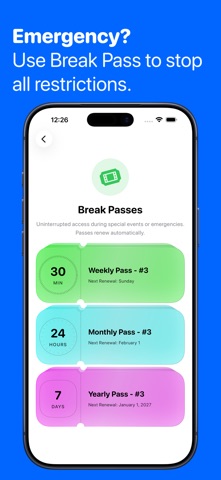
- Break Passes – Pause all blocks for urgent needs (30 min, 24 hours, or 1 week).
- Shield Overlay – Once time is up, apps are blocked with an enforced screen shield.
- Smart Reminders – Get a notification 1 minute before your timer ends.
Pro Features
- AI Buddy* - Allow AI to control when to allow app usage
- Unlock Delay – Add a pause before apps open to reduce impulsive checks.
- Max Unlocks per App – Control how many times each app can be opened daily.
- Night Allowance – Set customized screen time limits at night.
- Per-App Limits – Assign daily time limits to individual apps.
- Session Limits – Restrict how long each session can last.
Subscription & Purchases
Free Trial – Try all Pro features for free.
Monthly & Yearly Plans – With or without trial.
Lifetime Purchase – One-time payment for permanent Pro access.
*AI Buddy — Requires Apple Intelligence supported device & iOS 26 or newer.
ScreenTimer helps you spend less time on screens, block distractions, and reclaim your focus.
Terms of Service: https://www.apple.com/legal/internet-services/itunes/dev/stdeula/
Privacy: https://getscreentimer.com/privacy/