

ScytheKick is made and published by Timothy Cherna. AppBrain is an independent app data site and isn't affiliated with Timothy Cherna. The app name, icon, screenshots and description belong to Timothy Cherna and are shown as published on the App Store.
AppBrain's verdict
EstablishedLoved by users- Rating on App Store
- 4.52
- 104 ratings
- Last updated
- September 4, 2026
- Size
- 53.5 MB
Users love it: 4.5 stars from 104 ratings.
User feedback
Ratings and reviews on the App StoreComments on ScytheKick for iOS
We don't have enough comments to show example comments. Please check back later.
Store listing
By Timothy Cherna, from the App Store


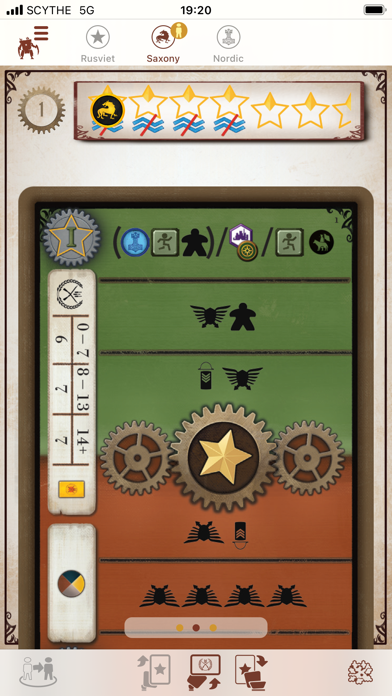


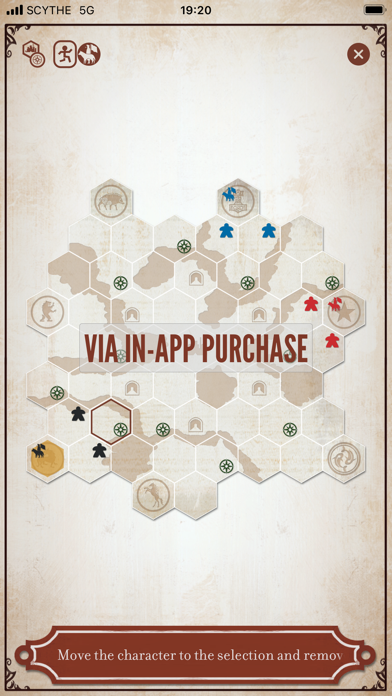
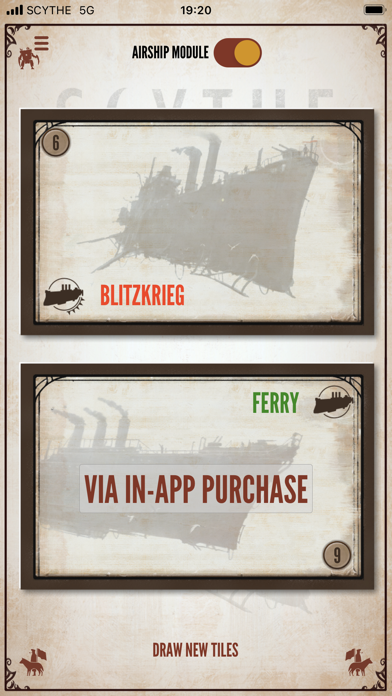

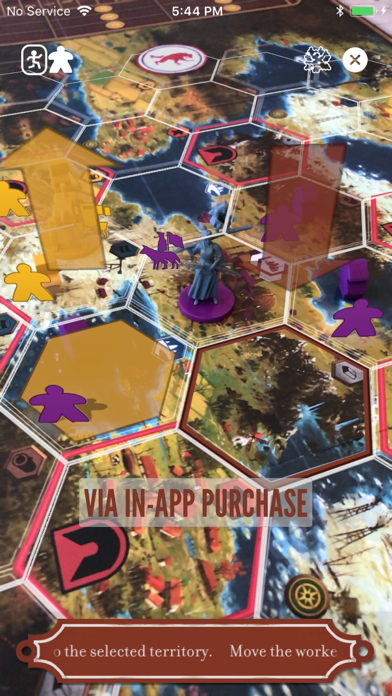
Description by Timothy Cherna Written by the developer, not by AppBrain. Click to read.
ScytheKick lets you configure a Scythe game, optionally manage Automa players and then score the game, by navigating through a series of screens using the left and right facing Character Buttons along the bottom.
To start, you select the total player count as well as the Automa count, which expansions to include and if you are playing a single match or a match as part of the Rise of Fenris Campaign (requires an additional in-app purchase). You can access the app Settings sheet from the Mech Menu Button in the upper left corner.
Navigate right to select the player factions and mats. The Draw Button randomly picks the mats, and allows for random repicking, or the individual mats can be selected by swiping up and down on their images. You can also enter the player names. The free version of the app lets you have two players from the base game. Additional players can be unlocked with the Premium upgrade, and Invaders from Afar factions are unlocked with the Invaders from Afar upgrade.
After showing a summary of the players (including who goes first), you can draw (or pick) the Structure Bonus Tiles. Additional modules (Extra Bonus Tiles from the Modular Board, Resolution and Airship Tiles from the Wind Gambit and modules from the Rise of Fenris) can be unlocked via in-app purchases.
Navigate to the scoring screens to enter the points per category (popularity, stars, etc.) per player, and ScytheKick will automatically calculate the scores. The final screen is a summary of the scores for all players, which can be shared.
If playing with Automa, after selecting the modules, you navigate to the Automa screen, which has a page for each player (human and Automa). The faction tabs indicate the current player, and there is a button to advance to the next player's turn. The Automa player page lets you draw Automa turn cards and combat cards, and will automatically track the position on the Automa's star tracker, shuffle and flip from Scheme I to Scheme II as you discard cards. If playing with the Automa Helper upgrade, a map can be called up which tracks the automa unit positions (you need to update human player units) and will solve the Automa movement rules for you. On compatible devices, the map can be viewed in augmented reality. (using the AR Board Upgrade). All of the controls on the Automa screen support Undo, accessed via the Mech menu. Use the menu to navigate to Scoring at the end of the game. The free version of the app lets you have one Automa player, additional players are unlocked via the Premium upgrade.
The settings sheet includes controls to:
* Manage In-App Purchases in the ScytheKick Store
* View an online user guide.
* Adjust volume
* Disable screen locking when Automa is in use
* Choosing whether Automa are friendly to other Automa players for the Automa Helper solver. Choose if Active Airship Variant is used. Select the board size for the AR Board.
* Skip calculated scores jumps over scoring screens that are automatically calculated or not used for the Automa (like popularity, or resources and structures). Smooth Popularity Track mode awards coins not just based on the three tiers on the Popularity Track, but interpolates linearly between each level and also counts odd numbers of resources. Scores at popularity 3, 9 and 15 score as normal, but scores higher and lower increase and decrease. For example, scores between popularity of 6 and 7 are closer with the setting mode on.
ScytheKick is an unofficial companion to the board game Scythe, produced with permission of the game designer. Scythe is a trademark of Stonemaier LLC. Content and art is reproduced with permission. Special thanks to Jamey Stegmaier, Jakub Rozalski, Kai Starck, Ryan Lopez DeVinaspre, Morten Monrad Pederson, David Studley and Lines Hutter.
Safety and technology
Found in the app by AppBrain- Price
- Free
- App size
- 53.5 MB
- Content rating
- Everyone
Technologies used by ScytheKick
Releases
Updates seen on the App Store- Version
- 5.5
- Launched
- January 2017
No changelog data
Alternatives
Similar apps and more from Timothy Cherna







Rankings
App Store top chartsApp Store Rankings for ScytheKick
About the app and developer
About ScytheKick
ScytheKick is a games app developed by Timothy Cherna.
User Ratings
ScytheKick is rated 4.52 out of 5 stars. The rating is based on 100 ratings.
App Information
ScytheKick is freely available from the App Store. The app size is 53.46 MB. The latest version available is 5.5. The last update was on September 4, 2026.
Technical Requirements
The app has a content rating of Everyone. The app has been available on the App Store since January 2017.
Developer information for Timothy Cherna
Address:
Frequently asked questions about ScytheKick
Is ScytheKick free?
Yes. ScytheKick is free on the App Store.
Is ScytheKick still available?
Yes. ScytheKick is on the App Store, and the last update we saw was on September 4, 2026.
How large is ScytheKick?
ScytheKick is 53.46 MB.
Is ScytheKick suitable for children?
App Store rates the content of ScytheKick as suitable for everyone.
How do people rate ScytheKick?
ScytheKick scores 4.52 out of 5 stars, from 104 ratings on the App Store.
Who made ScytheKick?
ScytheKick was developed by Timothy Cherna. It is listed in the games category on the App Store.
What are the best alternatives to ScytheKick?
People looking at ScytheKick also look at these games apps: Scythe: Digital Edition, Dire Wolf Game Room, Dune: Imperium Companion App, Spirit Island, Gloomhaven Campaign Tracker.