

SecureFax – Private Fax App
SecureFax – Private Fax App is made and published by TECH MORE AI LTD. AppBrain is an independent app data site and isn't affiliated with TECH MORE AI LTD. The app name, icon, screenshots and description belong to TECH MORE AI LTD and are shown as published on the App Store.
AppBrain's verdict
- Rating on App Store
- 4.83
- 24 ratings
- Last updated
- June 23, 2026
It doesn't have enough ratings yet to judge what users think.
Rankings
App Store top chartsApp Store Rankings for SecureFax – Private Fax App
Competitors
Similar apps and more from TECH MORE AI LTDAlternatives to SecureFax – Private Fax App



More from TECH MORE AI LTD


Releases
Updates seen on the App Store- Version
- 1.0
- Launched
- June 2026
No changelog data
User feedback
Ratings and reviews on the App StoreComments on SecureFax – Private Fax App for iOS
We don't have enough comments to show example comments. Please check back later.
Technology
Found in the app by AppBrain- Price
- Free
- App size
- 48.2 MB
- Content rating
- Everyone
Technologies used by SecureFax – Private Fax App
About the app and developer
About SecureFax – Private Fax App
SecureFax – Private Fax App is a business app developed by TECH MORE AI LTD.
What is the rating of SecureFax – Private Fax App?
SecureFax – Private Fax App is rated 4.83 out of 5 stars, based on 24 ratings.
Is SecureFax – Private Fax App free?
SecureFax – Private Fax App is free. The app size is 48.25 MB. The latest version available is 1.0. The last update was on June 23, 2026.
What are the requirements for SecureFax – Private Fax App?
The app has a content rating of Everyone. The app has been available on the App Store since June 2026.
Developer information for TECH MORE AI LTD
Address:
Frequently asked questions about SecureFax – Private Fax App
Is SecureFax – Private Fax App free?
Yes. SecureFax – Private Fax App is free on the App Store.
Is SecureFax – Private Fax App still available?
Yes. SecureFax – Private Fax App is on the App Store, and the last update we saw was on June 23, 2026.
How large is SecureFax – Private Fax App?
SecureFax – Private Fax App is 48.25 MB.
Is SecureFax – Private Fax App suitable for children?
App Store rates the content of SecureFax – Private Fax App as suitable for everyone.
How do people rate SecureFax – Private Fax App?
SecureFax – Private Fax App scores 4.83 out of 5 stars, from 24 ratings on the App Store.
Who made SecureFax – Private Fax App?
SecureFax – Private Fax App was developed by TECH MORE AI LTD. It is listed in the business category on the App Store.
What are the best alternatives to SecureFax – Private Fax App?
People looking at SecureFax – Private Fax App also look at these business apps: Fax from iPhone Free, Fax AI: Scan & Send Docs, Fax from iPhone: Send - FaxMax, eFax®: Send Fax from iPhone, Fax: send & receive for iphone.
Store listing
By TECH MORE AI LTD, from the App Store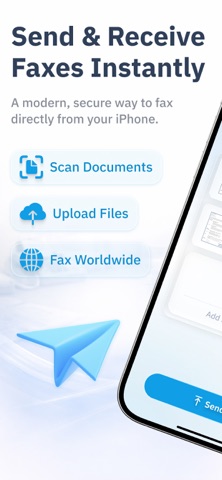


Description by TECH MORE AI LTD Written by the developer, not by AppBrain. Click to read.
Turn your iPhone into a powerful fax machine and send documents anywhere, anytime. No bulky hardware, phone lines, or office equipment required. Simply scan, upload, and fax in minutes.
Send Faxes from Anywhere
With Fax App, you can fax documents directly from your phone while at home, in the office, or on the go. Upload files from your device, scan paper documents with your camera, and send faxes to local or international fax numbers.
Perfect for:
• Business documents
• Contracts and agreements
• Tax forms
• Legal paperwork
• Medical records
• Insurance documents
• Invoices and receipts
• Applications and forms
Powerful Mobile Fax Features
Send Fax from iPhone
Quickly send faxes using your iPhone or iPad without needing a traditional fax machine.
Receive Faxes
Get a dedicated fax number and receive incoming faxes directly on your device.
Scan and Fax
Use the built-in document scanner to scan pages and fax them instantly.
PDF Fax Support
Upload PDF files and fax them with just a few taps.
Multiple File Formats
Send PDF, DOC, DOCX, JPG, JPEG, PNG, TIFF, and other supported document formats.
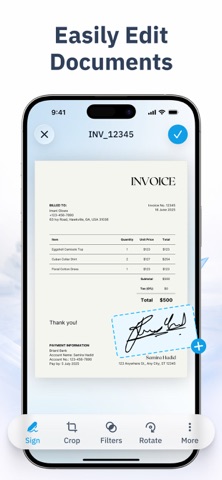
Document Management
Organize, review, and track your sent and received faxes from one convenient location.
International Faxing
Send faxes to many countries worldwide without complicated setup.
Secure Fax Transmission
Your documents are transmitted using secure technologies designed to help protect your information.
Why Choose Fax App?
• Send fax from iPhone and iPad
• Mobile fax anytime, anywhere
• No fax machine required
• Fast online fax service
• Easy document scanning
• Secure document transmission
• Simple and user-friendly interface
• High-quality fax delivery
• Supports multiple document formats
• Ideal for business and personal use
Perfect for Professionals
Fax App is trusted by professionals who need a reliable fax solution.
Business Users
Send contracts, invoices, purchase orders, reports, and important documents while on the move.
Real Estate Agents
Fax agreements, disclosures, applications, and transaction paperwork quickly.
Legal Professionals
Transmit legal forms, contracts, affidavits, and case-related documents securely.
Healthcare Providers
Send medical paperwork, records, referrals, and administrative forms.
Students and Educators
Submit applications, enrollment forms, academic records, and administrative documents.
Fast and Easy Faxing
Scan or upload your document.
Enter the recipient fax number.
Preview your fax.
Tap Send.
Track delivery status.
It's that simple.
Go Paperless
Reduce the need for printing, scanning machines, and traditional fax hardware. Fax App helps streamline document sharing and improves productivity with a modern digital fax experience.
Premium Fax Experience
Enjoy a powerful online fax solution designed for individuals, small businesses, entrepreneurs, remote workers, and professionals who need dependable fax services.
Subscriptions Terms:
Auto-Renewal
Subscriptions automatically renew unless auto-renew is turned off at least 24 hours before the end of the current subscription period.
Renewal Charges
Your account will be charged for renewal within 24 hours prior to the end of the current period. The renewal cost depends on the subscription plan selected.
Manage Subscription
You can manage or cancel your subscription at any time through your App Store account settings after purchase.
Free Trial
If offered, any unused portion of a free trial period will be forfeited when you purchase a subscription.
Terms and Privacy:
https://www.techmoreai.com/privacy-policy/
https://www.techmoreai.com/terms-of-use-eula/