

SeeScene Studio - AI Video
SeeScene Studio - AI Video is made and published by Lvya. AppBrain is an independent app data site and isn't affiliated with Lvya. The app name, icon, screenshots and description belong to Lvya and are shown as published on the App Store.
AppBrain's verdict
- Rating on App Store
- 5.00
- 1 ratings
- Last updated
- October 16, 2026
- Size
- 29.6 MB
It doesn't have enough ratings yet to judge what users think.
User feedback
Ratings and reviews on the App StoreComments on SeeScene Studio - AI Video for iOS
We don't have enough comments to show example comments. Please check back later.
Store listing
By Lvya, from the App Store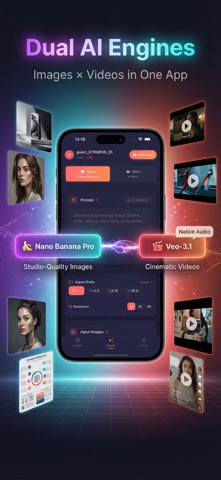


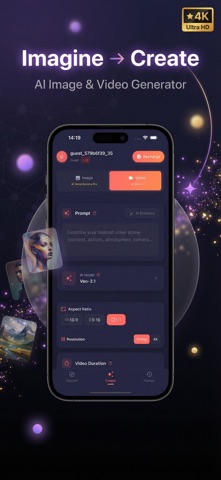


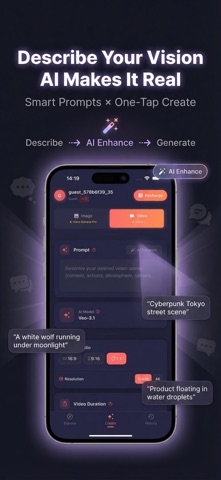

Description by Lvya Written by the developer, not by AppBrain. Click to read.
For creators searching Sora AI, Kling AI, Pika Labs, Luma Dream Machine, Hailuo AI, CapCut AI, Veo, Runway, Seedance, Wan, or Qwen workflows, SeeScene Studio gives you one mobile place to experiment with AI video, image generation, prompts, and native-audio creation.
Search coverage includes AI video generator, text to video, image to video, photo animation, AI image generator, AI art generator, prompt generator, video maker, avatar video, reels maker, cinematic video, native audio, Sora, Kling, Pika, Luma, Hailuo, CapCut, Veo, Runway, Seedance, Wan, and Qwen.
Create text-to-video clips, animate photos, generate AI images, explore image-to-video workflows, and produce videos with native audio in one app. SeeScene Studio brings multiple creative models together so you can move from idea to finished asset without switching tools.
What you can create:
• Text to video for cinematic scenes, ads, stories, reels, and short films
• Image to video for animating photos, product shots, characters, and keyframes
• Text to image and AI art for concepts, posters, thumbnails, and social content
• Native-audio video when supported by the selected model
• Fast variations, remixing, saving, and sharing from your personal work library
Built for creators, marketers, designers, artists, founders, and anyone who wants professional AI video and image creation on mobile.
Featured creative models include Veo, Runway, Seedance, Wan, and Qwen. Availability and capabilities may vary by model.
How it works:
1. Choose image or video creation
2. Select a model and output settings
3. Enter a prompt or upload a reference image
4. Generate, review, remix, save, or share
SeeScene Studio helps every prompt become a video, image, or visual story.
Privacy Policy: http://r2.showsapp.org/ai/privacy_policy.html
Terms of Service: http://r2.showsapp.org/ai/terms_of_service.html
Apple EULA: https://www.apple.com/legal/internet-services/itunes/dev/stdeula/
Safety and technology
Found in the app by AppBrain- Price
- Free
- App size
- 29.6 MB
- Content rating
- Everyone
Technologies used by SeeScene Studio - AI Video
Releases
Updates seen on the App Store- Version
- 3.0.4
- Launched
- February 2026
No changelog data
Alternatives
Similar apps and more from LvyaAlternatives to SeeScene Studio - AI Video


More from Lvya


Rankings
App Store top chartsApp Store Rankings for SeeScene Studio - AI Video
About the app and developer
About SeeScene Studio - AI Video
SeeScene Studio - AI Video is a photo & video app developed by Lvya.
User Ratings
SeeScene Studio - AI Video is rated 5.00 out of 5 stars. The rating is based on one rating ratings.
App Information
SeeScene Studio - AI Video is freely available from the App Store. The app size is 29.64 MB. The latest version available is 3.0.4. The last update was on October 16, 2026.
Technical Requirements
The app has a content rating of Everyone. The app has been available on the App Store since February 2026.
Developer information for Lvya
Address:
Frequently asked questions about SeeScene Studio - AI Video
Is SeeScene Studio - AI Video free?
Yes. SeeScene Studio - AI Video is free on the App Store.
Is SeeScene Studio - AI Video still available?
Yes. SeeScene Studio - AI Video is on the App Store, and the last update we saw was on October 16, 2026.
How large is SeeScene Studio - AI Video?
SeeScene Studio - AI Video is 29.64 MB.
Is SeeScene Studio - AI Video suitable for children?
App Store rates the content of SeeScene Studio - AI Video as suitable for everyone.
How do people rate SeeScene Studio - AI Video?
SeeScene Studio - AI Video has one rating of 5.00 stars on the App Store.
Who made SeeScene Studio - AI Video?
SeeScene Studio - AI Video was developed by Lvya. It is listed in the photo & video category on the App Store.
What are the best alternatives to SeeScene Studio - AI Video?
People looking at SeeScene Studio - AI Video also look at these photo & video apps: VeoPro Studio: Video Generator, 天空AI, AI Image Generator – Arvello, GenAI Studio: AI Video Creator, ComHome Pro.