

Sidus Link is made and published by Sidus Link Ltd. AppBrain is an independent app data site and isn't affiliated with Sidus Link Ltd. The app name, icon, screenshots and description belong to Sidus Link Ltd. and are shown as published on the App Store.
AppBrain's verdict
EstablishedWell rated- Rating on App Store
- 4.31
- 626 ratings
- Last updated
- August 26, 2026
Users rate it well: 4.3 stars from 626 ratings.
Rankings
App Store top chartsApp Store Rankings for Sidus Link
Competitors
Similar apps and more from Sidus Link Ltd.Alternatives to Sidus Link




More from Sidus Link Ltd.


Releases
Updates seen on the App Store- Version
- 2.0.44
- Launched
- July 2019
No changelog data
User feedback
Ratings and reviews on the App StoreComments on Sidus Link for iOS
We don't have enough comments to show example comments. Please check back later.
Technology
Found in the app by AppBrain- Price
- Free
- App size
- 380.5 MB
- Content rating
- Everyone
Technologies used by Sidus Link
About the app and developer
About Sidus Link
Sidus Link is an utilities app developed by Sidus Link Ltd.
User Ratings
Sidus Link is rated 4.31 out of 5 stars. The rating is based on 630 ratings.
App Information
Sidus Link is freely available from the App Store. The app size is 380.55 MB. The latest version available is 2.0.44. The last update was on August 26, 2026.
Technical Requirements
The app has a content rating of Everyone. The app has been available on the App Store since July 2019.
Developer information for Sidus Link Ltd.
Address:
Frequently asked questions about Sidus Link
Is Sidus Link free?
Yes. Sidus Link is free on the App Store.
Is Sidus Link still available?
Yes. Sidus Link is on the App Store, and the last update we saw was on August 26, 2026.
How large is Sidus Link?
Sidus Link is 380.55 MB.
Is Sidus Link suitable for children?
App Store rates the content of Sidus Link as suitable for everyone.
How do people rate Sidus Link?
Sidus Link scores 4.31 out of 5 stars, from 626 ratings on the App Store.
Who made Sidus Link?
Sidus Link was developed by Sidus Link Ltd. It is listed in the utilities category on the App Store.
What are the best alternatives to Sidus Link?
People looking at Sidus Link also look at these utilities apps: NANLINK, GVM LED, edelkrone, ZY Play, Photo Light & Exposure Meter.
Store listing
By Sidus Link Ltd., from the App Store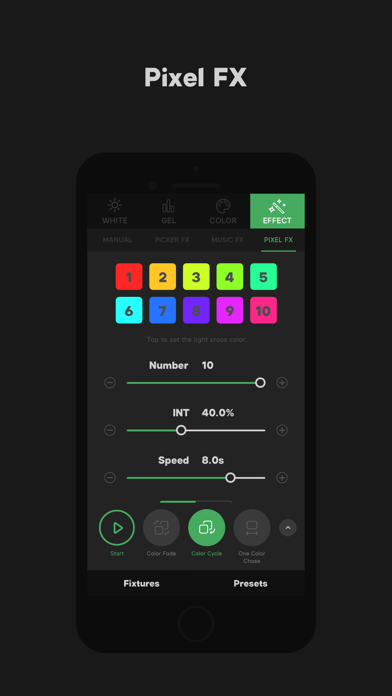
Description by Sidus Link Ltd. Written by the developer, not by AppBrain. Click to read.
Sidus Link integrates the most widely used and professional control functions and modes in the lighting field, including White Light Mode, Gel Mode, Color Mode, Effect Mode, and unlimited preset functions. With built-in Sidus Cloud and Creative Collaboration Group features, it simplifies workflows to help gaffers, DPs, and filmmakers quickly complete scene and lighting setups.
Language Support:
English
Simplified Chinese
Traditional Chinese
Japanese
Portuguese
French
Russian
Vietnamese
German
1. Sidus Mesh Intelligent Lighting Network
1.Decentralized film lighting network – No additional network equipment (gateways or routers) required; connect and control lighting fixtures directly via smartphones or other smart devices.
2.Multi-layer encryption ensures a secure and reliable lighting network, preventing interference and misoperation.
3.Supports 100+ professional lighting fixtures.
4.Multiple control devices (smartphones or other smart devices) can simultaneously control the same lighting network.
2. Basic Functions
Supports four major control modes: White / Gel / Color / Effect.
2.1. White Light
1.CCT – Supports quick adjustment and touchpad-based control.
2.Source Type – Built-in common white light source library for fast selection.
3.Source Match – Quickly match any scene or cct
2.2. Gel Mode
1.Supports traditional CTO/CTB adjustments used in the film industry.
2.300+ Rosco® & Lee® lighting gels.Rosco® and Lee® trademarks and copyrights belong to their respective owners.
2.3. Color Mode
1.HSI & RGB modes for quick color adjustments.
2.XY Chromaticity Mode supports A Gamut (similar to BT.2020), DCI-P3, and BT.709 color spaces.
3.Color Picker – Instantly sample any visible color.
2.4. Effects
Supports fine-tuning and control of all built-in lighting effects in Aputure fixtures.
2.5. Presets & QuickShots
1.Unlimited local presets.
2.QuickShot Scene Snapshots – Save and recall lighting setups instantly.
3. Advanced Effects
Sidus Link App supports:
PICKER FX
MANUAL
MUSIC FX
Magic Program Pro/Go
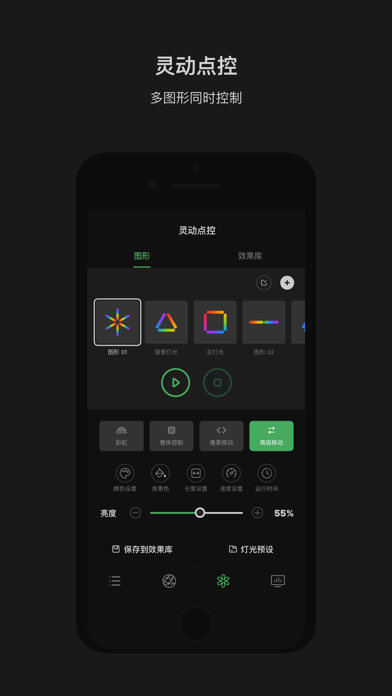
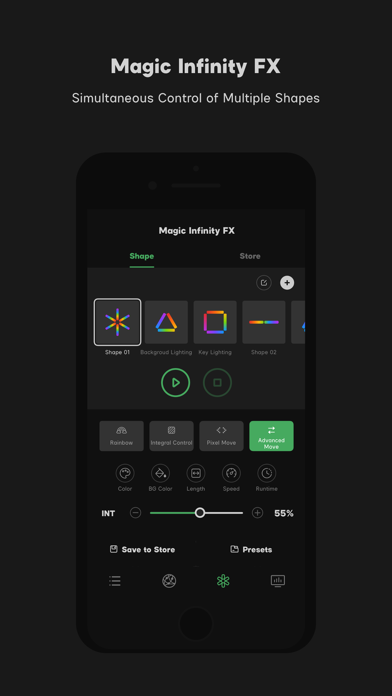
Magic Infinity FX
4. Compatibility
1.Sidus Link App supports connection and control of all new Aputure film lights, such as LS 300d II, MC, etc.
2.Legacy Aputure lights will require additional accessories for app connectivity and control.*
3.Supports OTA management – Network firmware and lighting updates for continuous optimization.
5. Sidus On-Set Lighting Workflow
On-set workflow management – Create scenes, add devices, and quickly complete lighting setups.
Console Workspace Mode – Quickly configure scenes and lighting.
Group Management – Fast grouping and control of multiple fixtures.
Power Management – Real-time monitoring of battery levels and remaining runtime.
Device-Controller Parameter Sync – Instantly retrieve detailed device status and settings.
QuickShot Scene Snapshots – Save and recall lighting setups.
CC Collaboration Group Workflow
Supports multi-user collaboration for controlling and adjusting lighting setups.
6. Sidus Cloud Services
Free cloud storage for presets, scenes, and effects (requires compatible hardware/software; existing devices will be supported via firmware updates).
CC Collaboration Group Workflow
Share lighting networks with group members.
Supports quick sharing via temporary verification codes.
7. UX Design
Dual UI modes – Precise parameter control & WYSIWYG (What You See Is What You Get).
Fixture Locator Button – Added to device lists and group management for quick identification.
Onboarding guides – Clear instructions on adding/resetting devices.