

Sign Documents (e-Signature)
Sign Documents (e-Signature) is made and published by Richard Davis. AppBrain is an independent app data site and isn't affiliated with Richard Davis. The app name, icon, screenshots and description belong to Richard Davis and are shown as published on the App Store.
AppBrain's verdict
- Rating on App Store
- 5.00
- 4 ratings
- Last updated
- November 28, 2025
It doesn't have enough ratings yet to judge what users think.
Rankings
App Store top chartsApp Store Rankings for Sign Documents (e-Signature)
Competitors
Similar apps and more from Richard DavisMore from Richard Davis





Releases
Updates seen on the App Store- Version
- 1.0.0
- Launched
- November 2025
No changelog data
User feedback
Ratings and reviews on the App StoreComments on Sign Documents (e-Signature) for iOS
We don't have enough comments to show example comments. Please check back later.
Technology
Found in the app by AppBrain- Price
- Free
- App size
- 39.2 MB
- Content rating
- Everyone
Technologies used by Sign Documents (e-Signature)
About the app and developer
About Sign Documents (e-Signature)
Sign Documents (e-Signature) is a business app developed by Richard Davis.
User Ratings
Sign Documents (e-Signature) is rated 5.00 out of 5 stars. The rating is based on 4 ratings.
App Information
Sign Documents (e-Signature) is freely available from the App Store. The app size is 39.19 MB. The latest version available is 1.0.0. The last update was on November 28, 2025.
Technical Requirements
The app has a content rating of Everyone. The app has been available on the App Store since November 2025.
Developer information for Richard Davis
Address:
Store listing
By Richard Davis, from the App Store


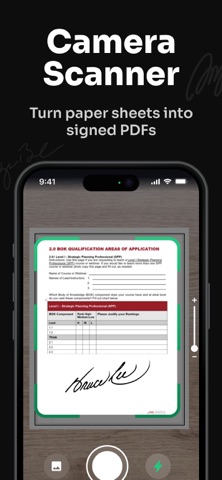
Description by Richard Davis Written by the developer, not by AppBrain. Click to read.
Core Features:
1. Create and save a digitized handwritten signature using touch or stylus input.
2. Sign PDFs and image files with precise placement and scalable signature size.
3. Import documents from email, Files, Dropbox, Google Drive, and other cloud providers.
4. Export signed documents as PDF, send via email, or save back to cloud storage.
5. Secure handling with local encryption and an audit-ready activity log for each signed file.
Subscription plans:
1. Weekly subscription
2. Annual subscription
Privacy Policy: https://nanosignapp.click/privacy
Terms of Use: https://nanosignapp.click/terms