

SimLab AR/VR Viewer
SimLab AR/VR Viewer is made and published by Simulation Lab Software. AppBrain is an independent app data site and isn't affiliated with Simulation Lab Software. The app name, icon, screenshots and description belong to Simulation Lab Software and are shown as published on the App Store.
AppBrain's verdict
Established- Rating on App Store
- 3.40
- 5 ratings
- Last updated
- July 19, 2026
It doesn't have enough ratings yet to judge what users think.
Rankings
App Store top chartsApp Store Rankings for SimLab AR/VR Viewer
Competitors
Similar apps and more from Simulation Lab SoftwareAlternatives to SimLab AR/VR Viewer






Releases
Updates seen on the App Store- Version
- 16.0.7
- Launched
- February 2018
No changelog data
User feedback
Ratings and reviews on the App StoreComments on SimLab AR/VR Viewer for iOS
We don't have enough comments to show example comments. Please check back later.
Technology
Found in the app by AppBrain- Price
- Free
- App size
- 337.7 MB
- Content rating
- Everyone
Technologies used by SimLab AR/VR Viewer
About the app and developer
About SimLab AR/VR Viewer
SimLab AR/VR Viewer is an utilities app developed by Simulation Lab Software.
What is the rating of SimLab AR/VR Viewer?
SimLab AR/VR Viewer is rated 3.40 out of 5 stars, based on 5 ratings.
Is SimLab AR/VR Viewer free?
SimLab AR/VR Viewer is free. The app size is 337.65 MB. The latest version available is 16.0.7. The last update was on July 19, 2026.
What are the requirements for SimLab AR/VR Viewer?
The app has a content rating of Everyone. The app has been available on the App Store since February 2018.
Developer information for Simulation Lab Software
Address:
Frequently asked questions about SimLab AR/VR Viewer
Is SimLab AR/VR Viewer free?
Yes. SimLab AR/VR Viewer is free on the App Store.
Is SimLab AR/VR Viewer still available?
Yes. SimLab AR/VR Viewer is on the App Store, and the last update we saw was on July 19, 2026.
How large is SimLab AR/VR Viewer?
SimLab AR/VR Viewer is 337.65 MB.
Is SimLab AR/VR Viewer suitable for children?
App Store rates the content of SimLab AR/VR Viewer as suitable for everyone.
How do people rate SimLab AR/VR Viewer?
SimLab AR/VR Viewer scores 3.40 out of 5 stars, from 5 ratings on the App Store.
Who made SimLab AR/VR Viewer?
SimLab AR/VR Viewer was developed by Simulation Lab Software. It is listed in the utilities category on the App Store.
What are the best alternatives to SimLab AR/VR Viewer?
People looking at SimLab AR/VR Viewer also look at these utilities apps: i4 AUGMENTED REVIEW, SKM AR Viewer, IHK AR by 3DQR, Quantum Summer, SmartRooms (with RoomPlan).
Store listing
By Simulation Lab Software, from the App Store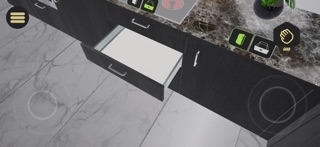


Description by Simulation Lab Software Written by the developer, not by AppBrain. Click to read.
Important: 3D files (such as FBX, OBJ, or USDZ) must be prepared in SimLab Composer or SimLab VR Studio before viewing. Direct file import into the app is not supported.
Features:
• View complete VR training and educational simulations.
• Explore mechanical assemblies and interact with prepared 3D objects.
• Deliver hands-on demonstrations and immersive learning experiences.
• Add measurements and notes for review and collaboration.
• Join multi-user sessions to communicate and work together in real time across supported platforms.
• Sync wirelessly with SimLab Composer or SimLab VR Studio to transfer and update VR experiences.
Ideal For:
• Architects and engineers: Review designs and model details in an immersive environment.
• Educators and trainers: Present interactive lessons and simulations.
• Designers and product teams: Showcase prototypes and concepts.
• Collaborative teams: Meet inside shared VR spaces to review work together.
To create VR experiences that can be viewed in this app, use SimLab Composer or SimLab VR Studio on desktop.