

SimpleMultiTimer is made and published by Aine LLC. AppBrain is an independent app data site and isn't affiliated with Aine LLC. The app name, icon, screenshots and description belong to Aine LLC. and are shown as published on the App Store.
AppBrain's verdict
- Last updated
- June 11, 2021
Rankings
App Store top chartsApp Store Rankings for SimpleMultiTimer
Competitors
Similar apps and more from Aine LLC.Alternatives to SimpleMultiTimer







More from Aine LLC.








Releases
Updates seen on the App Store- Version
- 1.2
- Launched
- June 2021
No changelog data
User feedback
Ratings and reviews on the App StoreComments on SimpleMultiTimer for iOS
We don't have enough comments to show example comments. Please check back later.
Technology
Found in the app by AppBrain- Price
- Free
- App size
- 6.54 MB
- Content rating
- Everyone
Technologies used by SimpleMultiTimer
About the app and developer
About SimpleMultiTimer
SimpleMultiTimer is an utilities app developed by Aine LLC.
What is the rating of SimpleMultiTimer?
SimpleMultiTimer has no ratings yet.
Is SimpleMultiTimer free?
SimpleMultiTimer is free. The app size is 6.54 MB. The latest version available is 1.2. The last update was on June 11, 2021.
What are the requirements for SimpleMultiTimer?
The app has a content rating of Everyone. The app has been available on the App Store since June 2021.
Developer information for Aine LLC.
Address:
Frequently asked questions about SimpleMultiTimer
Is SimpleMultiTimer free?
Yes. SimpleMultiTimer is free on the App Store.
Is SimpleMultiTimer still available?
Yes. SimpleMultiTimer is on the App Store, and the last update we saw was on June 11, 2021.
How large is SimpleMultiTimer?
SimpleMultiTimer is 6.54 MB.
Is SimpleMultiTimer suitable for children?
App Store rates the content of SimpleMultiTimer as suitable for everyone.
Who made SimpleMultiTimer?
SimpleMultiTimer was developed by Aine LLC. It is listed in the utilities category on the App Store.
What are the best alternatives to SimpleMultiTimer?
People looking at SimpleMultiTimer also look at these utilities apps: Focus Mate: ADHD Habit Tracker, MultiTimer4 byNSDev, Easy Timing! Lite - Timer, Multi Timer - Visual Timer, Hybrid Timer.
Store listing
By Aine LLC., from the App Store




Description by Aine LLC. Written by the developer, not by AppBrain. Click to read.
Once you launch the app, just press the "+" button then set the timer time and press the "Start" button.
You can also name the timer, and next time you want to set a timer, just select that name from the history.
If you omit the name, it will be named automatically.
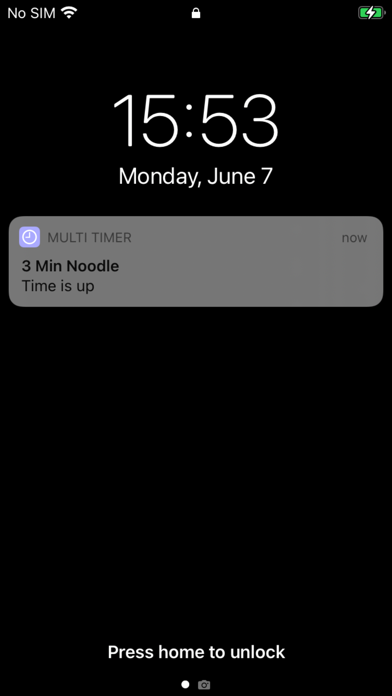
For example, you can set the timer for 8 minutes and name it "Pasta (1.7 mm)”, or you can set the timer for 2 minutes and 50 seconds and name it "3-minute noodles" if you like cup noodles with hard noodles.
You can also start a number of timers at the same time. For example, you can start a long timer for the oven or washing machine, and then start a short timer for pasta or cup noodles.
The progress of each timer will be listed. Even if you interrupt or quit this application to use other applications, or if your iPhone automatically locks and goes into sleep mode, you can rest assured that you will be notified of the completion of each timer.
This app also supports integration with shortcut apps, so you can start more and more timers from various automation such as shortcuts and NFC tags.
It's very easy to use as a study or training timer, too.
If you like it, let me know how you use yours in the comments!