

SimplePixels
SimplePixels is made and published by Wen Hao Chong. AppBrain is an independent app data site and isn't affiliated with Wen Hao Chong. The app name, icon, screenshots and description belong to Wen Hao Chong and are shown as published on the App Store.
AppBrain's verdict
- Last updated
- May 25, 2026
Rankings
App Store top chartsApp Store Rankings for SimplePixels
Competitors
Similar apps and more from Wen Hao ChongAlternatives to SimplePixels





More from Wen Hao Chong


Releases
Updates seen on the App Store- Version
- 1.2.6
- Launched
- May 2025
No changelog data
User feedback
Ratings and reviews on the App StoreComments on SimplePixels for iOS
We don't have enough comments to show example comments. Please check back later.
Technology
Found in the app by AppBrain- Price
- Free
- App size
- 1.32 MB
- Content rating
- Everyone
Technologies used by SimplePixels
About the app and developer
About SimplePixels
SimplePixels is a graphics & design app developed by Wen Hao Chong.
User Ratings
The app has no ratings yet.
App Information
SimplePixels is freely available from the App Store. The app size is 1.32 MB. The latest version available is 1.2.6. The last update was on May 25, 2026.
Technical Requirements
The app has a content rating of Everyone. The app has been available on the App Store since May 2025.
Developer information for Wen Hao Chong
Address:
Store listing
By Wen Hao Chong, from the App Store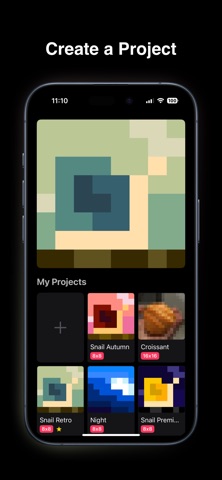

Description by Wen Hao Chong Written by the developer, not by AppBrain. Click to read.
Create simple pixel art and export as an image or GIF.
Step #1: Create a new project
- Choose a frame size between 8 and 16 pixels
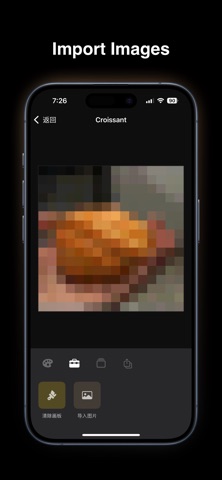
Step #2: Draw a frame
- Tap to draw or import an image
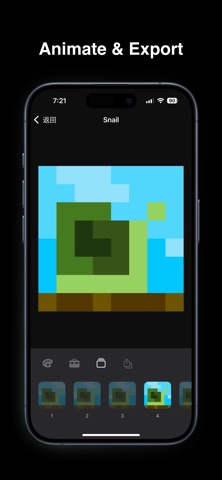
Step #3: Repeat and export
- Duplicate and draw up to 15 frames
- Export a single frame as an image, or all frames as a GIF
Step #4: Showcase your favorite
- Showcase your favorite project on the home screen
Subscribe to SimplePixels Pro for all features:
1. Predefined color palettes
2. More board sizes
3. Two-finger pinch/swipe to zoom in and move around for large boards
4. Swipe to draw
Even more coming soon
Terms of Use: https://www.apple.com/legal/internet-services/itunes/dev/stdeula/
Privacy Policy: https://www.logicui.com/simplepixels/privacy