

SimplyTouch Too
SimplyTouch Too is made and published by Sensory App House Ltd. AppBrain is an independent app data site and isn't affiliated with Sensory App House Ltd. The app name, icon, screenshots and description belong to Sensory App House Ltd and are shown as published on the App Store.
AppBrain's verdict
- Last updated
- February 22, 2021
Rankings
App Store top chartsApp Store Rankings for SimplyTouch Too
Competitors
Similar apps and more from Sensory App House LtdAlternatives to SimplyTouch Too







More from Sensory App House Ltd








Releases
Updates seen on the App Store- Version
- 1.0.3
- Launched
- October 2020
No changelog data
User feedback
Ratings and reviews on the App StoreComments on SimplyTouch Too for iOS
We don't have enough comments to show example comments. Please check back later.
Technology
Found in the app by AppBrain- Price
- Free
- App size
- 21.6 MB
- Content rating
- Everyone
Technologies used by SimplyTouch Too
About the app and developer
About SimplyTouch Too
SimplyTouch Too is an education app developed by Sensory App House Ltd.
What is the rating of SimplyTouch Too?
SimplyTouch Too has no ratings yet.
Is SimplyTouch Too free?
SimplyTouch Too is free. The app size is 21.62 MB. The latest version available is 1.0.3. The last update was on February 22, 2021.
What are the requirements for SimplyTouch Too?
The app has a content rating of Everyone. The app has been available on the App Store since October 2020.
Developer information for Sensory App House Ltd
Address:
Store listing
By Sensory App House Ltd, from the App Store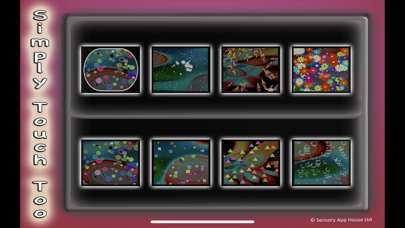


Description by Sensory App House Ltd Written by the developer, not by AppBrain. Click to read.
It allows a young user to explore swiping and tapping in a fun way. Some effects disappear on touch, touch will create new characters and shapes, and swiping around will clear characters and effects from this area, a sort of eraser.
SimplyTouch contains no adverts and does not require an app login.
The projection capabilities of the phone or tablet gives the option for sensory rooms and relaxing environments to run the app on large screens. Just choose the effect you prefer, using the on screen buttons and let it flow.
Switch Access and Adaptive XBox Controller:
SimplyTouchToo can be controlled with a mouse pointer, touch screen , XBox controller and the Microsoft Adaptive controller. With the Adaptive controller and XBox controller, the Dpad allows you to select the shapes and then move the pointer around the screen. A, B , X & Y buttons change background effects and move to next touch effects. If you have an external joystick this can also control and lead the shape movement.
Any support queries contact support@sensoryapphouse.com or www.facebook.com/sensoryapphouse