

SitePOV
SitePOV is made and published by Sensera Systems, Inc. AppBrain is an independent app data site and isn't affiliated with Sensera Systems, Inc. The app name, icon, screenshots and description belong to Sensera Systems, Inc. and are shown as published on the App Store.
AppBrain's verdict
- Last updated
- August 30, 2024
Rankings
App Store top chartsApp Store Rankings for SitePOV
Competitors
Similar apps and more from Sensera Systems, Inc.Alternatives to SitePOV





More from Sensera Systems, Inc.


Releases
Updates seen on the App Store- Version
- 1.2
- Launched
- January 2018
No changelog data
User feedback
Ratings and reviews on the App StoreComments on SitePOV for iOS
We don't have enough comments to show example comments. Please check back later.
Technology
Found in the app by AppBrain- Price
- Free
- App size
- 1.74 MB
- Content rating
- Everyone
Technologies used by SitePOV
About the app and developer
About SitePOV
SitePOV is an utilities app developed by Sensera Systems, Inc.
User Ratings
The app has no ratings yet.
App Information
SitePOV is freely available from the App Store. The app size is 1.74 MB. The latest version available is 1.2. The last update was on August 30, 2024.
Technical Requirements
The app has a content rating of Everyone. The app has been available on the App Store since January 2018.
Developer information for Sensera Systems, Inc.
Address:
Store listing
By Sensera Systems, Inc., from the App Store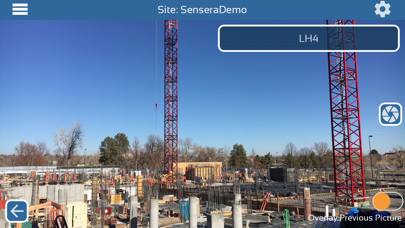


Description by Sensera Systems, Inc. Written by the developer, not by AppBrain. Click to read.
SitePOV extends the power of Sensera's SiteCloud software and cameras by automating the capture of detailed, repeatable, tagged images from around the jobsite. Users capture images of critical jobsite areas, then upload and organize instantly into your SiteCloud account alongside fixed camera time-lapse images. No more fumbling with cloud folders, email, or SD cards.
Unique Multi-Viewpoint Time-lapse Feature
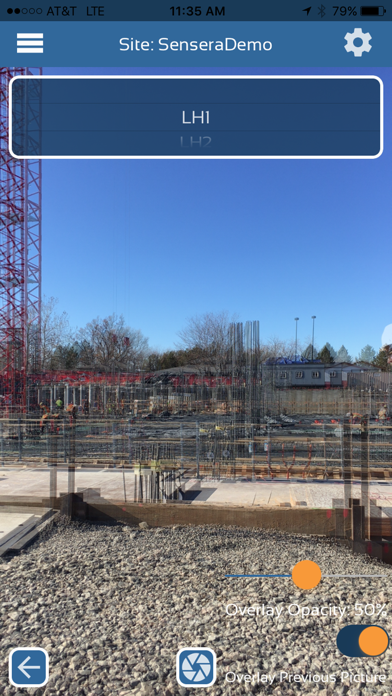
Photographic documentation of your project can be greatly enhanced with time-lapse to be able to quickly and easily see the evolution and sequencing of that portion of the build. However, when taking images each day/week from a smartphone or tablet, this becomes problematic when each subsequent picture is taken from a different vantage point. SitePOV solves this problem with an innovative interface that organizes image capture by location and viewpoint and lets you align your picture with the last pictures taken from that location and viewpoint. By overlaying the last image from that location semi-transparently, you can capture the new image in a way the exactly aligns with previous images. This enables you to create accurate time-lapse sequences of important build details.
Images taken with SitePOV are organized by the specific location on the site that you took the image from, and automatically uploaded to your SiteCloud account. The images are available in SiteCloud as virtual “cameras” that you can use to view, archive, compare etc. right alongside all the site images coming from your SiteCloud fixed cameras. By integrating with SiteCloud, you take advantage of powerful SiteCloud features for all your SitePOV captured images including public URL sharing, automated time-lapse generation, image compare and markup, export to desktop or Autodesk BIM 360, and long-term archival. SitePOV images are also fully georeferenced for future integration and display with maps or BIM models.
SitePOV App Features
• 6D geo-referenced, timestamped image capture from smartphone or tablet
• Automatic upload to SiteCloud account
• Capture images for any SiteCloud defined project/site
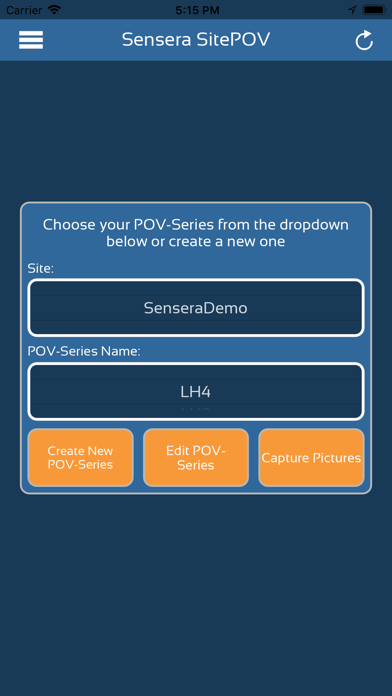
• Create new SitePOV Series
• Add Picture to SitePOV Series
• Align Image Capture with previous image for that SitePOV Series
• Change transparency of alignment overlay image
• Edit Site/Project Name
• Edit SitePOV Series Name
• Delete SitePOV Series
• Change resolution of images to be captured
System Requirements: Active Sensera Systems’ SiteCloud Account