

Sketch Recorder
Sketch Recorder is made and published by Mehmet Bayram. AppBrain is an independent app data site and isn't affiliated with Mehmet Bayram. The app name, icon, screenshots and description belong to Mehmet Bayram and are shown as published on the App Store.
AppBrain's verdict
- Rating on App Store
- 4.45
- 11 ratings
- Last updated
- September 4, 2023
It doesn't have enough ratings yet to judge what users think.
Rankings
App Store top chartsApp Store Rankings for Sketch Recorder
Competitors
Similar apps and more from Mehmet BayramAlternatives to Sketch Recorder





More from Mehmet Bayram






Releases
Updates seen on the App Store- Version
- 1.1.0
- Launched
- April 2022
No changelog data
User feedback
Ratings and reviews on the App StoreComments on Sketch Recorder for iOS
We don't have enough comments to show example comments. Please check back later.
Technology
Found in the app by AppBrain- Price
- Free
- App size
- 4.21 MB
- Content rating
- Everyone
Technologies used by Sketch Recorder
About the app and developer
About Sketch Recorder
Sketch Recorder is a graphics & design app developed by Mehmet Bayram.
User Ratings
Sketch Recorder is rated 4.45 out of 5 stars. The rating is based on 11 ratings.
App Information
Sketch Recorder is freely available from the App Store. The app size is 4.21 MB. The latest version available is 1.1.0. The last update was on September 4, 2023.
Technical Requirements
The app has a content rating of Everyone. The app has been available on the App Store since April 2022.
Developer information for Mehmet Bayram
Address:
Store listing
By Mehmet Bayram, from the App Store




Description by Mehmet Bayram Written by the developer, not by AppBrain. Click to read.
Elegant interface and natural drawing experience.
Free of distractions so you can focus.
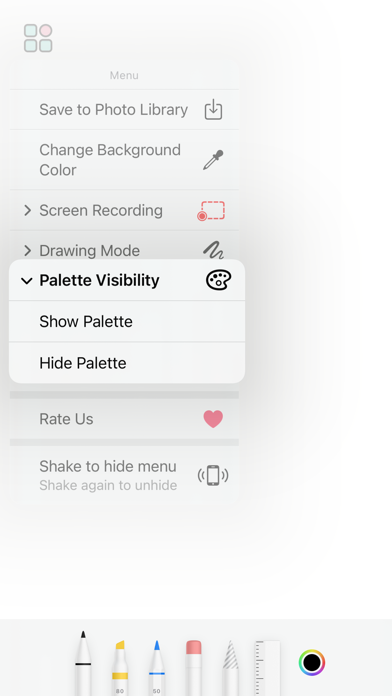
REAL full screen experience. Shake your device to enter fullscreen. In order to make the menu visible, you should shake your device one more time.
Screen recording.
Change background color.
Drawing modes: Pencil only; Pencil and Finger.
Hide/show palette.
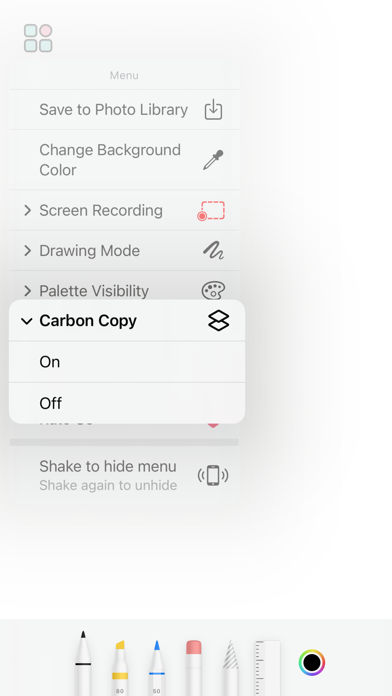
Tracing paper mode. You can select or capture a back image and draw the copy of it on the upper layer.
Save your drawing to photo library.
It’s FREE!!!
This app is built solely and exclusively for iPhones and iPads using Apple's native development language and tools which guarantees top performance and future maintainability.