

SketchNote, Visual Note Taking
SketchNote, Visual Note Taking is made and published by B TO J PTY LTD. AppBrain is an independent app data site and isn't affiliated with B TO J PTY LTD. The app name, icon, screenshots and description belong to B TO J PTY LTD and are shown as published on the App Store.
AppBrain's verdict
- Rating on App Store
- 3.00
- 3 ratings
- Last updated
- February 25, 2023
- Size
- 41.9 MB
It doesn't have enough ratings yet to judge what users think.
User feedback
Ratings and reviews on the App StoreComments on SketchNote, Visual Note Taking for iOS
We don't have enough comments to show example comments. Please check back later.
Store listing
By B TO J PTY LTD, from the App Store


Description by B TO J PTY LTD Written by the developer, not by AppBrain. Click to read.
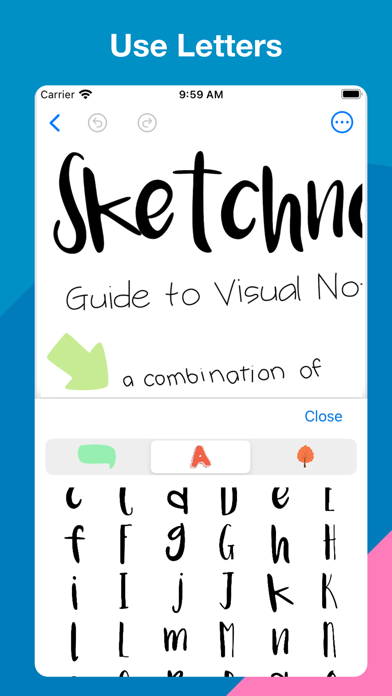
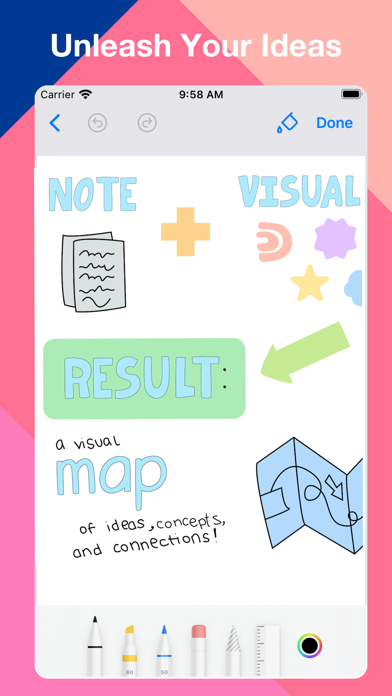
Use pre-designed shapes, letter & Numbers, clipart to take great notes.
Transform your iPhone and iPad into smart digital paper.
Take handwritten notes in digital notebooks.
WRITE NATURALLY - LIKE ON REAL PAPER
* Completely natural writing experience
* Write with the Apple Pencil and your finger
* Select and customize your pen color, thickness, and style
* Easily switch between pen, highlighter etc.
NEVER LOSE YOUR NOTES AGAIN
* All your notes with you at all times thanks to iCloud Sync
ESCAPE THE LIMITS OF ANALOG PAPER
* Move, resize, and rotate your handwriting or change colors
* Draw perfect shapes and lines with the Shapes Tool
* Pinch to zoom and write more precisely
GO PAPERLESS
* Import PDF, images, photos and more to annotate them right on your iPhone and iPad
* Export documents and share them with others for a fully digital workflow
ATTACH ANYTHING
* Attach videos, images, photos
[ Upgrade to subscription version ]
Upgrading to subscription version requires auto-renewal subscription.
Payment will be charged to your Apple ID account at the confirmation of purchase.
The subscription automatically renews unless it is canceled at least 24 hours before the end of the current period.
Your account will be charged for renewal within 24 hours prior to the end of the current period.
You can manage and cancel your subscriptions by going to your App Store account settings after purchase.
Links to Your Privacy Policy and Terms of Use:
http://www.btoj.com.au/privacy.html
http://www.btoj.com.au/terms.html
Please feel free to contact us for anything.
Safety and technology
Found in the app by AppBrain- Price
- Free
- App size
- 41.9 MB
- Content rating
- Everyone
Technologies used by SketchNote, Visual Note Taking
Releases
Updates seen on the App Store- Version
- 2.7
- Launched
- January 2023
No changelog data
Alternatives
Similar apps and more from B TO J PTY LTDAlternatives to SketchNote, Visual Note Taking





More from B TO J PTY LTD


Rankings
App Store top chartsApp Store Rankings for SketchNote, Visual Note Taking
About the app and developer
About SketchNote, Visual Note Taking
SketchNote, Visual Note Taking is a productivity app developed by B TO J PTY LTD.
User Ratings
SketchNote, Visual Note Taking is rated 3.00 out of 5 stars. The rating is based on 3 ratings.
App Information
SketchNote, Visual Note Taking is freely available from the App Store. The app size is 41.87 MB. The latest version available is 2.7. The last update was on February 25, 2023.
Technical Requirements
The app has a content rating of Everyone. The app has been available on the App Store since January 2023.
Developer information for B TO J PTY LTD
Address: