

Slow Motion Video Editor ®
Slow Motion Video Editor ® is made and published by Huynh Thuy. AppBrain is an independent app data site and isn't affiliated with Huynh Thuy. The app name, icon, screenshots and description belong to Huynh Thuy and are shown as published on the App Store.
AppBrain's verdict
EstablishedWell rated- Rating on App Store
- 4.40
- 225 ratings
- Last updated
- June 7, 2026
Users rate it well: 4.4 stars from 225 ratings.
Rankings
App Store top chartsApp Store Rankings for Slow Motion Video Editor ®
Competitors
Similar apps and more from Huynh ThuyAlternatives to Slow Motion Video Editor ®







More from Huynh Thuy


Releases
Updates seen on the App Store- Version
- 4.0
- Launched
- July 2019
No changelog data
User feedback
Ratings and reviews on the App StoreComments on Slow Motion Video Editor ® for iOS
We don't have enough comments to show example comments. Please check back later.
Technology
Found in the app by AppBrain- Price
- Free
- App size
- 24.3 MB
- Content rating
- Everyone
Technologies used by Slow Motion Video Editor ®
About the app and developer
About Slow Motion Video Editor ®
Slow Motion Video Editor ® is a photo & video app developed by Huynh Thuy.
User Ratings
Slow Motion Video Editor ® is rated 4.40 out of 5 stars. The rating is based on 230 ratings.
App Information
Slow Motion Video Editor ® is freely available from the App Store. The app size is 24.26 MB. The latest version available is 4.0. The last update was on June 7, 2026.
Technical Requirements
The app has a content rating of Everyone. The app has been available on the App Store since July 2019.
Developer information for Huynh Thuy
Address:
Frequently asked questions about Slow Motion Video Editor ®
Is Slow Motion Video Editor ® free?
Yes. Slow Motion Video Editor ® is free on the App Store.
Is Slow Motion Video Editor ® still available?
Yes. Slow Motion Video Editor ® is on the App Store, and the last update we saw was on June 7, 2026.
How large is Slow Motion Video Editor ®?
Slow Motion Video Editor ® is 24.26 MB.
Is Slow Motion Video Editor ® suitable for children?
App Store rates the content of Slow Motion Video Editor ® as suitable for everyone.
How do people rate Slow Motion Video Editor ®?
Slow Motion Video Editor ® scores 4.40 out of 5 stars, from 225 ratings on the App Store.
Who made Slow Motion Video Editor ®?
Slow Motion Video Editor ® was developed by Huynh Thuy. It is listed in the photo & video category on the App Store.
What are the best alternatives to Slow Motion Video Editor ®?
People looking at Slow Motion Video Editor ® also look at these photo & video apps: Slow Motion Video: Slowmo, Slo Mo: Make Slow Motion Video, Slow pro, FXMotion Slow Fast Video Maker, Slow Motion Video & Speed Up.
Store listing
By Huynh Thuy, from the App Store



Description by Huynh Thuy Written by the developer, not by AppBrain. Click to read.
With its intuitive interface, you can easily import your videos and choose the exact moments you want to slow down. Simply move the points up or down to adjust the speed and create the desired slow motion effect. You also have the option to apply different speeds to different parts of the video, giving you complete creative control.
Take your slow motion to the next level with AI Smooth Motion. Powered by advanced frame interpolation, AI Smooth Motion analyzes your edited video and generates natural in-between frames so motion stays fluid even in heavy slow-down sections. The result is ultra-smooth playback with a minimum frame rate of 60 fps—ideal for dramatic sports clips, action shots, and cinematic moments that would otherwise look choppy. Apply it after you set your speed curve, preview the result, and keep editing with filters, music, and text on top of your smoothed footage.
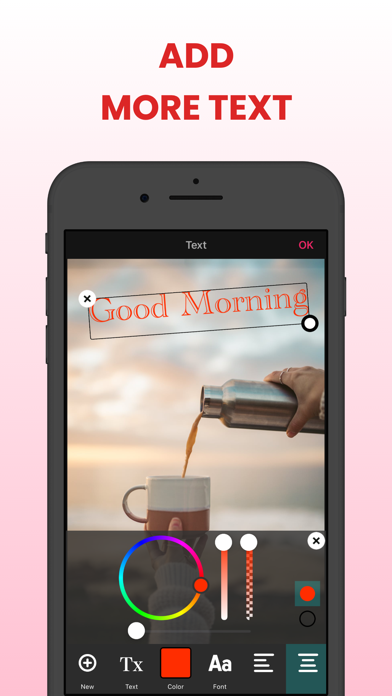
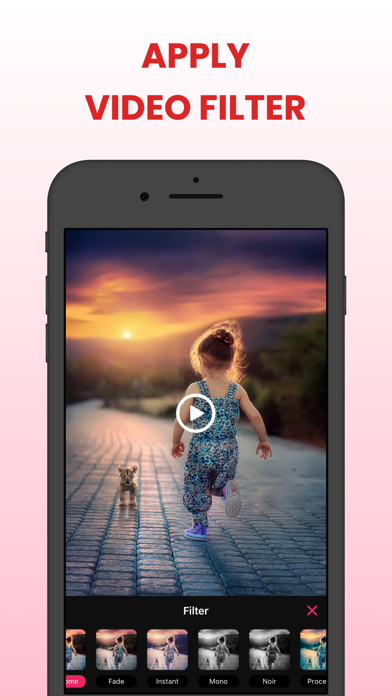
In addition to its speed adjustment features, the Slow Motion Video Editor offers editing tools to enhance your videos further. You can add filters, add background music, and add text to personalize your creations.
Once you are satisfied with your slow motion masterpiece, you can save it in various formats and resolutions, making it compatible with different devices and platforms. You can also directly share your videos on social media platforms, allowing you to showcase your creativity and impress your friends and followers.
Whether you are a professional videographer or someone who enjoys capturing and editing videos for fun, the Slow Motion Video Editor is a must-have app for creating captivating slow motion videos. Its user-friendly interface, versatile editing features, AI-powered smooth motion, and seamless sharing options make it the perfect tool to bring your videos to life in slow motion.
Features:
+ Choose a video from Photo Library, Files or record a new video with the camera.
+ Trim/cut the selected video.
+ Adjust slow and fast motion speed with 2 modes: basic and advance.
+ AI Smooth Motion: AI frame interpolation for buttery-smooth slow motion
+ Add background music to the video
+ Apply video filter to make your video more lively and stylish
+ Add text to video
+ Adjust between video volume and music volume
+ Save your projects to edit them later.
Premium Subscription:
• Length of subscriptions: one week, one month & one year
• Check in app for exact pricing in your region
• Payment will be charged to your iTunes account at confirmation of purchase and will automatically renew (at the duration/price selected) unless auto-renew is turned off at least 24 hours before the end of the current period.
• Account will be charged for renewal within 24-hours prior to the end of the current period, and identify the cost of the renewal.
• Any unused portion of a free trial period, if offered, will be forfeited when the user purchases a subscription to that publication, where applicable
• You can manage your subscription and/or turn off auto-renewal by going to your iTunes Account Settings, but refunds will not be given for any unused portion of the term.
By subscribing our product, you agree our Term of Use and Privacy Policy:
https://huynhthuyapps.blogspot.com/2021/06/terms-of-service.html
https://huynhthuyapps.blogspot.com/2021/05/privacy-policy.html