

Smart Cash Smart Calculator
Smart Cash Smart Calculator is made and published by Mudarmeen Munlin. AppBrain is an independent app data site and isn't affiliated with Mudarmeen Munlin. The app name, icon, screenshots and description belong to Mudarmeen Munlin and are shown as published on the App Store.
AppBrain's verdict
- Last updated
- November 26, 2025
Rankings
App Store top chartsApp Store Rankings for Smart Cash Smart Calculator
Competitors
Similar apps and more from Mudarmeen MunlinAlternatives to Smart Cash Smart Calculator


More from Mudarmeen Munlin





Releases
Updates seen on the App Store- Version
- 1.38
- Launched
- September 2019
No changelog data
User feedback
Ratings and reviews on the App StoreComments on Smart Cash Smart Calculator for iOS
We don't have enough comments to show example comments. Please check back later.
Technology
Found in the app by AppBrain- Price
- $1.99
- App size
- 9.56 MB
- Content rating
- Everyone
Technologies used by Smart Cash Smart Calculator
About the app and developer
About Smart Cash Smart Calculator
Smart Cash Smart Calculator is a finance app developed by Mudarmeen Munlin.
What is the rating of Smart Cash Smart Calculator?
Smart Cash Smart Calculator has no ratings yet.
Is Smart Cash Smart Calculator free?
Smart Cash Smart Calculator costs $1.99. The app size is 9.56 MB. The latest version available is 1.38. The last update was on November 26, 2025.
What are the requirements for Smart Cash Smart Calculator?
The app has a content rating of Everyone. The app has been available on the App Store since September 2019.
Developer information for Mudarmeen Munlin
Address:
Frequently asked questions about Smart Cash Smart Calculator
Is Smart Cash Smart Calculator free?
No. Smart Cash Smart Calculator costs $1.99 on the App Store.
Is Smart Cash Smart Calculator still available?
Yes. Smart Cash Smart Calculator is on the App Store, and the last update we saw was on November 26, 2025.
How large is Smart Cash Smart Calculator?
Smart Cash Smart Calculator is 9.56 MB.
Is Smart Cash Smart Calculator suitable for children?
App Store rates the content of Smart Cash Smart Calculator as suitable for everyone.
Who made Smart Cash Smart Calculator?
Smart Cash Smart Calculator was developed by Mudarmeen Munlin. It is listed in the finance category on the App Store.
What are the best alternatives to Smart Cash Smart Calculator?
People looking at Smart Cash Smart Calculator also look at these finance apps: Currenzy, PressPay - Send Mobile Money, CalcTape Paper Tape Calculator, M-PESA Safaricom Ethiopia, Bank of Kigali Mobile Banking.
Store listing
By Mudarmeen Munlin, from the App Store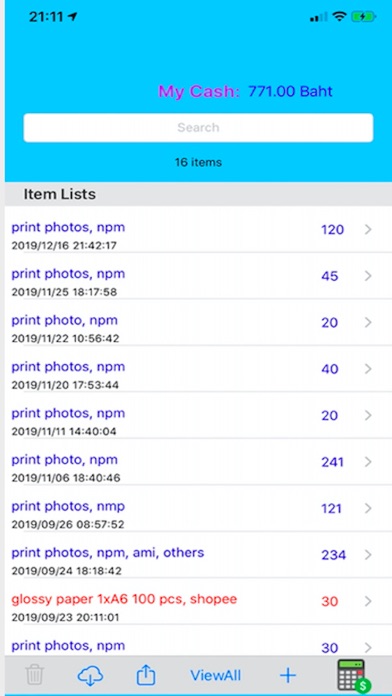


Description by Mudarmeen Munlin Written by the developer, not by AppBrain. Click to read.
-Keep track of daily cash in hand for iOS 9.0 and above
-Personal Account
-Daily spending, expense, income.
-Add, Edit, Delete, Search.
-Export/Import to/from iCloud.
-Up to date Instant balance.
-Saving account for kids and others.
-Personal stack calculator for student.
-Binary Operator: +, -, *, ÷, Mod, x^y
-Unary Operator: √, x!, 1/x, log10, %, Clear, Del
-Memory: M+, M-, MC, MR
-Auto display decimal point.
-Continuous computation after equal button.
-Support iPhone SE.
-Save and restore view.
-Copy result to clipboard.
-Backspace button to erase last digit.
cash features:
-quick expense, income and balance.
-Instant positive cash balance in blue and negative cash balance in red.
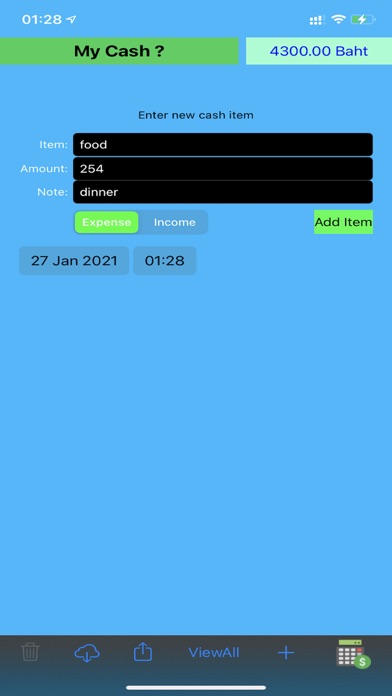
-Tap + to insert new expense or income.
-Choose date and time from the date picker.
-Enter item name, item amount and item note.
-Tap item type: Expense or Income.
-Tap Add Item button to insert new item.
-Tap ViewAll to display all items in tableview.
-Income items display in blue, expense items displays in red.
-Quick search items, enter any keyword to search item.
-Swipe left to delete item or select item then tap delete button.
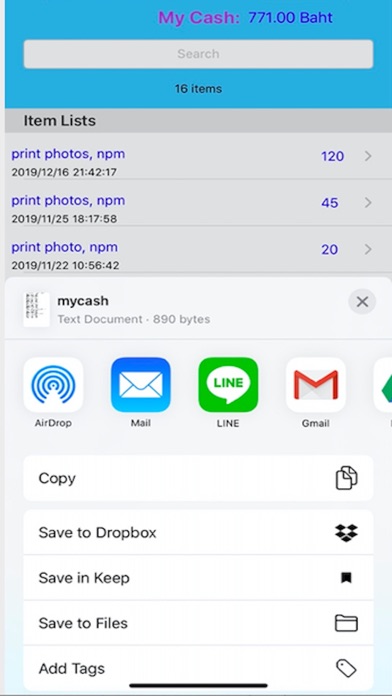
-Tap Share button to export data for backup.
-Tap Import button to restore data from backup.
calculator features:
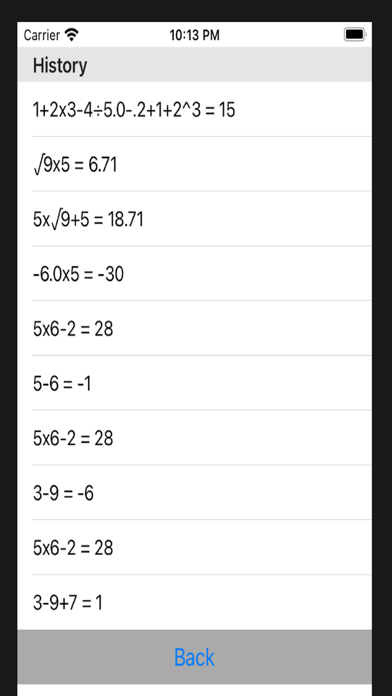
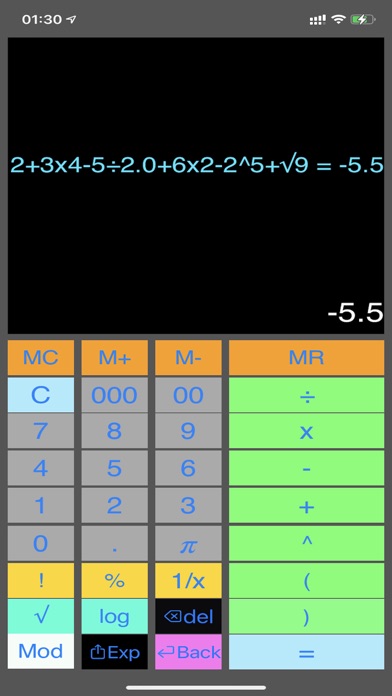
-equation string, e.g.
1+2x3-4÷5.0-.2+1+2^5 = 39.0
-compound operators and precedence +, -, x, ÷, ^, e.g.
1+2x3÷4-5 = -3
1+2x3÷4.0-5 = -2.5
2^10 = 1024
6--5x3 = 21
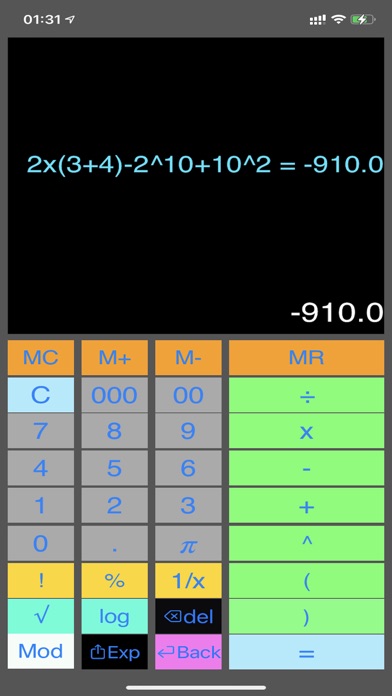
-use parenthesis ( ) as highest operator precedence. e.g.
(3+6)x2-3÷2 = 17
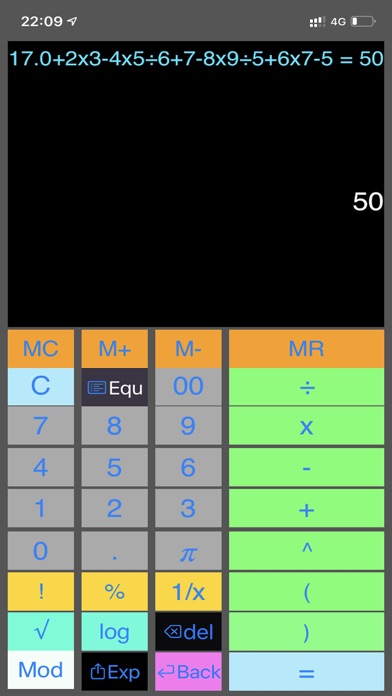
-long press to copy result and paste to other app, e.g.
17.0+2x3-4x5÷6+7-8x9÷5+6x7-5 = 50.0
-Integer operation, e.g.
11÷2 = 5.0
-Floating point operation, e.g.
11.0÷2 = 5.5
11÷2.0 = 5.5
-perform x^y, e.g.
2^16 = 65536.0
-perform square root, e.g. √625,
tap √ , tap 6 2 5, tap = , result: √625 = 25.0
-compute %, e.g. to find 5% of 300.
tap 5, tap %, tap x, tap 3 0 0, tap =, result: 0.05x300 = 15.0
-compute logarithm base 10, e.g. log1000
tap log, tap 1 000, tap =, result: log1000 = 3.0
-compute factorial, e.g. 5!
tap 5, tap !, result: 5! = 120.0
-compute inverse of x or 1/x, e.g. inverse of 25
tap 25, tap 1/x, result: 1/25 = 0.04
-compute area of a circle with radius 5, e.g.
tap 2, tap x, tap Pi, tap x, tap 5, tap =, result: 2xPix5 = 31.4159
-Continuous computation, e.g. to compute 7.5% of 800 then add by 1000.
tap 7.5, tap %, tap x, tap 800, tap +, tap 1 000, tap =, result: 0.075x800+1000 = 1060.0
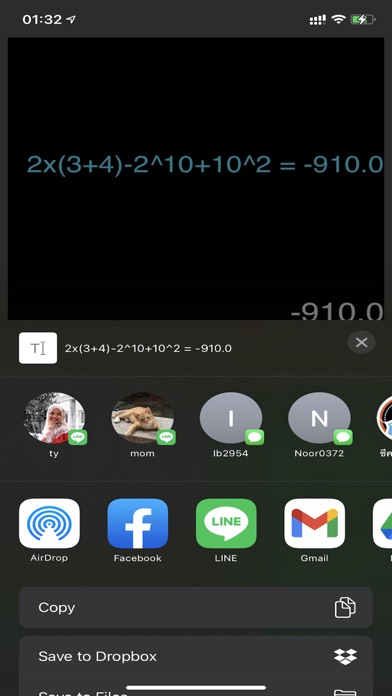
-Tap share button to share the result of the computation to other apps.
-Tap M+ to add result in memory
-Tap M- to subtract result in memory
-Tap MC to clear result from memory.
-Tap MR to recall result from memory.
Note:
-Operators (, ), +, -, x, ÷, and ^ can combine into a long equation string. e.g.
17+2x3^2-4x5÷6.0+(7-8)x9÷5.0+6x7-5
-Computation follows operator precedence, e.g.
1+2x3-2^3+1 = 0.0
2x(3+4)÷3.0+5 = 9.666666666666668
-Operators !, % and 1/x can only be used in a single operation or first operator in mixed operation, e.g.
5!, 6%, but not 2 + 5!, not 20 + 5%
-can use as first operator, e.g.
5! + 2, or 5% + 20
-Mod operator can not be mixed with other operators.
-Mod usage: to compute 34 mod 5, e.g.
tap 3 4, tap Mod, tap 5, tap =, result: 34 Mod 5 = 4.