

Smart Printer App: Scan PDF
Smart Printer App: Scan PDF is made and published by Naheed Un Nisa. AppBrain is an independent app data site and isn't affiliated with Naheed Un Nisa. The app name, icon, screenshots and description belong to Naheed Un Nisa and are shown as published on the App Store.
AppBrain's verdict
- Rating on App Store
- 5.00
- 1 ratings
- Last updated
- May 2, 2026
It doesn't have enough ratings yet to judge what users think.
Rankings
App Store top chartsApp Store Rankings for Smart Printer App: Scan PDF
Competitors
Similar apps and more from Naheed Un NisaAlternatives to Smart Printer App: Scan PDF


More from Naheed Un Nisa


Releases
Updates seen on the App Store- Version
- 1.0
- Launched
- May 2026
No changelog data
User feedback
Ratings and reviews on the App StoreComments on Smart Printer App: Scan PDF for iOS
We don't have enough comments to show example comments. Please check back later.
Technology
Found in the app by AppBrain- Price
- Free
- App size
- 30.1 MB
- Content rating
- Everyone
Technologies used by Smart Printer App: Scan PDF
About the app and developer
About Smart Printer App: Scan PDF
Smart Printer App: Scan PDF is an utilities app developed by Naheed Un Nisa.
What is the rating of Smart Printer App: Scan PDF?
Smart Printer App: Scan PDF is rated 5.00 out of 5 stars, based on one rating ratings.
Is Smart Printer App: Scan PDF free?
Smart Printer App: Scan PDF is free. The app size is 30.09 MB. The latest version available is 1.0. The last update was on May 2, 2026.
What are the requirements for Smart Printer App: Scan PDF?
The app has a content rating of Everyone. The app has been available on the App Store since May 2026.
Developer information for Naheed Un Nisa
Address:
Store listing
By Naheed Un Nisa, from the App Store


Description by Naheed Un Nisa Written by the developer, not by AppBrain. Click to read.
With a clean interface and powerful features, Smart Printer App: Scan PDF helps you handle all your printing needs in one place using Apple AirPrint technology for seamless wireless printing.
Key Features
- Print photos, documents, and PDFs
- Scan documents and convert to PDF
- Wireless printing with AirPrint
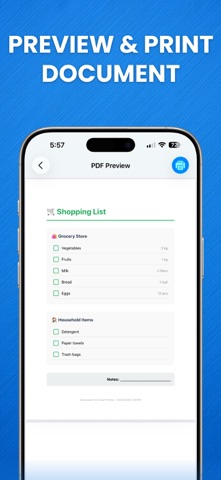
- Preview before printing
- Create collages and templates
- Fast and easy file handling
How It Works:
- Select your file or photo
- Preview or edit if needed
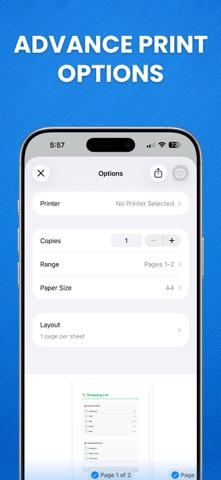
- Connect to printer
- Print instantly
Requirements:
- AirPrint-compatible printer
- Wi-Fi connection
Privacy Policy:
https://sites.google.com/view/naheed-apps/privacy-policy
Terms of Use:
https://sites.google.com/view/naheed-apps/terms-conditions