

Smart Printer: Scan Master Pro
Smart Printer: Scan Master Pro is made and published by HRHELPERG LLC. AppBrain is an independent app data site and isn't affiliated with HRHELPERG LLC. The app name, icon, screenshots and description belong to HRHELPERG LLC and are shown as published on the App Store.
AppBrain's verdict
Well rated- Rating on App Store
- 4.49
- 110 ratings
- Last updated
- October 6, 2025
Users rate it well: 4.5 stars from 110 ratings.
Rankings
App Store top chartsApp Store Rankings for Smart Printer: Scan Master Pro
Competitors
Similar apps and more from HRHELPERG LLCMore from HRHELPERG LLC


Also available on Google Play

Releases
Updates seen on the App Store- Version
- 7.4.2
- Launched
- June 2025
No changelog data
User feedback
Ratings and reviews on the App StoreComments on Smart Printer: Scan Master Pro for iOS
We don't have enough comments to show example comments. Please check back later.
Technology
Found in the app by AppBrain- Price
- Free
- App size
- 134.9 MB
- Content rating
- High
Technologies used by Smart Printer: Scan Master Pro
About the app and developer
About Smart Printer: Scan Master Pro
Smart Printer: Scan Master Pro is a business app developed by HRHELPERG LLC.
User Ratings
Smart Printer: Scan Master Pro is rated 4.49 out of 5 stars. The rating is based on 110 ratings.
App Information
Smart Printer: Scan Master Pro is freely available from the App Store. The app size is 134.86 MB. The latest version available is 7.4.2. The last update was on October 6, 2025.
Technical Requirements
The app has a content rating of High Maturity. The app has been available on the App Store since June 2025.
Developer information for HRHELPERG LLC
Address:
Frequently asked questions about Smart Printer: Scan Master Pro
Is Smart Printer: Scan Master Pro free?
Yes. Smart Printer: Scan Master Pro is free on the App Store.
Is Smart Printer: Scan Master Pro still available?
Yes. Smart Printer: Scan Master Pro is on the App Store, and the last update we saw was on October 6, 2025.
How large is Smart Printer: Scan Master Pro?
Smart Printer: Scan Master Pro is 134.86 MB.
Is Smart Printer: Scan Master Pro suitable for children?
App Store gives Smart Printer: Scan Master Pro a high maturity rating. It is meant for adults.
How do people rate Smart Printer: Scan Master Pro?
Smart Printer: Scan Master Pro scores 4.49 out of 5 stars, from 110 ratings on the App Store.
Who made Smart Printer: Scan Master Pro?
Smart Printer: Scan Master Pro was developed by HRHELPERG LLC. It is listed in the business category on the App Store.
Store listing
By HRHELPERG LLC, from the App Store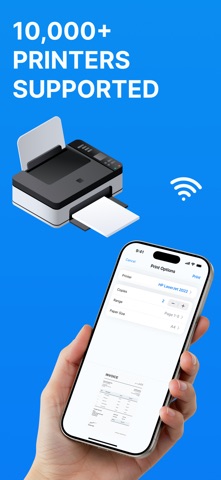




Description by HRHELPERG LLC Written by the developer, not by AppBrain. Click to read.
Key Features:
• Print any files
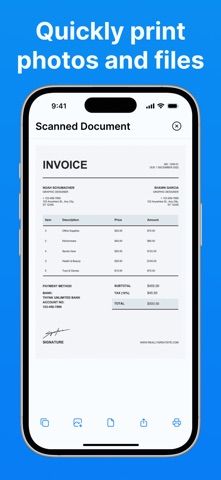
With the Smart Printer App, you can easily print photos, documents, emails, web pages, and more. The app supports a wide range of formats, including PDF, DOC, XLS, PPT, JPG, PNG, and TXT. Import from DropBox, iCloud Drive.
• Scan documents - Smart Scanner
Use your camera to scan documents, ID, Passports, receipts, business cards, or notes. Scanned files can be edited, filtered, and saved in various formats.
• Advanced print settings
Customize print settings such as the number of copies, page orientation, paper size, and more. This ensures maximum flexibility and resource efficiency.
• Printer compatibility
The Smart Printer App supports over 10,000 wifi printer models.
Thanks to AirPrint technology, printing is possible without the need to install additional drivers or software.
Ease of Use
Quick setup and seamless printer connection.
PDF Preview Documents before printing.
Ideal for:
Home use: print photos, recipes, tickets, and other personal documents.
Study: scan and print notes, essays, and presentations.
Business: process invoices, contracts, reports, and other business documents.
Download the Smart Printer App today and experience a new level of convenience in printing and scanning documents directly from your mobile device.
Privacy Policy - https://docs.google.com/document/d/11yrh35mfkEWHd2DNptRYTzVXfI34FxhRDnSVHey1VUo/edit?usp=sharing
Terms & Conditions - https://docs.google.com/document/d/11uY2wAqBkwhRYUXriLmHpgcxxF3phbGPeZec0nuFLNg/edit?usp=sharing