It doesn't have enough ratings yet to judge what users think.
Snap Print: Scan, Edit & Print is made and published by
Ha Nguyen.
AppBrain is an independent app data site and isn't affiliated with Ha Nguyen.
The app name, icon, screenshots and description belong to Ha Nguyen and are shown as
published on the App Store.
About Snap Print: Scan, Edit & Print
Snap Print: Scan, Edit & Print is an utilities app developed by Ha Nguyen.
User Ratings
Snap Print: Scan, Edit & Print is rated 3.50 out of 5 stars. The rating is based on 4 ratings.
App Information
Snap Print: Scan, Edit & Print is freely available from the App Store. The app size is 126.79 MB. The latest version available is 1.0.7. The last update was on August 20, 2026.
Technical Requirements
The app has a content rating of Everyone. The app has been available on the App Store since April 2026.
Description by Ha Nguyen(from the App Store)
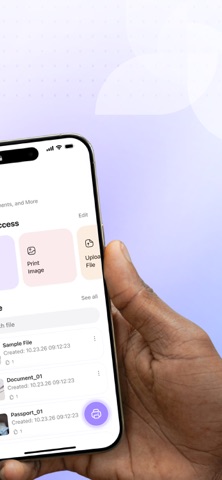
Stay productive and handle your documents with ease. SnapPrint helps you scan, edit, and print documents or photos anytime, anywhere using one simple and powerful app.
Whether you are scanning contracts, capturing ID cards or passports, or printing files on the go, SnapPrint makes everything fast, clear, and effortless.
With a focus on simplicity, speed, and smart technology, SnapPrint combines advanced scanning, powerful editing tools, and seamless wireless printing into one clean experience.
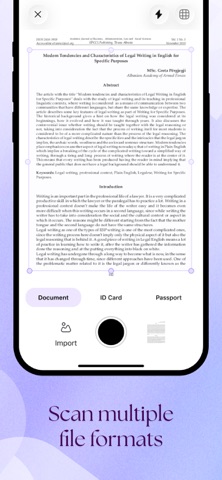
Smart scanning for every need - Scan documents, receipts, notes, and papers with high accuracy - Capture ID cards and passports with optimized edge detection - Auto-detect borders and crop documents instantly - Enhance scan quality for clear, sharp, and readable results - Works perfectly in different lighting conditions
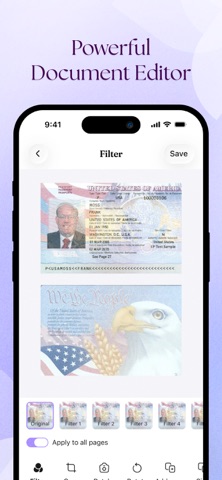
Powerful editing tools - Crop, rotate, and adjust your documents easily - Apply smart filters to improve readability and contrast - Fine-tune brightness, shadows, and colors - Clean up backgrounds for a professional look - Prepare documents before printing or sharing
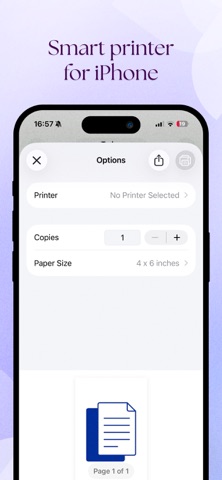
Smart wireless printing - Connect to printers easily and print from anywhere - Support wireless and remote printing - Print documents, PDFs, and images instantly - Customize layout, size, and orientation before printing - Fast, stable, and reliable printing experience
PDF & file support - Convert scans and images into high-quality PDF files - Print PDFs, documents, and image files effortlessly - Manage and organize your files in one place - Share documents quickly via your favorite apps
Fast, simple, and efficient - Clean and intuitive interface for easy use - Scan → Edit → Print in just a few taps - Designed for both personal and professional use - Save time and reduce the need for physical scanners
Why choose SnapPrint - All-in-one scanner, editor, and printer app - Smart detection for documents, ID cards, and passports - Powerful editing and filter tools - Seamless connection to wireless printers - Reliable performance with high-quality results
Perfect for - Students scanning notes and assignments - Professionals handling contracts and documents - Travelers scanning passports and ID cards - Anyone who needs quick and easy printing - Everyday document and photo management
SnapPrint is built to simplify the way you handle documents — from scanning to editing to printing — all in one smooth workflow.
Download SnapPrint today and experience a smarter, faster way to scan, edit, and print.
Terms of Use: https://sites.google.com/view/ios-hero-terms-of-use Privacy Policy: https://sites.google.com/view/ios-hero-privacy-policy
Each subscription will automatically renew 3 days before the expiration date for
the same time period. Subscriptions can be cancelled at any time before the renewal.