

SnipBack is made and published by HIPOINT INC. AppBrain is an independent app data site and isn't affiliated with HIPOINT INC. The app name, icon, screenshots and description belong to HIPOINT INC and are shown as published on the App Store.
AppBrain's verdict
Established- Rating on App Store
- 3.96
- 26 ratings
- Last updated
- October 29, 2026
It doesn't have enough ratings yet to judge what users think.
Rankings
App Store top chartsApp Store Rankings for SnipBack
Competitors
Similar apps and more from HIPOINT INCAlternatives to SnipBack





More from HIPOINT INC


Releases
Updates seen on the App Store- Version
- 15.4.5
- Launched
- February 2017
No changelog data
User feedback
Ratings and reviews on the App StoreComments on SnipBack for iOS
We don't have enough comments to show example comments. Please check back later.
Technology
Found in the app by AppBrain- Price
- Free
- App size
- 211.9 MB
- Content rating
- Everyone
Technologies used by SnipBack
About the app and developer
About SnipBack
SnipBack is a photo & video app developed by HIPOINT INC.
User Ratings
SnipBack is rated 3.96 out of 5 stars. The rating is based on 26 ratings.
App Information
SnipBack is freely available from the App Store. The app size is 211.88 MB. The latest version available is 15.4.5. The last update was on October 29, 2026.
Technical Requirements
The app has a content rating of Everyone. The app has been available on the App Store since February 2017.
Developer information for HIPOINT INC
Address:
Store listing
By HIPOINT INC, from the App Store
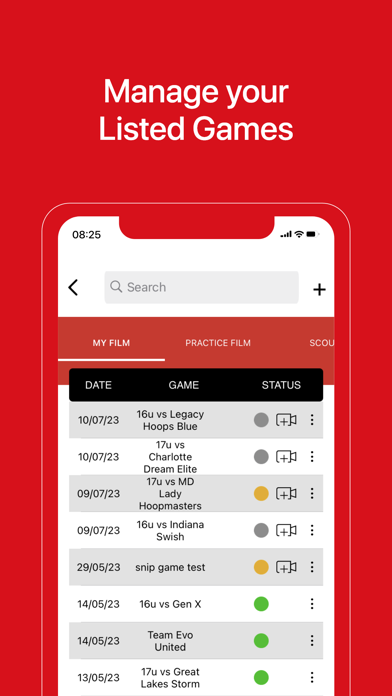

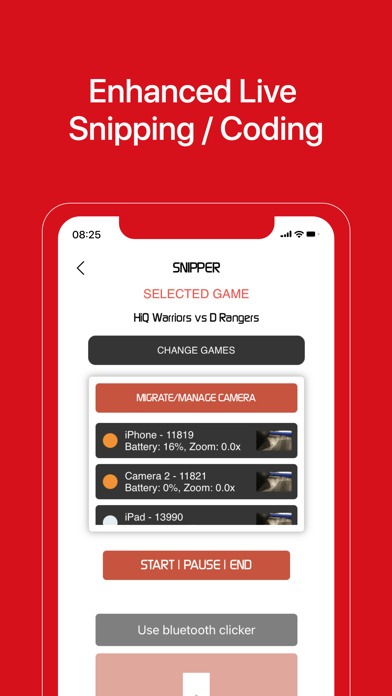

Description by HIPOINT INC Written by the developer, not by AppBrain. Click to read.
Simply setup as many iOS devices from various vantage points for an event as you’d like…our platform will record and upload to the cloud WHILE RECORDING, syncing all views automatically, and making the video available for streaming.
MULTI-VIEW RECORDING
Just set the game/event name, then join as many recording devices as you’d like. SnipBack AI will take care of the rest. When watching recorded footage, you’ll easily be able to switch vantage points as all views are automatically synced.
TEAM SHARING
Associate a game/event with a team (or group), and then once uploaded, all team members will automatically have that game ready for streaming in their accounts.
PINNED WHITEBOARDS
Coaches, directors, or event organizers can easily record and pin a whiteboard session to a game/event. Just start a session, then speak, draw, and navigate through the video. Once done just stop the session, and then all team members will automatically see that pinned whiteboard in their accounts. Takes on demand learning to the next level.
REAL-TIME BOOKMARKS
Coaches, directors, and event organizers can easily set digital bookmarks real-time, either from a recording device or from any mobile phones. Simple tap the bookmark button, and then when playing the video easily jump to and review bookmarked footage. If recording via multiple devices, these bookmarks automatically synced across all vantage points.
ADVANCED STREAMING PLATFORM
All recordings are uploaded while recording (not afterwards), and as such footage is available to stream almost immediately (within 60 seconds).
BASKETBALL AI AND CV FEATURES
Utilize AI and CV for basketball, where all basketball footage is processed and made searchable. Users can easily create and view custom SnipReels, which are virtual videos broken down into play blocks. These blocks can be generated automatically by AI/CV or manually by coaches. Examples of some AI/CV blocks would be made shots, missed shots, made 3-pointers, assists, and turnovers just to name a few. Users scan share, link, or export any such block; they can even pin a custom whiteboard to a block.
AUDIENCE PARTICIPATION
Never before has it been so simple and secure for event participants to tap into any setup event cameras to get desired photos and videos for themselves. Once logged into an event with a special event code, they can simply tap their own bookmark button each time something they want footage for occurs (e.g. their kid just made a nice play). After that the desired footage from all vantage points automatically gets downloaded into their gallery….it’s that simple!
The Power of the SnipBack Recorder!
Introducing our exclusive patent pending SnipBack feature, which integrates DVR-like functionality within the record button. Just like with DVR’s, SnipBack allows you to go back in time to see what you’ve missed, and include that past video in your final clip!
Terms of Use :https://www.snipback.com/terms-of-use/