

Solaflex is made and published by Solaflex GmbH. AppBrain is an independent app data site and isn't affiliated with Solaflex GmbH. The app name, icon, screenshots and description belong to Solaflex GmbH and are shown as published on the App Store.
AppBrain's verdict
- Last updated
- October 14, 2026
Rankings
App Store top chartsApp Store Rankings for Solaflex
Competitors
Similar apps and more from Solaflex GmbHAlternatives to Solaflex




Releases
Updates seen on the App Store- Version
- 1.117.7
- Launched
- December 2021
No changelog data
User feedback
Ratings and reviews on the App StoreComments on Solaflex for iOS
We don't have enough comments to show example comments. Please check back later.
Technology
Found in the app by AppBrain- Price
- Free
- App size
- 38.6 MB
- Content rating
- Everyone
Technologies used by Solaflex
About the app and developer
About Solaflex
Solaflex is a productivity app developed by Solaflex GmbH.
What is the rating of Solaflex?
Solaflex has no ratings yet.
Is Solaflex free?
Solaflex is free. The app size is 38.63 MB. The latest version available is 1.117.7. The last update was on October 14, 2026.
What are the requirements for Solaflex?
The app has a content rating of Everyone. The app has been available on the App Store since December 2021.
Developer information for Solaflex GmbH
Address:
Store listing
By Solaflex GmbH, from the App Store


Description by Solaflex GmbH Written by the developer, not by AppBrain. Click to read.
Save the effort of manually transferring your hand-drawn sketches into CAD software—Solaflex lets you import created drawings directly into CAD programs with just a few clicks.
Split into parts
This premium feature displays the generated contour in detail. Individual parts to be processed can be shown separately and easily transferred to the raw material. The bill of materials can also be exported and sent as a PDF file.
Custom PDF
With the custom PDF feature, you can easily add, edit, and delete dimensions on your drawing. The dimensioned drawing can then be exported as a PDF document.
Measurement Sheet
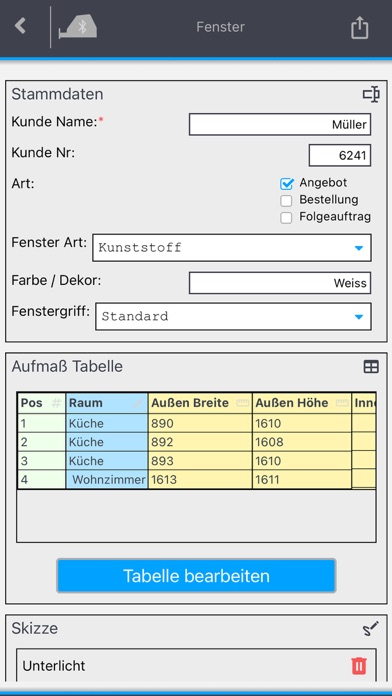
Solaflex’s digital measurement sheet provides an innovative measuring method that simplifies standardized measurements, product specifications, and the complete collection of all relevant data. Whether using custom templates, direct data transfer, or seamless integration into existing ERP systems—the digital measurement sheet makes the entire process more efficient and error-free.
Table Export and Templates
Created tables can be saved as templates and recalled at any time. In addition, the tables can be exported as CSV files—either directly from the app or via MySolaflex.
Additional Features:
Drawing Mode
Two basic modes are available for creating drawings: freeform mode and coordinate mode. Freeform mode is ideal for right-angled contours or rough surface capture, such as floor plans.
Measuring in coordinate mode produces the most accurate results. In this mode, all contour points are defined by two coordinates, X and Y. This method also makes it easy to measure complex surfaces. More information can be found at www.solaflex.com.
Table Mode
In this mode, tables can be individually created, configured, and filled with measurement values and text. Calculator columns allow any type of arithmetic operation—for example, to directly include deductions or additions. Custom dropdown menus can also be created and selected from. Additionally, table rows can be freely numbered.
Insert Cutouts
Walls, floors, or ceilings often include installations such as sockets, pipes, or similar. The app allows you to insert and configure various types of cutouts as desired.
Freeze Outline
To ensure smooth installation of the measured object, the "Freeze Contour" function can be used. After freezing, installation tolerances or overhangs can be easily added to the drawing.
Move Center cross
This function allows the crosshairs to be moved into inaccessible areas. Measurements can then be continued from the new position.
Generate PDF
Drawings can also be exported and sent as PDF files.
Project and Drawing Management
Drawings and tables can be grouped into project folders.
Photos and Notes
Photos and notes can be attached. These attachments are automatically included in the PDF.